
- Title: Huawei G525-U00
- Listed: June, 2014
- Last modified: 08/27/2014 5:57 pm
- Version: Andriod 4.1.2
You must be logged for ROM download.
58508 total views, 2 today
20 Total favorites
 Member Info
DESCRIPTION
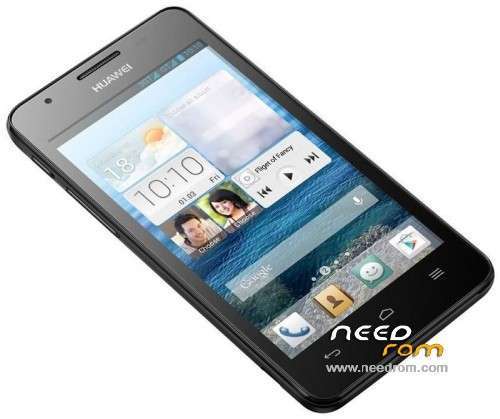
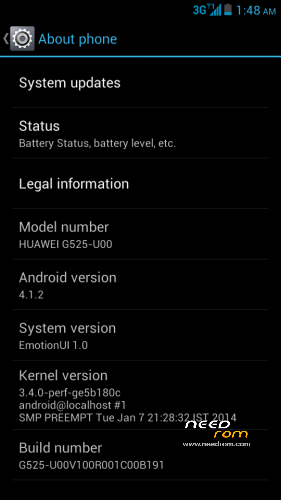
Official ROM Update for Huawei Ascend G525-U00
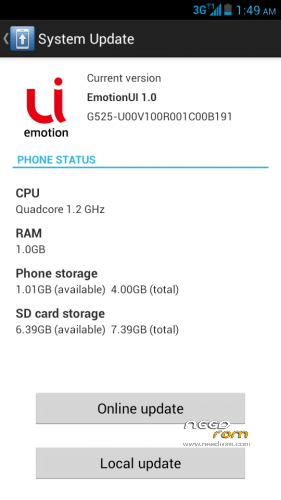
ROM Version: Andriod Jelly Bean 4.1.2
Build ID: G525-U00_V100R001C00B191
Build Channel: Iran, Islamic Republic of_Kuwait_Channel-Others_Channel
Language Support: Multilang
Before You Begin:
1.Make sure that Your Device Battery is Charged about 70-80%.
2.Format SD Card (Optional).
3.Backup Your Data.
Installation:
1.Extract zip Content and place the dload Folder on the root directory of SD Card
2.Power off the Device
3.Insert the SD card and Power on the Device by pressing VOLUME UP AND VOLUME DOWN keys simultaneously.
4.Wait for Installation Process to Complete (Do not turn off the Device during the installation process).
※Please make a backup of your device before installing or updating ROM
I cant Install this Rom. can u help me.. i forget Backup from my Mobile and i Remove everything and i can just install some Custome Rom and cant Install Official Rom.. I cant Install Rom with 500 mb size and just can install some 200-300 mb Size of Custome Rom.
pls Help Me
Hi, whats ur sd card size it be should 1 gig
Or more also make sure u have gud brand sd card
Try formating ur sd card on ur pc
Hi, whats ur sd card size it be should 1 gig
Or more also make sure u have gud brand sd card
pls put Program Recovery Orginal for Huawei G525-U00 for Install Official Android coz i clean Original Recovery and install other Recovery
thank you
Are u asking the Stock Recovery?
I Have posted the Stock recovery
i remove official Android but i remove it complete and i install custome Rom
i install Stock Recovery and put dload into my Sd Card with file and go in Stock Recovery but when i want install updater tell me again install faid.
Hi Did you try installing from stock recovery? Sorry it wont work that way.
1. Put the dload folder on the root of sd card
2.Power off the Device
3..Power on the Device by pressing VOLUME UP AND VOLUME DOWN keys simultaneously.
What is diffrence between this and the orginal one?
Hi, There is no Difference between the orginal and the one i posted here both are released by Huawei AND both are ORGINAL
how do I install a recovery
1.Hi, You Install Recovery by Command Prompt (CMD) ALONG side with Android Development Kit (ADB) that is Installing the WHOLE KIT.
OR
2.Follow this Link - http://theunlockr.com/2013/06/.....ei-ascend-g300/
This Tutorial is for Huawei Ascend G300 , but it works for all Huawei Devices as well.
Just Ignore the CWM Recovery OF G300 and USE THE G525 STOCK RECOVERY
Almost forgot to Mention in the tutorial JUST SKIP STEP-1 THAT IS "BEFORE YOU BEGIN" because that is for For Installing CUSTOM ROM
thnx a lot..im succed
Alarm Alarm Alarm Alarm
رام من b191 اما بعد بک اپ کار بازگردانی برنامه ها رو انجام نمیده؟؟؟؟؟؟؟؟
no restore apk?
Veamos si entiendio… descargo la rom, creo una carpeta llamada DLOAD en la raiz SD y meto la rom dentro.. luego apago el telefono y lo enciendo volumen arriba y volumen abajo y automaticamente empezara la instalacion… mi pregunta es: si esto falla puedo simplemente reiniciar en la rom que tengo instalada??? ah y para que subieron el recovery stock? como se instala ese recovery en caso de que se me brickee el telefono?.