
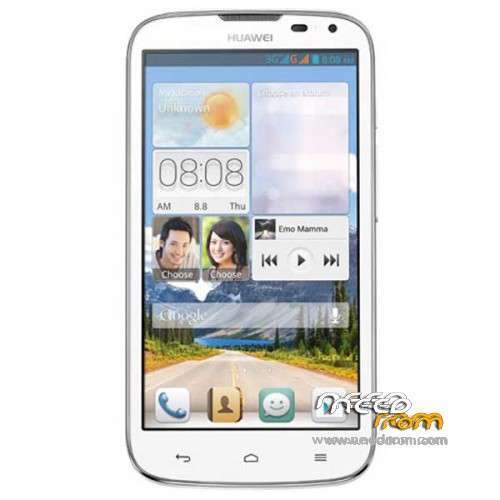
- Title: Huawei G610-U00 Build145
- Listed: February, 2014
- Last modified: 02/12/2014 3:29 pm
- Version: ROM Android 4.2.1
You must be logged for ROM download.
48100 total views, 11 today
12 Total favorites
 Member Info
DESCRIPTION
Model Name:Huawei G610-U00
Android Version:4.2.1
ROM Modded by Navin
ROM version number:G610-U00 V100R001CHNC17B145
Based on the official version:B145
Features:
* Removed all the unnecessary apps and streamlined.
* Google Play integrated
* Language English by Default
*TWRP/CWM Flash file to change China Unicom logo to Huawei Boot Logo attached
* Rooted
ROM install :
1) Download the custom ROM and copy it to an external SD card root directory
2) Download the TWRP recovery.img ( put in your SD card )
3) Start MobileUncle Tools ( Download on Goolge play )
4) Select Update Recovery ( choose recovery image file )
5) Reboot Mobile in TWRP recovery mode and follow the instructions
– Wipe Data / Factory Reset
- Return to recovery main interface Press Install and select zip from sdcard
- After complete, wipe cache and Press reboot
※Please make a backup of your device before installing or updating ROM
Just flashed it and after a long reboot it seems to work just fine.
yeah!! It should work fine..it's a official copy..just ripped off unwanted apps only…Thanks!!
Posible for g610-u20 this rom?
This ROM is not compatible with U20.
You can modify G610-U00 roms to work on G610-U20
1 – Create Folder on your PC name it " MyROM" for example
2 – Copy The ROM (xxxx.zip) You Just Download to this folder
3 – Extract .Zip file
4 – Download The Modem Image File From Here
https://www.dropbox.com/s/8tsp.....oqb7u/modem.img
5 – Copy That File And Paste it in \system\etc\firmware, and replace the exist one
6 – Select (data, META-INF, system) Folders and compress it as zip file "Modified_ROM.zip" for example.
7 – Connect Your Phone via USB and copy Zipped file to your SD Card root
8 – Enjoy Flashing…
Regards
Which Emoiton UI is this
1.6
Can you please change this UI to 4.4 kitkat and I want all of Google services .Thanks a lot man!!
hhmm…you can installed Apex Launcher or Nova Launcher…you will be able to get the JB or KitKat UI…thanks!
Arr! I can't install Google+ and Youtube.
you can flash Gapps for JB 4.2.1 (http://goo.im/gapps/gapps-jb-2.....1212-signed.zip) from the TWRP.. Then you will get all the google services…..Thanks..
Thanks! I downloaded this package and don't know what to do . Please ?
Just flash the file using TWRP as you did it for the ROM installation but this time no need to do wipe/factory reset and all…Just install and reboot.,,,thanks!
it work perfectly thank !!
Hi there, what's that scatter file for? Is it to be used in SP FlashTools?
How to update the logo? (just open the zip, substitute the folder "META-INF, copy "logo.bin", zip it all again and ready to go?)
Thanks a lot
That scatter file is for flashing the TWRP recovery image file through SP Flash Tool.. You can use that file to flash the TWRP recovery via Flash Tool. For the Logo update, you download the zip file as whole not as individual files… then flash it via TWRP…
I have added another link to download the update_logo.zip..download it and flash it via TWRP..Thanks!
Thanks a great lot!
Well, the thing is I flashed a Rom that went wrong so I got a blank screen on a "fully usable" phone. I can see my phone just by adb, and that's were i put my hope on! Your recovery tool is invisible to adb, but I got a CWM that is visible. Is there any problem I use the CWM to flash your ROM? It seems to have all the features I need (wipe user data, wipe cache, wipe dalvik cache, install new Rom from SD Card).
Thanks a GREAT LOT!
Just use the TWRP recovery I supplied to flash the Build145 ROM…other recovery might not work esp. for the newer build of G610 ROM..About the flashing, yes you are right….Wipe Data / Factory Reset, Wipe cache, Install ROM from SD…As you said, your phone is not working now so i suggest you to flash TWRP recovery via SPFT and install my ROM…Also make sure, if you have G610-U00..for other version this rom will not work…