
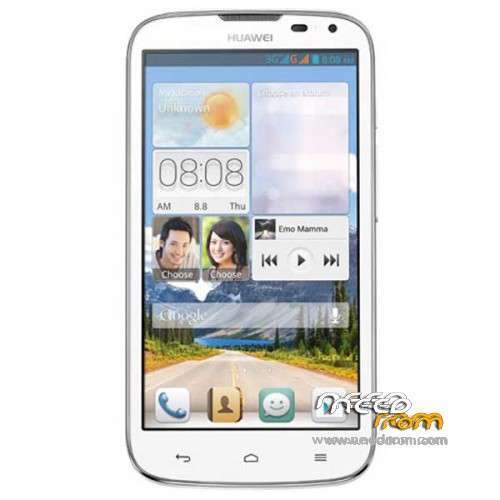
- Title: Huawei G610-U00 Build145
- Listed: February, 2014
- Last modified: 02/12/2014 3:29 pm
- Version: ROM Android 4.2.1
You must be logged for ROM download.
47778 total views, 3 today
12 Total favorites
 Member Info
DESCRIPTION
Model Name:Huawei G610-U00
Android Version:4.2.1
ROM Modded by Navin
ROM version number:G610-U00 V100R001CHNC17B145
Based on the official version:B145
Features:
* Removed all the unnecessary apps and streamlined.
* Google Play integrated
* Language English by Default
*TWRP/CWM Flash file to change China Unicom logo to Huawei Boot Logo attached
* Rooted
ROM install :
1) Download the custom ROM and copy it to an external SD card root directory
2) Download the TWRP recovery.img ( put in your SD card )
3) Start MobileUncle Tools ( Download on Goolge play )
4) Select Update Recovery ( choose recovery image file )
5) Reboot Mobile in TWRP recovery mode and follow the instructions
– Wipe Data / Factory Reset
- Return to recovery main interface Press Install and select zip from sdcard
- After complete, wipe cache and Press reboot
※Please make a backup of your device before installing or updating ROM
Its not synchronising gmail contacts. What should I do?
I have only put some google services that we use…I haven't included all the other services of Google…To get all the google services you can flash Gapps for JB 4.2.1 (http://goo.im/gapps/gapps-jb-2.....1212-signed.zip) from the TWRP.. Just flash it using TWRP..no need to do wipe/factory reset…..
Now the settings -> SIM Management is not working properly. What should I do?
Hmmm…what kind of problem?…I didn't face this problem…everything is working normally in mine..
Navin,
After I install the new ROM the SIM Cards are not working anymore.
I searched in the internet the problem Invalid IMEI. however I didnt get success.
Do you know how to recover MP0B_001 file?
you can find this file in /data/nvram/md/NVRAM/NVD_IMEI/
regards
Your IMEI is lost..Anyway you can input it manually. Just do this steps:
Go to Engineering Mode by pressing * # * # 3646633 # * # *
then Connectivity —> CDS Information—–>Radio Information
For sim1
Phone1
(prepare you imei number which is you want to put.) Check IMEI written in your phone.
AT+EGMR=1,7,"write imei here"
then
press Send at command
For Sim2
Phone2
then
AT+EGMR=1,10,"write imei here"
then
press Send at command'
reboot your phone
type *#06# check imei numbers
It should be ok now!
Navin, I tried AT+EGMR=1,10,"write imei here" or AT+EGMR=1,7,"write imei here" in both phones 1 and 2, it prompts me AT command is failed to send. is there any other way?
Icsmanio, check this link http://bbs.mumayi.com/thread-2.....999526-1-1.html and go down to the file MTK 6589 IMEI.zip click on it and download. Install it. For me I got strange characters to use the software so I could not read, but after some tries I have succeeded. On both field enter your IMEI number and click to generate a file that will be placed on your desktop. Rename the file MP0B_001 to IMEI.back and copy\paste at the root of SD card. Then you can do a restore IMEI with MobileUncle tool from your phone. It has worked for me.
Thanks damienT… But for icsmanio to download that file MTK 6589 IMEI.zip, it will be hard because that site is in Chinese and requires login. Anyway I have download that file and have uploaded in my google drive. Here is the link https://drive.google.com/file/.....dit?usp=sharing
For icsmanio:
This app is in Chinese so you will get strange character when you execute. Just do as shown in picture below:
After this just follow steps as damienT said.
Thanks,
Thanks for him Navin, yeah I could have explain better, you did it, great job!
I'm just wondering if I can install Nexus 5 ROM in G610-U00. Is that possible??Thanks
No. Can't….
I found 4.4 Kitket ROM for G510.Can I install it.
Don't update it unless it is for "G610-U00" …otherwise it will brick your phone.
My phone stuck in Huawei logo and doesn't boot.Is there another way to enter recovery mode? Thanks !!!
i have sent PM…check your message box..Thanks!
I've try to install ROM.But there's error.I can't wipe data.If I try to reboot It said " No OS install"
E:Unable to mount '/cache
E:Unable to mount '/data
E:Unable to mount '/system
thanks!!!
Try to Flash the ROM with SPFT.
The post below will guide you.
http://www.pandawillforum.com/.....d-SP-Flash-Tool