
- Title: Huawei G610-U00 Build145
- Listed: February, 2014
- Last modified: 02/12/2014 3:29 pm
- Version: ROM Android 4.2.1
You must be logged for ROM download.
47778 total views, 3 today
12 Total favorites
 Member Info
DESCRIPTION
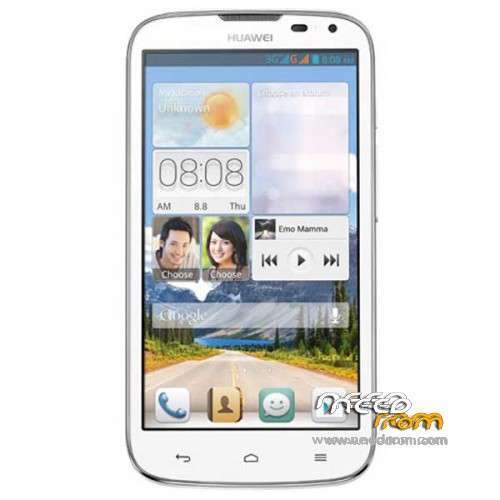
Model Name:Huawei G610-U00
Android Version:4.2.1
ROM Modded by Navin
ROM version number:G610-U00 V100R001CHNC17B145
Based on the official version:B145
Features:
* Removed all the unnecessary apps and streamlined.
* Google Play integrated
* Language English by Default
*TWRP/CWM Flash file to change China Unicom logo to Huawei Boot Logo attached
* Rooted
ROM install :
1) Download the custom ROM and copy it to an external SD card root directory
2) Download the TWRP recovery.img ( put in your SD card )
3) Start MobileUncle Tools ( Download on Goolge play )
4) Select Update Recovery ( choose recovery image file )
5) Reboot Mobile in TWRP recovery mode and follow the instructions
– Wipe Data / Factory Reset
- Return to recovery main interface Press Install and select zip from sdcard
- After complete, wipe cache and Press reboot
※Please make a backup of your device before installing or updating ROM
Hi guys,
I flashed this ROM and everything is working well except the camera app. I think the ROM doesn't recognize the main camera, only the secondary works.
Anyone with this problem?
Hi…I didn't face this problem. I am using this ROM in 3 sets and in all its working normally..
…May be you can try downloading any other camera app from Play Store and check if it's working in it…thanks!
Doesn't work with any other app…:(
hello
1st i'd like to thank u for the effort
2nd about the logo update is the posted logo the original one from huwaie or other ?
thnx in advance
It's original HW logo
Thankyou for the great tetorial Navin great work. But after fleshing this rom i am facing same problem as murdi-lhu my main camera also doesent work on secondry camera is working. Please help.
I am not sure what's wrong with the Camera as you have said because I have tested this ROM in more than 10 sets and there is no issue regarding Camera. Anyway this version is for U00 set for other versions U20, U10 it may not work properly. Please make sure ur phone is U00.
Thanks,
To manual mode install. In android terminal: dd if=/sdcard/logo.bin of=/dev/logo
it is not support sim card & back camera
Please use this ROM with G610-U00 only for other versions U20, U10 it may not work properly or it will not work.
quiero colocar mi cel original le descargue uno y aparece el idioma ingles y chino y no tiene disponible el playstore
hmmm accept for main camera problem… noooooooo.
Grrr the editor here is a much of a pain as my phone is being… Works fine on a G610+ U00, needed gapps zip for google sync. unfortunatly I have no front camera also
Ok I found a fix for the camera.. It looks to me that there are 2 different hardware versions. One runs on the 100 series ROMs eg 130-145 the other on the 900 Series ROMs eg 904-954. This worked for my G610+ U00.
I reflashed the recovey.img from the TWRP to the stock with SP flash tools…recovery.img only – pulled this of a G610-U20 file i got from somewhere.
Installed the offical 910 ROM from SD card as i could only find updates in \dload\update.app . do this in recovery boot – Hold Vol+, Vol- then Power on, keep holding for 10 seconds, or mobile uncle tools recovery boot if u have a booting phone.
Rooted with Vroot
Installed Mobile uncle, replaced recovery.img with the TWPR
Flashed the Gapps.zip Navin listed above for playstore and google sync.
so far so good. cammera works, google syncs, phone dials, apps work.
BTW i tried a B952 ROM last week and had problems with apps crashing… this may have been my inexperice though.
Hope this heps.
thank u
please update to latest bild