
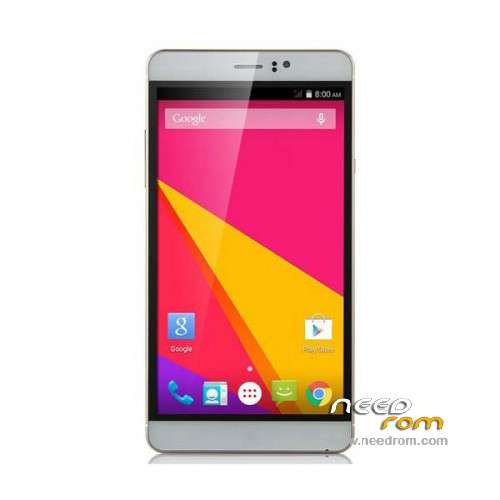
- Title: JIAKE M8
- Listed: January, 2016
- Last modified: 01/20/2016 6:29 pm
- Version: ROM Android 4.4.2
You must be logged for ROM download.
23527 total views, N/A today
20 Total favorites
 Member Info
DESCRIPTION
ROM Mobile JIAKE M8 - ROM Android 4.4.2
ONLY MT6572
Official ROM JIAKE M8 Version: X5_72KK_KK_3GW_B15_EMMC_32_4_QHD_XLD_M11_ZX – yuanda72_cwet_kk-user 4.4.2 KOT49H
Gapps include – No rooted
Language support: Multilang
Install ROM:
- Unpack FlashTools, and Click on Flash_tool.exe
- Select "scatter-Loading" and search MT6572_Android_scatter.txt in ROM
- Wait file to be added into Flash Tool
- Select "Download Only" or if upgrade "Firmware upgrade"
- Turn off your phone, remove the battery (if the battery is removable) and replace it after some seconds (and don't turn on the phone).
- Press “Download” button to start
- and connect your phone into the computer via USB data cable.
- The process will start and a red progress bar will appear after color purple, yellow.
- And green circles display
- Finish !
- You can now safely disconnect your phone and turn it on.
※Please make a backup of your device before installing or updating ROM
Thank you so much
Thanks for this. The Jiake M8 I have has malware built into the ROM it arrived with.
Do you know if this is "clean" or also known to have Malware ?
I'll give it a try anyway, to see if it makes my situation any better.
Cheers J37K.
I can not tell you how to flash the phone. The computer does not see it. Connect it to the computer screen picture batteries. Please help with the firmware, how ??? please !!!
Installation Aborts! Tried everything mentioned in post.Any suggestions? It appears that the USB debugger is not accessable. Ghost Push Virus Victim.
Soft bricked with no access to menu, can get into safe mode but can not do anything of value.tried the zip from the sc card,
My phone not accessable usb how i can fix it, please help me.
Understood, you had to install the drivers MTK. Thank you very much, the phone earned.
Thanks CHeers Super )) I LOVE YOU
Guys I need help, my Jiake M8 is not being detected by my Laptop no matter what I do it will not install the drivers..It keeps saying ''FAILED'' to install driver…What can I do?
What are we supposed to use for ROOT MANAGEMENT? Nothing from the play store works..SuperSu will not open, Superuser just sits there and does nothing..Titanium backup says looking for this and that…How do we grant Super User access to apps??
Thank you so much,
it works great!!!
I got ccel back on track again.!
zdastvyite prohil telephoe displei polos vkl svetnoi kak mogno pohehit