
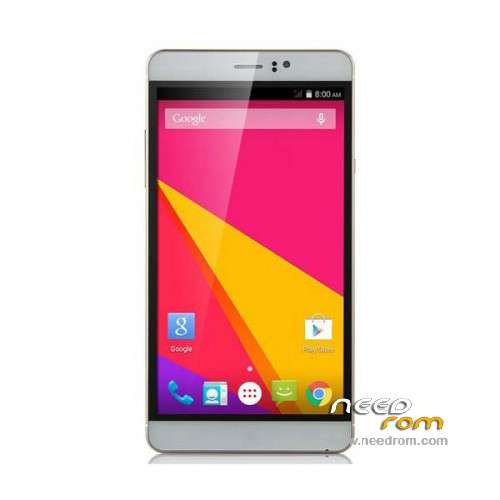
- Title: JIAKE M8
- Listed: January, 2016
- Last modified: 01/20/2016 6:29 pm
- Version: ROM Android 4.4.2
You must be logged for ROM download.
23528 total views, 2 today
20 Total favorites
 Member Info
DESCRIPTION
ROM Mobile JIAKE M8 - ROM Android 4.4.2
ONLY MT6572
Official ROM JIAKE M8 Version: X5_72KK_KK_3GW_B15_EMMC_32_4_QHD_XLD_M11_ZX – yuanda72_cwet_kk-user 4.4.2 KOT49H
Gapps include – No rooted
Language support: Multilang
Install ROM:
- Unpack FlashTools, and Click on Flash_tool.exe
- Select "scatter-Loading" and search MT6572_Android_scatter.txt in ROM
- Wait file to be added into Flash Tool
- Select "Download Only" or if upgrade "Firmware upgrade"
- Turn off your phone, remove the battery (if the battery is removable) and replace it after some seconds (and don't turn on the phone).
- Press “Download” button to start
- and connect your phone into the computer via USB data cable.
- The process will start and a red progress bar will appear after color purple, yellow.
- And green circles display
- Finish !
- You can now safely disconnect your phone and turn it on.
※Please make a backup of your device before installing or updating ROM
kak mogno skahati prohivki spasibo
Thank you very much. Saved my phone infected with malware.
This worked perfectly installing a clean ROM. I had the same issues with Malware installed from the vendor and Flashing the phone with this ROM took care of the problem.
Worked perfect! Thank you very much, i had a hard time looking for this rom. The handste had malware and i tried to erase with nck and soft bricked it, luckily right after flashing this rom everything went perfect
Hi there, how did you actually make it work, i am confused with the directions. Once i attach the scatter file, and hit Download, either to upgrade or download, nothing happens, just sits.
Also did you select the Firmware upgrade, or Download. Very much appreciate all the help you can give. I got virus as well, and shame..THANKS
Hi there, how did you actually make it work, i am confused with the directions. Once i attach the splattert file, and hit Download, either to upgrade or download, nothing happens, just sits.
Also did you select the Firmware upgrade, or Download. Very much appreciate all the help you can give. I got virus as well, and shame..THANKS..
Hola. Instalo ésta ROM en mi Jiake V11 (por que no hay nada para él) y funciona todo perfecto, menos el audio. ¿Cómo lo puedo arreglar?
Gracias.
mi telefono esta muerto no arranca que debo hacer ya hice todo el proceso y no arranca con el fashtool alguien me ayude mi tel m8 no arranca
My phone not accessable usb how i can fix it, please help me. when i reboot show to me keyguard stop
I am not getting aything after ditting the "download" button. Maybe language narrier on my behalf.
Install ROM:
- Unpack FlashTools, and Click on Flash_tool.exe
- Select "scatter-Loading" and search MT6572_Android_scatter.txt in ROM
- Wait file to be added into Flash Tool
- Select "Download Only" or if upgrade "Firmware upgrade"
- Turn off your phone, remove the battery (if the battery is removable) and replace it after some seconds (and don't turn on the phone).
PHONE IS ATTACHED TO THE PC ALL THIS TIME?
then turn off remove and put battery back and HIT DOWNLOAD, and then ??nothing happens, no progress bar..
please help. thanks in advance
phone is plugged in and charging but nothing happen as of flashing