
- Title: JIAYU G3 HIKE OS PORT
- Listed: February, 2014
- Last modified: 03/25/2014 2:29 pm
- Version: 4.2.1
You must be logged for ROM download.
38500 total views, 3 today
5 Total favorites




 Member Info
DESCRIPTION
Base rom: http://www.592zn.com (Ported Hike 818 4.2.1 ROM)
(Boot.img - Thanks for 4pda Team!)
# V3 ROM – 2013/03/25
Enable install non-Market applications
Xposed Framework 2.5 Final
Gravitybox 2.9.9
Init.d scripts:
99proximity – Proximity Patch
99Sleep250 – CPU 250 Mhz when battery charging
ViPER4Android Audio
# V2 ROM – 2013/02/28
APPLICATIONS:
Apps in /system
ContactPhotoSync
EngineerMode
EngineerModeSim
Mobileuncle Toolbox
WiFiADB
Apps in /data
AnySoftKeyboard + Hungarian keyboard
ContactsBackupUltimate
FileManager
Gmail
Opera Classic
SuperBackup
YouTube
MY MODS:
Xperia Z keyboard
Disable notifications in boot, when use only one SIM card
Add missing Hungarian strings
Power menu: Recovery + Reboot
YGPS in Location menu
OG Battery Mod
Messages: long message, disable convert to MMS
Messages: recipient list unlimited
SystemUI: mod battery percent and clock view (ICS blue color)
Build.prop mods
Engineer Mode in Developer settings menu
SuperSU + ROOT
HiCamera removed
Android 4.2 camera and gallery
Default theme: SunBeam
Disabled low battery notifications
USE ONLY CWM 6.0.x.x OR TWRP 2.4.1.0 (or newer) RECOVERY
G3N users, use this patch: HikeOS_JY-G3_G3N_Patch.zip
Volume +/- weakup patch: HikeOS_JY-G3_VolWakeUp_Patch.zip
Supported Languages:
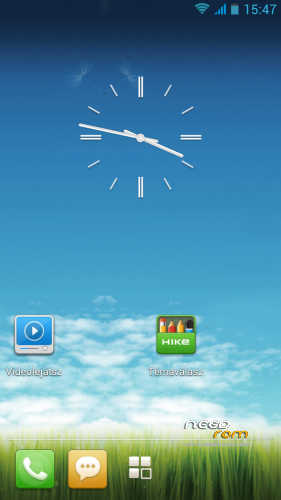
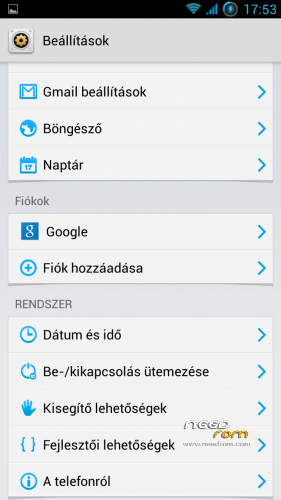
Multilanguage (Pic01 – Pic02 – Pic03)
More pics:
ROM Install :
USE CWM 6.0.2.8 By Apeelme or TWRP 2.4.1.0 (or newer) RECOVERY
1. make a Nandroid backup (optional-recommended)
2. wipe data/factory reset
3. format /system from mounts and storage menu
4. choose zip from sd card find HikeOS_JY-G3_Android_4.2.1_V2.zip and install
5. reboot device and enjoy!  (first boot will take longer than usual)
※Please make a backup of your device before installing or updating ROM
IGO Primo & "Application was not installed"
Use this:
Install LuckyPatcher
Toolbox/Patch to Android
Select – Disable verification in the package manager
Apply
(phone restart… the patch modify your /system/framework/services.jar file)
forgot the picture…
ceprk for iGO search for : iGO Primo 9.6.22.317625 – scan_DCIM or iGO Primo 9.6.22.317625 – not_scan_DCIM only that version of iGO Primo works … for iGO MyWay it works all the versions.
Tested with Navitel GPS application.
Two little disappointment for now. The first is auto brightness working bad. It changes too often and it makes me nervous. Installed lux auto brightness and it solved. The second is speaker for ear isn’t loud enough. How make it louder with mobile uncle tools? The room is the best from all 4.2 roms. And there is an equalizer build in music player.
Gabor, are you good in development core? There are all needed files posted on 4pda for our phone. We can fix all the bugs built in core (red light, 1000mhg when listening to music or charging…)
Nice & good rom version 4.2.
Thanx for your good work. Running on it for a few days now and all seems to work fine on my G3N. Happy with the fast GPS time to fix.
I have problems with weak wifi signal receiving by phone with this ROM.
hi,
psensor don't work at my g3n and there's no way to calibrate it
Have you tried Mobileuncle MTK Tools ?
https://play.google.com/store/.....leuncle.toolbox
Hello, thisi a great fluid 4.2 ROM for once but I seem to have a problem, few applications are self closing, the alarm did not ring this morning and my sms app Textra is self-closing time 2 time when getting notifications.
And the proximity sensor doesn’t work on calls
Hi all,
The proximity sensor/ black screen after calls can be fixed when you install a proximity sensor patch. For my G3N the latest Lewa proximity patch works. Switch the initd service on with the initd toggler and do a reboot.