
- Title: JIAYU G3 HIKE OS PORT
- Listed: February, 2014
- Last modified: 03/25/2014 2:29 pm
- Version: 4.2.1
You must be logged for ROM download.
38504 total views, 7 today
5 Total favorites




 Member Info
DESCRIPTION
Base rom: http://www.592zn.com (Ported Hike 818 4.2.1 ROM)
(Boot.img - Thanks for 4pda Team!)
# V3 ROM – 2013/03/25
Enable install non-Market applications
Xposed Framework 2.5 Final
Gravitybox 2.9.9
Init.d scripts:
99proximity – Proximity Patch
99Sleep250 – CPU 250 Mhz when battery charging
ViPER4Android Audio
# V2 ROM – 2013/02/28
APPLICATIONS:
Apps in /system
ContactPhotoSync
EngineerMode
EngineerModeSim
Mobileuncle Toolbox
WiFiADB
Apps in /data
AnySoftKeyboard + Hungarian keyboard
ContactsBackupUltimate
FileManager
Gmail
Opera Classic
SuperBackup
YouTube
MY MODS:
Xperia Z keyboard
Disable notifications in boot, when use only one SIM card
Add missing Hungarian strings
Power menu: Recovery + Reboot
YGPS in Location menu
OG Battery Mod
Messages: long message, disable convert to MMS
Messages: recipient list unlimited
SystemUI: mod battery percent and clock view (ICS blue color)
Build.prop mods
Engineer Mode in Developer settings menu
SuperSU + ROOT
HiCamera removed
Android 4.2 camera and gallery
Default theme: SunBeam
Disabled low battery notifications
USE ONLY CWM 6.0.x.x OR TWRP 2.4.1.0 (or newer) RECOVERY
G3N users, use this patch: HikeOS_JY-G3_G3N_Patch.zip
Volume +/- weakup patch: HikeOS_JY-G3_VolWakeUp_Patch.zip
Supported Languages:
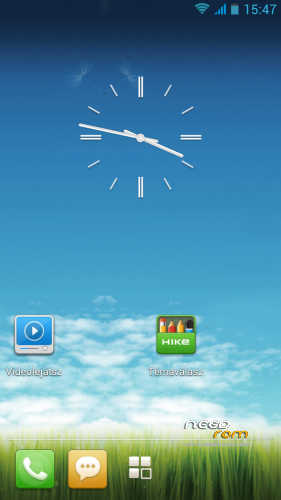
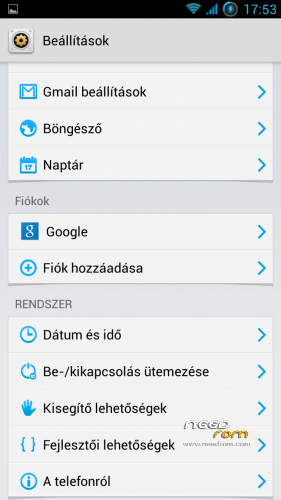
Multilanguage (Pic01 – Pic02 – Pic03)
More pics:
ROM Install :
USE CWM 6.0.2.8 By Apeelme or TWRP 2.4.1.0 (or newer) RECOVERY
1. make a Nandroid backup (optional-recommended)
2. wipe data/factory reset
3. format /system from mounts and storage menu
4. choose zip from sd card find HikeOS_JY-G3_Android_4.2.1_V2.zip and install
5. reboot device and enjoy!  (first boot will take longer than usual)
※Please make a backup of your device before installing or updating ROM
@lili13: Have you already installed Xposed framework and activated Gravity box in module list? Handy must be restarted to be abble to use xposed and Gravity…
@ ceprk thanks for your answer.
I do not understand what you mean to tell me, I've installed the rom and the gravity box has never worked.
What can I do?
Hasta ahora 100% perfecta, es de las mejores ROM que he probado, muchas gracias por tu trabajo.
So far perfect, is the best ROM I've ever had, thank you very much for your work
Thanks for your fantastic job with this ROM.
I have a problem is that when a notification arrives, does not go into deep sleep and stays at 250MHz and the battery consumption increases.
Thanks !!
Good port, few ajust need.
I find Wifi signal low, but it works well.
Sometimes find SD Card Mount problem, even using V3 ROM
I installed launcher xperia but I realized that consumes a lot of battery how can I uninstall?
Hi i tested an all is good, only une thing, deep sleep not work when the red led appear, fix it please!!!
Hi! It`s the best port i ever used. Is it possible to change locscreen to a stock lockcsreen?
How do I change the lockscreen picture? Does not assign music. Mp3 to ringtone. As if they did not accept the settings gravitybox ..
Nice ROM! What about google voice dictation? No mic key on keyboards (neither Android nor Xperia), and greyed (not activable) from keyboards settings menu.
settings gravitybox Will not apply to default lockscreen .. How do I disable orignal lockscreen? Or any idea?