
- Title: JIAYU G3 HIKE OS PORT
- Listed: February, 2014
- Last modified: 03/25/2014 2:29 pm
- Version: 4.2.1
You must be logged for ROM download.
38501 total views, 4 today
5 Total favorites




 Member Info
DESCRIPTION
Base rom: http://www.592zn.com (Ported Hike 818 4.2.1 ROM)
(Boot.img - Thanks for 4pda Team!)
# V3 ROM – 2013/03/25
Enable install non-Market applications
Xposed Framework 2.5 Final
Gravitybox 2.9.9
Init.d scripts:
99proximity – Proximity Patch
99Sleep250 – CPU 250 Mhz when battery charging
ViPER4Android Audio
# V2 ROM – 2013/02/28
APPLICATIONS:
Apps in /system
ContactPhotoSync
EngineerMode
EngineerModeSim
Mobileuncle Toolbox
WiFiADB
Apps in /data
AnySoftKeyboard + Hungarian keyboard
ContactsBackupUltimate
FileManager
Gmail
Opera Classic
SuperBackup
YouTube
MY MODS:
Xperia Z keyboard
Disable notifications in boot, when use only one SIM card
Add missing Hungarian strings
Power menu: Recovery + Reboot
YGPS in Location menu
OG Battery Mod
Messages: long message, disable convert to MMS
Messages: recipient list unlimited
SystemUI: mod battery percent and clock view (ICS blue color)
Build.prop mods
Engineer Mode in Developer settings menu
SuperSU + ROOT
HiCamera removed
Android 4.2 camera and gallery
Default theme: SunBeam
Disabled low battery notifications
USE ONLY CWM 6.0.x.x OR TWRP 2.4.1.0 (or newer) RECOVERY
G3N users, use this patch: HikeOS_JY-G3_G3N_Patch.zip
Volume +/- weakup patch: HikeOS_JY-G3_VolWakeUp_Patch.zip
Supported Languages:
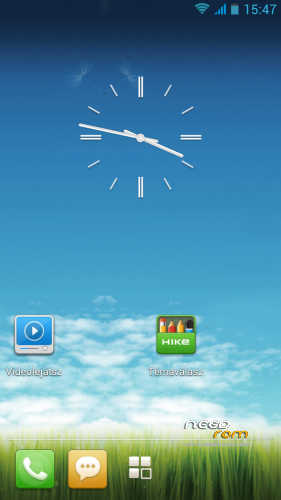
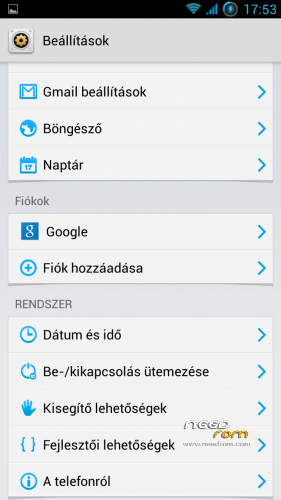
Multilanguage (Pic01 – Pic02 – Pic03)
More pics:
ROM Install :
USE CWM 6.0.2.8 By Apeelme or TWRP 2.4.1.0 (or newer) RECOVERY
1. make a Nandroid backup (optional-recommended)
2. wipe data/factory reset
3. format /system from mounts and storage menu
4. choose zip from sd card find HikeOS_JY-G3_Android_4.2.1_V2.zip and install
5. reboot device and enjoy!  (first boot will take longer than usual)
※Please make a backup of your device before installing or updating ROM
before flash use factory reset and wipe /system partition?
here are the steps that i did:
1. wipe data/factory reset
2. format /system from mounts and storage menu
3. choosen zip from sd card HikeOS_JY-G3_Android….zip and install
4. choosen zip from sd card HikeOS-JY-G3-SDcard-FIX.zip and install
5. rebooted
I don't know what I'm doing wrong, also wifi drains my battery in 1 hour, my old lewa os would still have it for at least 6 hours
Works fine! The only problem I have is that the phone doesn't activate after being idle for a while.. (or it can take up to 3 minutes before the screen shows up) Anyone has a solution?
sd card fix not need for v3 rom
I have installed ROM again but without sd card fix and everything is fine except sometimes lag and sd card mount
player sony experia for HikeOS?
Camera records as 640×480. This rom worths nothing to me after this hour.
The ROM is very good up to now, with small minus and one annoying problem:
Is like the light sensor doesn't work. When i put the light in automatic mode, is not adjusting nothing and stay always at the minimum.
Some solution?
Congratulations and thanks for a great Rom!
The best 4.2 Rom. No bugs for now. But I hate the lockscreen. It is absolutely disaster. And it works badly with music players and other lockscreens. Any ideas?
Fantastic camera software, great and mostly fast rom, but…
Few rom improvement suggestions:
- optimize battery because it drains too fast (lewa could last for days in idle, this rom just one day)
- wlan needs serious improvements, rapid battery drain (in matter of 20 min i got to 20%, after switching it off it stabilized to 35-37% ) and cellphone gets hot with intensive traffic
- widgets sometimes freeze
- browser doesn't allow downloading content because sd card isn't mounted (i got last version)