
- Title: JIAYU G4 MIUI Official
- Listed: August, 2013
- Last modified: 09/03/2014 3:28 pm
- Version: ROM Android 4.2.1 MIUI
You must be logged for ROM download.
93303 total views, 5 today
3 Total favorites
 Member Info
DESCRIPTION
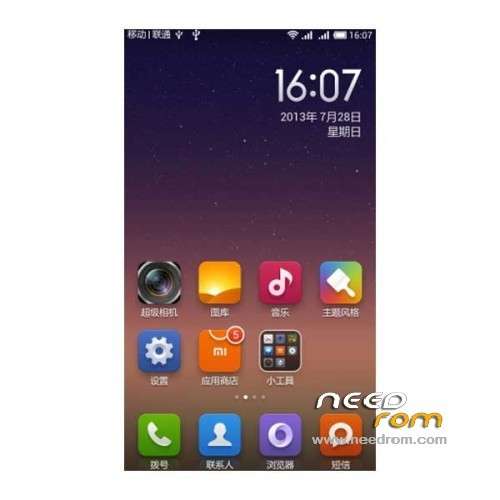
ROM Mobile JIAYU G4 – ROM Android 4.2.1 MIUI
Update MIUI v5 – 4.8.29
—————————————————————————————————————————————————
MIUI v5 – 4.8.19
Gapps include
Language support: Multilang normally
Install ROM :
CWM
Step 1: Download the custom card ROM copied to an external SD card root directory
Step 2: the shutdown state. While holding down:
Power button + volume button + volume key to enter the recovery mode, Perform factory reset (wipe data, cache, dalvik cache)
Step 3: Enter menu apply update from sdcard select the ROM
Step 4: Brush complete, restart the phone Patience required – first boot takes a while
if Bug CWM try
wipe data / factory reset deletes user data and restore the factory settings (optional brush must be executed before)
Wipe cache partition clear the system cache (Brush former executive) (system problems can also try this option)
※Please make a backup of your device before installing or updating ROM
Or How Join/Merge the INTERNAL STORAGE(sdcard0) with the system storage, so have 4 Go of SYSTEM STORAGE and have only my External SDCard in Storage ?
Thanks
Install the rom by Jiayu.es made by Fraggel. This rom has a build in script that resizes the partition of a G4B to 2,5 GB, the rest of 4 GB is for system and cache.All the apps and android/data are written on your sd card. After that, you can install any other rom again, and you will still have the modified partition.
the same for the advanced version, you get a bigger system partition, and loose some of your 32 GB partition
Is this good or the official ?
The oficial is better.
Why is the official better?
No lag, better battery, up to 7 hours screen on…
Hasz or gtbluesky,?
And why?
Hi i need help i just installed miui v5 on my jiayug4 when i tryed to connect via usb to the computer to acces sd card it only shows internal memory 1gb i have 32gb card. On phone works normally. I need to acces to my card anyone help?
V5 3.12.7 FULL ROM
http://goo.gl/oV9Ce2 (standard)
http://goo.gl/uFUE9t (advanced)
* Multilingual [Chinese/English/German/Spanish/Italian/Polish/Portugal-BR/Turkish/Czech/Slovak/Hungarian/French/Russian and more]
what is new?
Don't work on my G4A. A lot of "not responding" popups :/
Thanks
Is it compatible with exFAT micro-sd cards?