
- Title: JIAYU G4 MIUI Official
- Listed: August, 2013
- Last modified: 09/03/2014 3:28 pm
- Version: ROM Android 4.2.1 MIUI
You must be logged for ROM download.
93303 total views, 5 today
3 Total favorites
 Member Info
DESCRIPTION
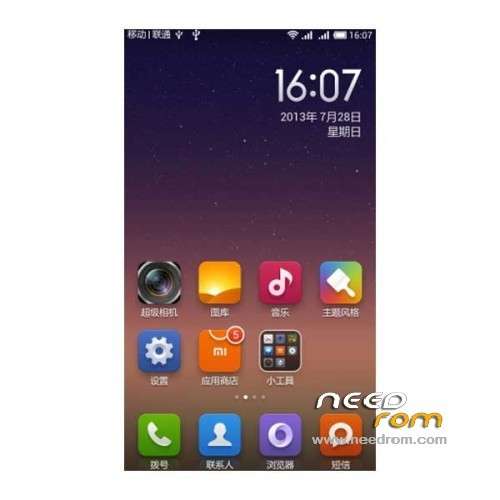
ROM Mobile JIAYU G4 – ROM Android 4.2.1 MIUI
Update MIUI v5 – 4.8.29
—————————————————————————————————————————————————
MIUI v5 – 4.8.19
Gapps include
Language support: Multilang normally
Install ROM :
CWM
Step 1: Download the custom card ROM copied to an external SD card root directory
Step 2: the shutdown state. While holding down:
Power button + volume button + volume key to enter the recovery mode, Perform factory reset (wipe data, cache, dalvik cache)
Step 3: Enter menu apply update from sdcard select the ROM
Step 4: Brush complete, restart the phone Patience required – first boot takes a while
if Bug CWM try
wipe data / factory reset deletes user data and restore the factory settings (optional brush must be executed before)
Wipe cache partition clear the system cache (Brush former executive) (system problems can also try this option)
※Please make a backup of your device before installing or updating ROM
Please compil the last rom 4.8.29
Maybe you are in hollydays
http://en.miui.com/forum.php
Thanks
Can you add polish language to new version 4.8.19
4.4.19 have polish language new wersion don't have
This ROM is work on jiayu g4s?
Hello,
It looks fine, but I can't find out how to remove apps from the desktop.
When I try to drag it to the top of the screen, there's no trashcan or whatever that appears…
Any ideas?
tap on the background and hold it some seconds, then youm should get options like remove apps, delete apps, etc
cant install from recovery, installation aborted it says
I can't access my phone memory… Please help..
support a 64gb of microsd?
Regards
si
please update with ITALIAN
new version http://en.miui.com/download-23.....1.html
i have windows 8.1 64bit …is that a problem with the drivers ??? the drivers is for xp and win7..???