
- Title: K1 Turbo 4.4 Update
- Listed: January, 2015
- Last modified: 01/08/2015 12:19 am
- Version: KITKAT 4.4.2
You must be logged for ROM download.
41329 total views, 9 today
3 Total favorites
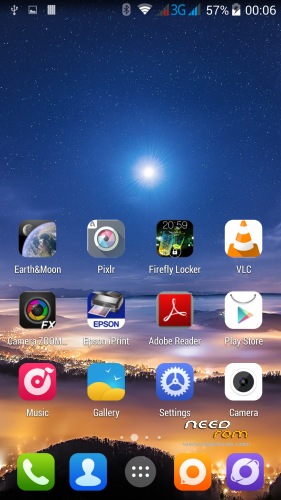
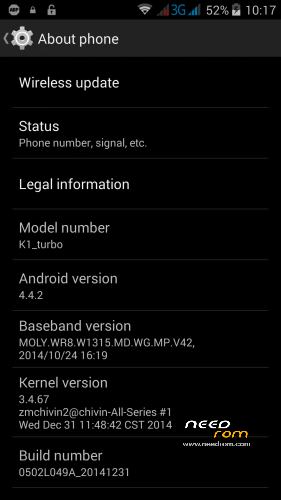
 Member Info
DESCRIPTION
Taken from www.mykingzone.de . I take no responsiblity for any damage caused by this ROM
Offical 4.4 update from Kingzone … Finally it has arrived …
The following is translate from german to english
The file KK442-update-for-King Zone K1 Turbo.rar contains the following folders.
Driver: Should you come during the flash process prompts to install drivers, you can find it here
Flash Tool: With this program, the King Zone K1 Turbo is flashed
ROM: In this folder, the King zone update is stored. Please enptackt the archive contained therein 0502L049A_E19_K168AB125MXXE4 (K1_TURBO_B42) _EC31_IND_FULL.zip
!!!! Attention please secures your data before you reflashing the K1 Turbo. For any damage to the unit due to improper handling
arise, we can not take responsibility !!!
Manual Update Kitkat on King Zone K1 Turbo
1. Start Flashtool.exe from the subfolder flash tool
2. Normally, an already loaded in the MTK_AllInOne_DA.bin Download Agent. If this is not the case, please navigate to the file in SP_Flash_Tool_v5.1352.01.
3. Download the file MT6592_Android_scatter.txt Scattering from the unzipped folder ROM
4. Please choose in the "drop down menu", select "Firmware Upgrade".
5. Press Download
6. Connect the phone without battery via USB
7. Insert the battery
8. Now the Flash tool should have detected the device, red bar with 100% DA and download the flash process should start
9. The flash process has successfully completed and when the green checkmark appears.
Should you have problems with the flash process, so I can you the Declaration @ G-gffd put your heart. Here the driver installation and another driver is available.
1. all Mediatek (and others who are using cell phones & Android combined) delete USBDeview
2. open the Device Manager next to it
3. Driver from here: docs.google.com/file/d/0B1x1BQ…1VlcDk0TnJ0VEk/edit?pli=1 download & extract
4. if the "preloader" appears, right click on it, "Update Driver Software". To the extracted driver folder navigate to the folder of your Betriebsytems. Next, now the appropriate driver for the preloader should be installed. @ Android Figurines de: for me it did not work with the driver in your .rar file, there was no preloader driver gefunde. When the driver specified by me it worked without problems for me. Whether missing the correct driver for you, I can not say clearly is only in "your driver" and my K1 preloader a different hardware ID is available, and therefore the Windows driver manager the driver is not accepted.
5. Now the Mediatek Preloader USB Vcom must be visible in the device manager! Otherwise it does not work!
6. Flash tool with andmin right starten.So must look like.
see Appendix
7. Select Firmware upgrade (at least in the second trial when the first error aborts with download with a PMT. Depends somehow with the partition table together, how exactly n)
8. Battery from the K1, click Download – Append -> bar at the bottom is red, battery clean, wait until the green tick comes.
9. Voila, you have KitKat on the K1
The unit can now be restarted. Please give the device a little time after it was re-flashed are a few things in the background
carried out. It may also drive again to restart.
If the device after restarting find no wireless network, it may be that the IMEI entry has been deleted. If that is so, no problem, here I'll show you
how you can fix that.
The IMEI number of the two SIM slots can be found on a sticker behind the battery. So please can extract the battery and you quoted the two
IMEI numbers.
Instructions restore IMEI numbers on King Zone K1 turbo after reflash to KK
1. Write down the IMEI number
2. Please give the dial pad of the phone following code * # * # 3646633 # * # * Your enters the so-called. "Engineer Mode"
3. Please wipe replaced by the item "Connectivity"
4. Selects please "CDS Information"
5. In the next menu, please select the "radio information"
6. There appear two entries with "Phone 1" and "Phone 2". It involves the SIM slots 1 and 2
7. Selects the appropriate SIM slot, in my case now "Phone 1" means the SIM slot 1
8. In the upper part of the window you now see the AT + entry, please delete this
9. Give now please ECHR AT + = a 1.7 "IMEI SIM Slot1". It is important that there is a space between the AT and the + sign. All other entries please ihne space. Take care to use the double quotes.
10. Now click on "Send a command"
11. The IMEI number has been set, please start the new K1 Turbo
Do you want to put the IMEI for the SlM slot 2, please fürht the points 1-8 as above described and made changes the input point 9 as follows.
AT + ECtHR = 1.10 "IMEI SIM Slot2"
Please post comments / screenshots in english to help others
THE ROM IS FREE .. IF YOU WANT TO DONATE OUT YOUR GOODWILL THEN PLEASE DO BUT AGAIN THE ROM IS FREE
ENJOY
※Please make a backup of your device before installing or updating ROM
Yes the scatter file is in the zipped ROM directory, unzip it n’s when you run the flashtool nd point it to the scatter file in the ROM directory!it works
Hi. I tried to flash this rom but i alwas get a BROM ERROR:S_Chip_Type_Not_Match(3168) message. Is it a Driver Problem?
Not sure . do you have a K! turbo or Pro as they have different chips. Also make sure you select Firmware upgrade in the drop down box under where it says Scatter loading file in Flash tool
Hi. I have the K1 Turbo. I also have chosen upgrade at the dropdown box, but it does not work.
Sorry I don't know as I didn't encounter that problem .Hopefully someone else on here can post a solution. Just to say i did take out the sd card and sims before updating. Also if you look at http://decuro.de/forum/index.p.....as-Kingzone-K1/
the german site and post there . Kingzone in germany i noticed do an update service but there is a cost.
OK finally it was my fault. The rom package was not compleatly unpackt. Sorry. Now it works.
That's great news.
hi
So far everything works great, but i have WIFI NVRAM Error 0×10 still handing on, and files needed to swap and fix that bug, are not in /data/nvram/APCFG/APRDEB.
I don't know if it's just me, but it seems KK moved those files/folder and i can't find where are they.. Any help?
Cheers
have a look at this
http://forum.xda-developers.co.....d.php?t=2730486
Just realised that updating loses the 3d sheep weather app …nooo
and the 3d cubescape wallpaper.
I have installed the Rom successfully however, when I boot up with a SIM card installed in either sim slot, the process com.android.phone force closes.
Has anyone else had this issue and found a solution?
YES!!
Finally got it to work.
Thanks to Salgadinho who put me on the correct path to fixing it.
For the process com.android.phone force close issue, I went to Settings – System – Date & Time – and turned off Automatic date and time.
Instead of the default "Use network-provided time" I set to "off"
I now have 3G connection
Thanks
I do not allow me to voice calls. when I want to perform says WANT TO ACTIVATE A INTERNET CALL?
I am how can I solve the problem?
check that your IMEI number is still there if not follow instructions.
No OTA update?
Not that i know of. Only possible doing flashing due to repartioning of internal sd