
- Title: KKartanesi v3.0
- Listed: September, 2014
- Last modified: 09/14/2014 4:57 pm
- Version: 4.4.2
You must be logged for ROM download.
45103 total views, 6 today
128 Total favorites


 Member Info
DESCRIPTION
www.zopomobileforum.com
Hello everyone!
This update v3 includes new improvements. Now as you can see two version of this update. First of Normal version. Based on 04.07.2014 ZOPO ZP998 Firmware. Second one is also known as 2700 based on 04.09.2014 firmware. Why I do like this? Because about the last firmware 04.09.2014 I heard some claims like this
"This update for fortcoming 2700 mah new battery. Because of ROM want to charge your battery 2700 mah. This may be damage device and battery."
This not confirmed and unconfirmed claim. But removed from first suppliers page zopomobileshop.com
Now I did not mind and using this great ROM without any bad issue. You can choose between them.
Enjoy it!
Release Notes v3.0
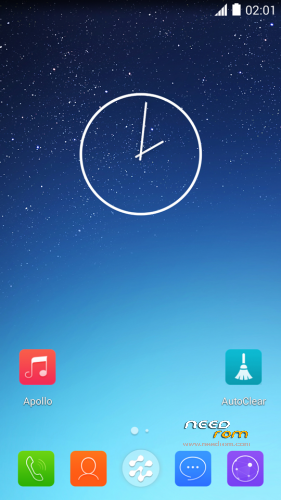
- Right Root permissions
- USB Storage function working (Not need Kernel Change)
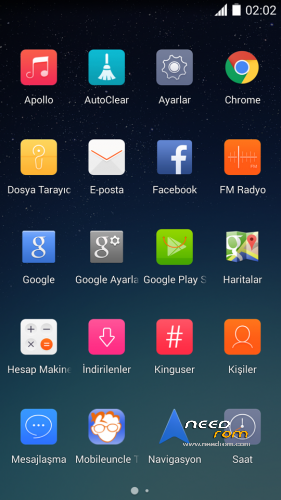
- Change icons from Yunos
- Delete virus and unnecessary apk files
- Font type not italic
- Ram cleaner app added
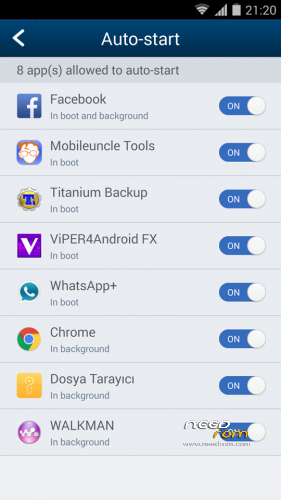
- Auto Start Manager added (In Kinguser)
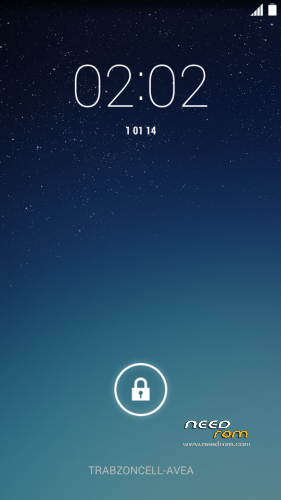
- Boot animation changed
- Yunos notifications and ringtones added
- GPS optimization
- Music.apk deleted
- Apollo Music Player added
- Advertising sites blocked
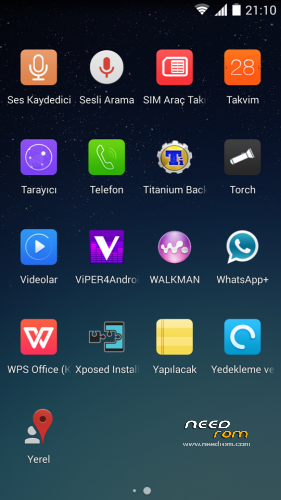
- Whatsapp+ added (Optional installation)
- Change file manager app to Lenovo
- Sony Walkman added (Optional installation)
- All statusbar icons white (Including signal bars)
- Removed big 3G and G icons
- Mobileuncle Tools added (Optional installation)
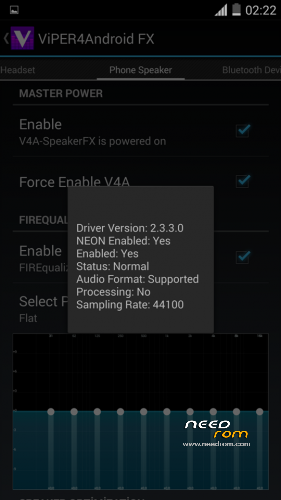
- Viper4Android added (Optional installation) (Working)
- Xperia Honami Keyboard added (Optional installation)
- Titanium Backup Pro added (Optional installation) (Working)
- Chrome Browser added (Optional installation)
- Facebook added (Optional installation)
- WPS Office added (Optional installation)
File Descriptions
- KKartanesi_v3.0_2700.zip ; Firmware based 03.09.2014
- KKartanesi_v3.0.zip; Firmware based 04.07.2014
Installation instructions
- Select and download ROM file
- Move file to İnternal/Externel SD Card
- Install custom recovery (Recommended Philz Touch)
- Reboot to Recovery Mode (Volume UP + Power Button with Data cable connect PC or charger)
- Wipe Factory Reset / Wipe Cache / Advance> Wipe Dalvik Cache
- Install zip > choose zip from sdcard
- Follow steps in the Aroma Installer
- Warnings
- Don't update Kinguser
- GravityBox functions not tested
- Your IMEI number is "Unknown" or "Invalid" ?
Try this method;
http://en.miui.com/thread-10061-1-1.html
- Thanks My Donators
Janusz Sambora
José Manuel Herrera González
www.zopomobileforum.com
※Please make a backup of your device before installing or updating ROM
Thank you for guidance. I did everything as directed and now I flas Jelly Bean firmware on it I want to try Gps know how I normally would .In fact barely or not at all. I tried everything KitKat roms but I do not like because it does not endorse any Themes and telephone keypad are more or less terrible. While the Jelly Bean nice big buttons. So after rehearsal Gps'll be back in touch to tell the difference working with navigation Igo.
If English is unclear'm sorry you do not lie to me.
Yes this mod work.I instaled Igo and Gps status and Gps Data plus.On first no Satelites with Wifi no help.I started Gps data plus and download Agps data.After cca 2 minuts One by one satellite has proved.Now there permanently 5-9 so we no Lg E986 shows and now it works fast. Then I again opened Igo after about 1 minute, found a 5 to 6 satellites and set the mode to navigate. Please note that at the same time I shut down Wifi and Data connection is disabled. I tried that a few times and the GPS status application and Igo always has found satellites within half a minute. I can not say for sure but I think that my Wifi has better reception than before.
I've been in a dilemma to sell zopo because I was disappointed because the GPS function.
Grancapitan very thanx for this tutorial.
Today I tested the car both for navigation.Today I tested the car both for navigation. No data conection, satellites Igo found within 20 seconds, madness, constantly has a minimum of 5 satellites but catches up to 9 satellites properly.
Definitely one of the better results with GPS function .So Hardware GPS is excellent the only fault was poor workmanship. All this works with Jelly Bean firmware.
Good rom, Night shots are blurred, can you adjust it?
tuve que volver a la version Firmware based 04.07.2014 por que con la basada en el firm de la bateria tenia problemas de algunos reinicios y la bateria no la indicaba correctamente
Great rom its better than stock kitkat thank you