
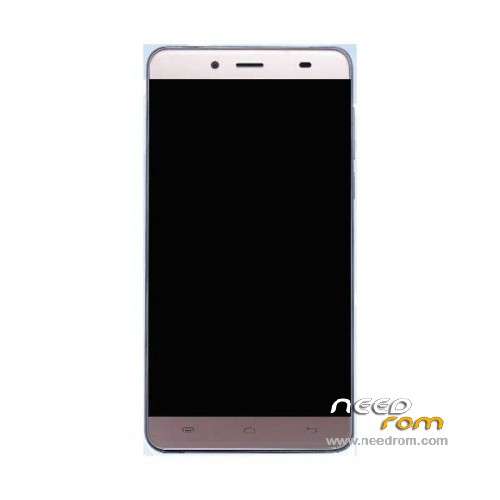
- Title: Koobee P1S
- Listed: June, 2016
- Last modified: 06/29/2016 12:13 am
- Version: ROM Android 5.1
You must be logged for ROM download.
34597 total views, 4 today
18 Total favorites
 Member Info
DESCRIPTION
ROM Mobile Koobee P1S - ROM Android 5.1
ONLY MT6592
Official ROM Koobee P1S version: P1S.V2.03 – full_prize6592_lwt_l-user 5.1 LMY47I
Gapps include – No Rooted
Language support: Multilang
Install ROM:
- Unpack FlashTools, and Click on Flash_tool.exe
- Select "scatter-Loading" and search MT6592_Android_scatter.txt in ROM
- Wait file to be added into Flash Tool
- Select "Download Only" or if upgrade "Firmware upgrade"
- Turn off your phone, remove the battery (if the battery is removable) and replace it after some seconds (and don't turn on the phone).
- Press “Download” button to start
- and connect your phone into the computer via USB data cable.
- The process will start and a red progress bar will appear after color purple, yellow.
- And green circles display
- Finish !
- You can now safely disconnect your phone and turn it on.
※Please make a backup of your device before installing or updating ROM
huber7052 how i can remove the malwares with your ROM?
Is your rom without Malwares?
I will speak only English for better comunication, well, I bought this phone 4 days ago but I didn't know that its system was bad work, then I am searching solutions to my phone, I hope that in 10-15 days my phone arrive in my city, but I am actually sad in know this about the android system.
Let's go help ourselves together !
It's the Koobee Forum doesn't work, badly!
Here is a Reuplaoud Link for huber7052´s ROM
https://www.mediafire.com/?h0j.....81alo290nybi
BR
Hi, can you tell me how to install it?
Hello I have found this Chinese page, there are several rom of telephones koobee, I believe that also this one for koobee pull 7, which it seems to be that it is compatible with her of p1s, someone can
http://www.chinaphonearena.com.....=56139#pid56139
Thanks^^,
do you have any idea to solve the sms problem ? (its send every 2-3 min sms to unknown number -.-)
BR
I have build the first rootable and malware free image for the Pepsi P1S / Koobee P1S.
It also includes a modified recovery mode (twrp).
Download it and follow the "How to.txt".
Download
(http://www.mediafire.com/downl.....psi_P1S_ROM.rar)
Hallo ist das die selbe wie auf seite 1?
thanks for build rootable and malware free image, but do you know, your rom just only have modified recovery.img, after i flash, still come malware, and file explorer and other malware apps still there, i check system.img still same with stock rom, are you really modified system.img?
After selecting MT6592_Android_scatter.txt and pressing Download button nothing happens. Please help