
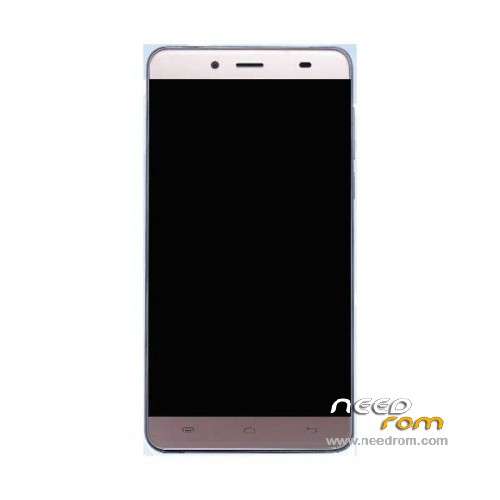
- Title: Koobee P1S
- Listed: June, 2016
- Last modified: 06/29/2016 12:13 am
- Version: ROM Android 5.1
You must be logged for ROM download.
34599 total views, 6 today
18 Total favorites
 Member Info
DESCRIPTION
ROM Mobile Koobee P1S - ROM Android 5.1
ONLY MT6592
Official ROM Koobee P1S version: P1S.V2.03 – full_prize6592_lwt_l-user 5.1 LMY47I
Gapps include – No Rooted
Language support: Multilang
Install ROM:
- Unpack FlashTools, and Click on Flash_tool.exe
- Select "scatter-Loading" and search MT6592_Android_scatter.txt in ROM
- Wait file to be added into Flash Tool
- Select "Download Only" or if upgrade "Firmware upgrade"
- Turn off your phone, remove the battery (if the battery is removable) and replace it after some seconds (and don't turn on the phone).
- Press “Download” button to start
- and connect your phone into the computer via USB data cable.
- The process will start and a red progress bar will appear after color purple, yellow.
- And green circles display
- Finish !
- You can now safely disconnect your phone and turn it on.
※Please make a backup of your device before installing or updating ROM
@huber7052
Flash SU works fine but at the end I didn't find su command, and SuperSU icon
The OEM bootloader unlock reported this
(bootloader) Start unlock flow
FAILED (remote:
Unlock operation is not allowed
)
finished. total time: 6.631s
@bovirus
Hello,
Download:http://www.mediafire.com/downl.....S_Huber7052.rar
follow instructions in the "HowTo.txt"
huber7052, i am buying a pepsi p1s. if i follow your Howto.txt, will i have a clean phone no malware whatsoever?
if not what other additional steps i need to take?
@ktteoh
If you follow the Howto.txt you will get a malware free pepsi p1s.
I only remove the malwares, so that the system still contains some bugs.
The notifications does not work correctly, e.g. WhatsApp messages will only receive, if the app is active.
You can install Push Notification Fixer to fix this problem. The app will be update all notifications in specific intervals.
@huber7052
Which are the differences between this new ROM (system.img dated 10.08.2016) and the your previous (system.img dated 01.08.2016)?
I propose you to include in the system the SupersU (flashing SU.zip via recovery and making a backup of system via TWRP).
The replace system.-img by backup top original system.img.
In this way who flash system.img will have a system already rooted.
I mdae some changes to you TWRP (I added mroe new languages, enable MTP, changed default GMT from +8 to +1).
I have remove some malicious apps in the new version, which I have previously overlooked. For example PrizeGene, which sent a lot of SMS.
My solution is not simple, but it works.
I do not intend to continue the work on the image in the near future, because I have not enough time and the phone is frequently used by my daughter, so it is not available.
@huber7052
I have send you the question about to delete the UNI launcher, becouse your HowTo.exe doesn't tell.
Thanks
s104578
My Pepsi P1s having a problem with wifi and mobile data, whenever i switch to mobile data or connect to wifi mobile starts re- booting again and again for last 2 days. Need solution please help.
@s104578 install es file explorer. In es explorer, click on the lines at the upper left side and activate root explorer. Then on es explorer main screen click on the "APP" icon and then select "system applcations" instead of "user applications" (left up). You'll then see the list of system apps in your phone, click or stay clicked on the uni laucher icon and select uninstall. If there is a warning before uninstalling accept it, wait until uni launcher is uninstalled and the icon should disappear from the list at the end of the process. That's it!
Just DON'T FORGET to install another launcher and select it as default laucher before uninstalling uni launcher (the best launchers are Nova or ZenUI (from Asus)) !
Enjoy!
@huber7052: Thanks for the de-bloatwared/spywared rom, prefered over the Holo 7 one mainly because of the multilingual UI.
Hi guys, I got my Koobee P1S last week and I'm trying to upgrade the rom by following huber7052's howto. My Windows computers can't seem to detect the phone. I tried all sorts of MediaTek drivers and various versions of Windows (7,8.1, 10) but all my computers can't detect the phone. When I connect the phone (which is turned off) after hitting download in SP Flash Tool, nothing happens
Any advise? I'm new at this.
Thank you for all your work huber7052 and Cleopatra!
Good Morning
how to root P1S phone , to activate root explorer in es file explorer , for uninstall uni laucher
thank you
@to_abreu why don't you read the posts starting here at page 1? Everything is there, download and install TWRP from huber7052 using SP Flashtools. From TWRP (volume down + power button together until you see the 3 little lines, choose the first one, Recovery, by pushing volume down as many times as you need to be on the 1st line, then select it with volume up) you can then install superSU.zip (needs to be first put/downloaded in the phone memory, not SD card as it's not recognised yet by TWRP). Don't forget to allow "OEM Unlock" under settings/developers options on your phone before installing/using TWRP. Then you'll be able to activate root in es explorer (you'll need to allow root for es explorer in the superSU windows that will appear on your screen).
Enjoy and search before posting questions
Friends, I'm from Brazil and sorry my english bad. Does anyone have a solution for notification of watss App? My woman is filling the bag because of it.
@ Huber7052 I'm downloading your file, but would like to know before I try to install this virus is doing in the cell, because if not, I will not touch it. Hugs and thanks for sharing in the experience.
Download the "Pepsi P1S Huber7052.rar" and follow the HowTo.txt.
The file is virus and malware free. But has some bugs.
I use this version since 27/08/2016 without any significant problems.
http://www.mediafire.com/file/.....S_Huber7052.rar