DESCRIPTION
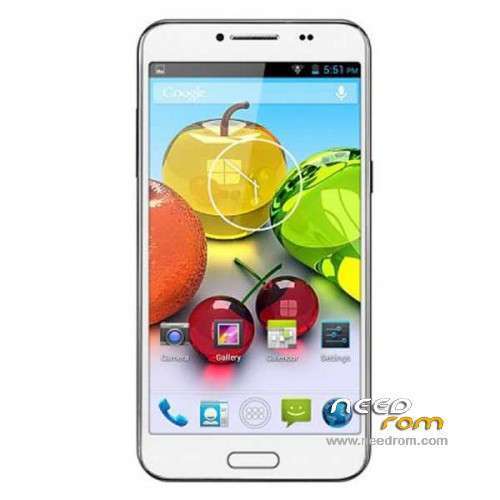
ROM Mobile Landvo L800 – ROM Android 4.4.2
Update Official ROM Landvo L800 version: 111wv82_ht_fwvga_20140809 – KOT49H - Android 4.4.2
| Changelog |
SelectShow |
taoqiong (pull time 2014_08_09)
Bluetooth address the same problem to solve
taoqiong (pull time 2014_08_01)
After the camera focuses default 1.3
|
—————————————————————————————————————————————————————————–
Update Official ROM Landvo L800 version: 111wv82_ht_fwvga_20140610 – KOT49H - Android 4.4.2
| Changelog |
SelectShow |
20140609_e2111wv82_ht_fwvga taoqiong (pull time 2014_06_09)
Switching 4.4 platform
20140422_e2111w_v82_ht_fwvga taoqiong (pull time 2014_04_22)
Enter at # 08 * # * # * # * mode manually write code to solve online movies function keys have been bright lights problem
Color EMEI number of tool changes with (trying to add the version code)
20140408_e2111w_v82_ht_fwvga wuyue (pull time 2014_04_04)
Increased compatible Memory: Toshiba 32 +4 "TT4"
20140303_e2111w_v82_ht_fwvga wuyue (pull time 2014_03_03)
Tp drivers joined TP firmware upgrade file provided by the customer
Next version of the software will not include this feature, please use this version of the software is upgraded TP
20140113_e2111w_v82_ht_fwvga wuyue (pull time 2013_12_24)
Direct use tool to modify and solve * # * # * # * # 33 in handset testing into the problem of slow
20140113_e2111w_v82_ht_fwvga wuyue (pull time 2013_12_24)
Optimize power display problems
Turn off fast boot
20140107_e2111w_v82_ht_fwvga wuyue (pull time 2013_12_24)
Resolved before the change to the pre-set moment reddish problems
Main Menu Default Black
20140104_e2111w_v82_ht_fwvga wuyue (pull time 2013_12_24)
After solving the problem does not start automatically hibernate
Viewfinder striped problem solving gc2035_yuv
20131225_e2111w_v82_ht_fwvga wuyue (pull time 2013_12_24)
Ui instead of the original ecology
Replace the default wallpaper
Add some wallpaper
Main Menu default translucent
20131218_e2111w_v82_ht_fwvga wuyue (pull time 2013_12_17)
Optimization gc2035, resolved: the dark light, surrounded by dark, middle light; against the white walls look greenish;
Optimization fake AF
Automatically start solving the problem
20131212_e2111w_v82_ht_fwvga wuyue (pull time 2013_12_12)
Remove the software from invasive sensors that sense of light useful for virtual TP
After the increase in fake autofocus camera
Audio parameter adjustment as follows: loudspeaker mode max: adjusted 152, loudspeaker mode mic level3: adjusted 178, normal mode sph level6: raised 150
Solution: pattern unlock screen, operator name and emergency dialing a slight overlap
Solution: * # * # * # 33 # mode under former forward / rear camera test items, the screen will automatically restart after quenching
Solution: After the MMS issued, each has received, the machine does not have a delivery report
Solution: connect OTG no response, OTG device status test mode without any display
20131210_e2111w_v82_ht_fwvga wuyue (pull time 2013_12_09)
Add Camera: 5004
Optimization of LCM: LCM: HF_15025_1396_A0
Increase the virtual light perception
Optimization TP
20131203_e2111w_v82_ht_fwvga wuyue (pull time 2013_12_02)
Problem solving gc2035_yuv inverted 180 degrees
20131202_e2111w_v82_ht_fwvga 20131202 wuyue (pull time 2013_12_02)
Camera: hi253_yuv gc2035_yuv gc0329_yuv hi704_yuv
LCM: HF_15025_1396_A0
qhd
Samsung ui
|
Install with SP MDT:
Unpack the archive ****** and archive with the ROM
1). Turn off the smartphone. Cable is not connected to the computer.
2). Remove the battery and insert it again
3). Connect your phone to a computer cable. The operating system detects a new device
4). Disconnect the cable from the computer.
5). Run SPMultiPortFlashDownloadProject.exe
6). Choose Database Factory menu> Configuration File data source and specify the file MTK_DATABASE.mdb (it is in the folder SP_MDT).
7). Choose File> Open File Agent download and specify the file MTK_AllInOneDA.bin (it is in the folder SP_MDT).
8). Click File and select the MT6582_Android_scatter.txt file (it's in the folder with the rom).
9). Click "Start all".
10). Connect your phone to a computer cable. The program should see and blink. If the phone is not detected, then unplug it from the computer, remove and insert the battery and reconnect it to the computer.
11). After (OK) click Stop and disable any phone.
12). Completed.
—————————————————————————————————————————————————–
Official ROM Landvo L800 version: 111w_v82_ht_fwvga_20140304 – Android 4.2.2
Gapps include – No Rooted
Language support : Multilang
Install ROM :
- Unpack FlashTools, and Click on Flash_tool.exe
- Select a the MT6582_Android_scatter_emmc.txt in ROM
- Wait file to be added into Flash Tool
- choose Option->USB Model,click USB Model
–> Choose Option->DA DownLoad All->Speed->High Speed, click High Speed
- Turn off your phone, remove the battery.
- "Press F9 (hit Download button)" OR " if upgrade ROM Firmware->Upgrade "
- and connect your phone into the computer via USB data cable.
- The process will start and a red progress bar will appear after color purple, yellow.
- And green circles display
- Finish !
- You can now safely disconnect your phone and turn it on.
※Please make a backup of your device before installing or updating ROM

 Member Info
charging and battery problem fixed? pc camera is charging only problem was resolved in line? .. what the problem was corrected?
none
Did anyone installed any kind of drivers? When I hit Downloading my status says "Searching" and it remains like this… any solutions?
Do you have any problem with my username bro?
Hello.
I was Flashing the new 4.4 Kitkat Rom.
But i do all steps but the Program give me a Could not find Checksum.ini.Please use ChecksumGenerateTool to Generate Checksum.ini at Step 9.
Please Help
http://www.kaskus.co.id/post/5.....b92487339000003
Where did you find a KitKat rom for the Landvo L800 please kmbeatz?
Is it on this site – I haven't seen one so far.
I got that same error message (checksum.ini.) as you did when I tried to flash the update rom in this thread GRRRRRR
I can't understand why nobody seems to know how to help with this – I'm getting a bit peed off with it tbh
Прошивка отличная, но есть некоторые замечания.
1. Слетели оба IMEI, еле как восстановил.
2. Появились буквы G возле антенок сети, никак не убрать.
Плюсы:
4-х ядерник стал шустрым, как и должен быть, теперь ни игры. ни программы, ни интерфейс не тормозят, я очень рад этому, прошивка спала телефон от продажи.
Sorry for the Russian language.
Firmware is great, but there are some observations.
1. Reset both IMEI, was the complexity of recovery
2. There letter G near the antenna network does not remove.
pros:
4-core processor has become faster, as it must be, games, software, interface work quickly, I'm very happy about it, flashing the phone from sleeping sale.
Здравствуйте! Можете помочь с прошивкой данного телефона? У меня в SP MDT ошибка "s_security_sf_code_format_forbidden"
hey it don't work
i tried to install it but it not works i bricked my phone did anyone can help me
P.S. : sorry for my bad english but i'm italian
Did you do a full backup with MTK Droid Root & Tools? If you did, it should have saved a recovery on your SD card which you can flash with CWM
Can you get into recovery? Press the Volume+ (up) and power buttons at the same time and the phone should go into the recovery mode. From there, use the Volume- (down) button to scroll down to 'install update from SD card' press the power button to say 'okay' then select your recovery file and press the power button again to select it.
Lastly, using the Volume button again, scroll menu and select 'reboot' and your phone should be fine when it restarts.
If you have hard bricked it, if you get nothing whatsoever when you press the Volume+ & power key then you might as well bin it because I've been trying for months to get help with another phone I bricked and it's just about impossible to get any help on these forums.
Good luck!
i bricked mine to and tryed everything my phone doesnt turn on
my phone bricked also
i bricked mine and fixed use this rom and instuctions
http://blog.geekbuying.com/ind.....e/#.U6E3v_mSyvM
My phone was bricked too
i use this rom http://blog.geekbuying.com/ind…..6E3v_mSyvM
but flash with newer version of flashtools "SP Flash Tool 3.1352.01 (5.1352.01)"
after that my both imei was gone and i need to do that
0. look back at your phone and write down two imei numbers
1. root the phone (in my case i flash CWM recovery with flash tools download latest super su and flash from CWM)
2. with root explorer delete "/data/nvram/md/nvram" folder and reboot the phone.
3. dial *#*#3646633#*#* and enter in engeneer menu then CSD information -> Radio information -> Phone 1
then in filed AT+ write this command AT +EGMR=1,7,"IMEI1" (note that btween AT and + you have a space) click send command and you should see "AT command is mSent". After that click back go to Phone 2 and write AT +EGMR=1,10,"IMEI2" click send command then you will see again "AT command is mSent"
4. reboot the phone and you are ready.
before do that i was try all other methods and none of them has worked.
diid anyone can made a tutorial on youtube ????? plz
Here's a YouTube tutorial:
https://www.youtube.com/watch?.....v=QkUQDEYLXFM
And here's a written one:
http://www.freaktab.com/showth.....ek-phone-tablet
They're both for the SP Flash tool only.
Good luck!
Cristymkd – same problem here. I used the MTK flashtool, plugged my phone in and absolutely NOTHING!?
I haven't managed to flash a single rom yet with this phone, and I've flashed 3 phones and 4 tablets before now with no problems whatsoever.
I don't understand this at all – can anyone help please?
I really want to do this update.
Will it work with Mobile Uncle or CWM?
Pull out the battery, insert the back.
Pinch together three buttons: Power + Volume up and down.
Menu appears blue is, then the program and instructions FlashTools.
I spent two hours trying to do, what happened.
It sounds like you're in the CWM recovery menu but what has that got to do with Flashtools?
Sorry – don't understand what you mean.
You can either flash a rom with CWM or Flashtools but not both at the same time.
@ munycyprus – your link looked like it was going to be REALLY helpful, because when I tried to flash with SP MTD tools yesterday, I got a checksum error message. BUT, the link for the checksum generate file (in the link you posted) is BROKEN!!?
Jeez, am I EVER going to be able to flash this bloody phone????
http://ge.tt/7MDBGal?c
Hello everyone, is sorry for my english, but it is possible that no one knows how to do this update? we do it with the samsung, and with all the top brands, and with this phone no one deigns to answer in this forum?
petrified by the behavior of those who wrote this post