
- Title: LeEco LeTv Le S3 X626 Multilanguage EU Fastboot Stock Rom
- Listed: October, 2017
- Last modified: 10/27/2017 4:40 pm
- Version: 5.8.018S
You must be logged for ROM download.
54416 total views, 5 today
27 Total favorites
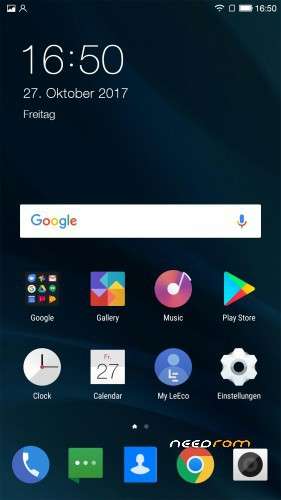
 Member Info
DESCRIPTION
LeEco LeTv Le S3 X626 Multilanguage EU Fastboot Stock Rom with VoLTE
This is the EU Stock Rom with full Google Support no OTA many many Languages !!!!
Install all important Drivers to use Fastboot Mode with Your Phone.
Press "Vol- and Power" together until Fast Boot Mode is started.
extract the 7z file .
Run Command Prompt as Administrator
Change to the rom folder and just type "run"
don´t pull the cable or something !!! Wait until on your phone is "OK" .
After that directly start the System Recovery by pressing "Vol+ and Power Button" until recovery is there .
no recovery only clean caches and than reboot your phone normal.
Have Fun 
※Please make a backup of your device before installing or updating ROM
hi,i have x626 4GB/64GB and all is OK
just follow this steps:
- unzip and rename file Letv3-LeEco-Le-X626-5.8.018S-6.0.1 to "Firmware" for easyest and move to desktop
- open and copy address on file Firmware from windows browser and past in one new created text document
- open cmd like admin
- to change cmd directory type pasted address with "cd "first:
cd C:\Users\az\Desktop\Firmware /in my case/,and push enter
- go to bootloader mode by pressing the button "The volume down" and "Power" at the same time,
and connect the device to computer via usb cable
- go to cmd promt and type: run
- push enter and second cmd will flash the rom automatically Untill the screen on the phone shows
"OK" – that means you have installed the firmware successfully.
- after done, reboot your phone and use the X626 normally./push power button for 10sec/
needs twrp recovery or will stock do?
This is a good guide, it worked for me, Thanks !
Hello, I need your help. Thank you in advance for your reply.
I follow all your steps until I connect my device to computer with usb cable.
I type run but nothing happens.
Any tip ?
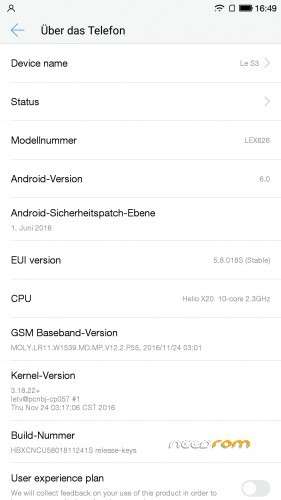
one screenshot
I'm starting to change my mind, I had 3 complete freezes during the last 2 days with this rom.
Still, there's nothing better for us europeans at the moment. The phone is cheap n nice, but it freezes so I wouldnt recommend it anymore. Better to spend few more bucks for sopmething stable.
you can use sp flash tools like i did to
Which rom did you flash with sp flash tool friend?
Hi , the Italian is on this rom ? Thank's
Everything was done according to the instructions, but the phone only unlocked, then it is not flashing, instead of it appears orange status
this is bad has pt br portugues brazil how do I exchange and via twrp
hi guys
i've got a problem : it ask me a password to unzip the files but i can't find it anywhere…
is someone with the same problem??
Download links not working…