
- Title: LeEco LeTv Le S3 X626 Multilanguage EU Fastboot Stock Rom
- Listed: October, 2017
- Last modified: 10/27/2017 4:40 pm
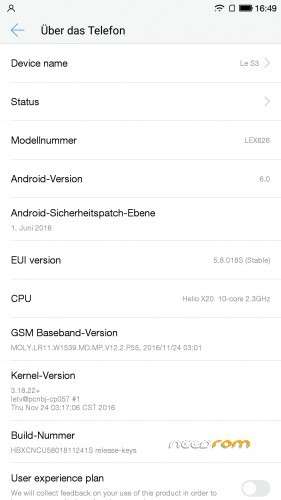
- Version: 5.8.018S
You must be logged for ROM download.
54823 total views, 4 today
27 Total favorites
 Member Info
DESCRIPTION
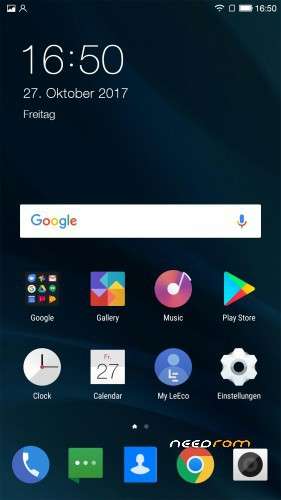
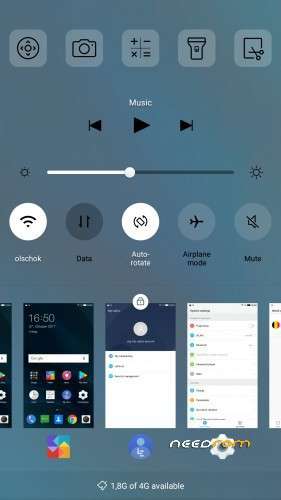
LeEco LeTv Le S3 X626 Multilanguage EU Fastboot Stock Rom with VoLTE
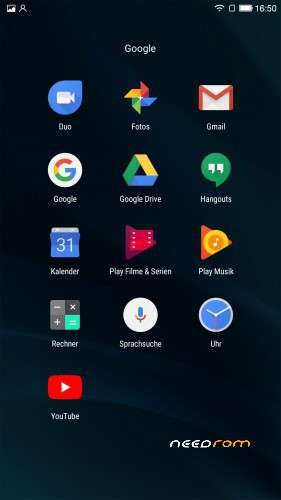
This is the EU Stock Rom with full Google Support no OTA many many Languages !!!!
Install all important Drivers to use Fastboot Mode with Your Phone.
Press "Vol- and Power" together until Fast Boot Mode is started.
extract the 7z file .
Run Command Prompt as Administrator
Change to the rom folder and just type "run"
don´t pull the cable or something !!! Wait until on your phone is "OK" .
After that directly start the System Recovery by pressing "Vol+ and Power Button" until recovery is there .
no recovery only clean caches and than reboot your phone normal.
Have Fun 
※Please make a backup of your device before installing or updating ROM
I'm sorry. But I tried flashing this 5 times. I had to unbrick 4 times. I am sure now that this leads to nothing but a bricked device.
I even tried flashing the individual partitions 1 by 1 and still no luck.
please i need driver leeco x626 for windows 8.1 Pease
was alles hier geschrieben ist total quatsch , man kann nur das gerät kaputt machen , leider Leeco oder LETV wie immer heißen bietet keine support und wenn über fremden quellen die malware und trojaner ins system einspielen nur um andren schaden zu fügen das ist Leeco !
ich habe eigene massen meine leeco S3 x 626 irgend wie wieder am leben erwägt aber leider bei soviel flashen und unbrick versuche sind meine imei los
Thanks very much, this works perfectly
el cmd tienes que abrirlo en la carpeta donde esta el bat.run si no no funcionara ok la rom
Second window pop ups for a few secs and dissappears, leaving the phone stuck on choice selection: recovery, fastboot, normal.
same here
C:\Users\Farid Service\Desktop\firmware>ping 127.0.0.1 -n 6 -w 1000 1>nul
C:\Users\Farid Service\Desktop\firmware>.\tools\fastboot.exe -s LEY7A06410017756 flash preloader C:\Users\Farid Service\Desktop\firmware\images\preloader_s2_plus.bin || call :FASTBOOTFAILED
error: cannot load 'C:\Users\Farid'
The system cannot find the batch label specified – FASTBOOTFAILED
C:\Users\Farid Service\Desktop\firmware>.\tools\fastboot.exe -s LEY7A06410017756 flash lk C:\Users\Farid Service\Desktop\firmware\images\lk.bin || call :FASTBOOTFAILED
error: cannot load 'C:\Users\Farid'
The system cannot find the batch label specified – FASTBOOTFAILED
C:\Users\Farid Service\Desktop\firmware>.\tools\fastboot.exe -s LEY7A06410017756 flash lk2 C:\Users\Farid Service\Desktop\firmware\images\lk.bin || call :FASTBOOTFAILED
error: cannot load 'C:\Users\Farid'
The system cannot find the batch label specified – FASTBOOTFAILED
C:\Users\Farid Service\Desktop\firmware>.\tools\fastboot.exe -s LEY7A06410017756 flash logo C:\Users\Farid Service\Desktop\firmware\images\logo.bin || call :FASTBOOTFAILED
error: cannot load 'C:\Users\Farid'
The system cannot find the batch label specified – FASTBOOTFAILED
C:\Users\Farid Service\Desktop\firmware>.\tools\fastboot.exe -s LEY7A06410017756 flash tee1 C:\Users\Farid Service\Desktop\firmware\images\trustzone.bin || call :FASTBOOTFAILED
error: cannot load 'C:\Users\Farid'
C:\Users\Farid Service\Desktop\firmware>.\tools\fastboot.exe -s flash scp2 C:\Users\Farid Service\Desktop\firmware\images\tinysys-scp.bin || call :FASTBOOTFAILED
< waiting for flash >
wht like this?
work me! x626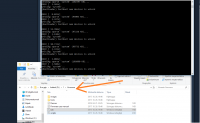
Hello guys, is there any video (step by step) how to do that ?
I bought X626 for my mother but it was freezing so with new EUI version: 5.9.028s it works fine but the problem is that phone is only in English.
I need EU languages. Is there any existing solution to have EUI version: 5.9.028s with EU language support ?