DESCRIPTION
Report bugs here: https://docs.google.com/spreadsheet/ccc?key=0AifNThxT1gbTdDRldHl6ZVJLR2lPOXBlRTBXNXFEWEE&usp=sharing#gid=0
Extra Ported Apps – CM File Manager, LenovoCalculator, new LenovoPower
http://d-h.st/users/I.nfraR.ed/?fld_id=33861#files
ROM Phone Lenovo A820
ROM Android 4.1.2
Based on Lenovo Version : A820_S150
Features ROM:
Lambda v2.4.1 Update from v2.4 (CWM/TWRP/OTA)
| Changelog |
SelectShow |
|
Fixed
|
Lockscreen crash when 3rd-party services enabled in Accessibility menu
|
|
Fixed
|
Scheduled power on/off and alarm
|
|
Fixed
|
GoogleBackupTransport
|
|
Updated
|
Viper4Android and libs
|
|
Updated
|
Lenovo File Browser
|
|
Updated
|
Video chat lib for Hangouts
|
|
Added
|
libs for AdobeFlash Player, so it can be installed as system app
|
|
Lambda v2.4RC1 / v2.4 (CWM/TWRP)
| Hidden-text |
SelectShow |
|
Added
|
LenovoMusic, new Power Manager, new File Browser, new ideaFriend
|
|
Added
|
Governor and scheduler tweaks, ram usage optimization
|
|
Added
|
Android KitKat 4.4 launcher as an optional component
|
|
Added
|
Built a classic JB theme for Lenovo Launcher, can be applied from "Themes" menu
|
|
Added
|
Enabled SIP functionality and changed styles to Lenovo's HoloLight
|
|
Added
|
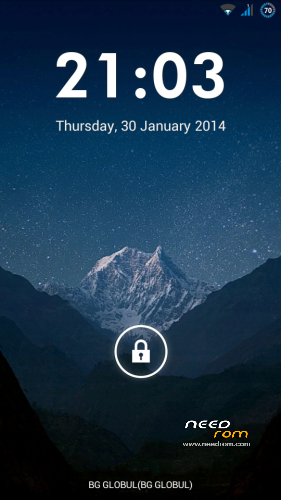
6 more date formats in Settings (displayed on lockscreen, too)
|
|
Added
|
Dialer and Flashlight as additional targets on lockscreen
|
|
Added
|
Ported Clock and Calculator from Vibe rom
|
|
Added
|
SIM2 IMEI in Settings -> About Phone -> IMEI Information
|
|
Added
|
Integrated Viper4Android FX
|
|
Added
|
Calculator ported from CM11 (cm-11-20140210-NIGHTLY-hammerhead) and adjusted for JB4.1.2
|
|
Added
|
Ported CM File Manager from CM11 (cm-11-20140210-NIGHTLY-hammerhead)
|
|
Changed
|
Lotus widget targets
|
|
Changed
|
Setup Wizard does not launch at first startup together with Google settings wizard
|
|
Changed
|
Icons for all standard applications changed to default JB icons and will be used when stock JB launcher is selected
|
|
Changed
|
External SD card is now the default storage
|
|
Changed
|
Contact photo size and quality
|
|
Changed
|
Removed lenovo reaper analytics code in new ideaFriend, LenovoMusic, FileBrowser and Power Center
|
|
Changed
|
Removed notification for missing SIM after boot
|
|
Changed
|
Removed inactive buttons in toolbar (Security and Child modes)
|
|
Changed
|
EnergySmart button in toolbar connected to new power center app
|
|
Changed
|
All system and framework apps are resigned with own key, making life much more easier and allowing edits in manifest of system apps
|
|
Changed
|
AlarmManager is connected to new Lenovo clock, old clock won't work as a poweroff alarm
|
|
Changed
|
Restyled qick toolbar and notifications in pulldown menu
|
|
Changed
|
Soften haptic feedback vibration and disable lockscreen vibration
|
|
Changed
|
Added more volume steps
|
|
Changed
|
Updated APNs from latest CyanogenMod 11 nightly build
|
|
Changed
|
Icons in settings
|
|
Fixed
|
Font size for contact name on caller screen
|
|
Fixed
|
Translation of clock app
|
|
Fixed
|
FC Google Voice Search, Google TTS
|
|
Fixed
|
ADB install. Direct installation from Eclipse or console now should be possible
|
|
Fixed
|
Connection with Moborobo app (and possibly other)
|
|
Fixed
|
Charging animation when phone is off, meta mode and factory mode. Corrected english text and removed chinese.
|
|
Fixed
|
Launcher2 default workspace dock targets
|
|
Fixed
|
Flashlight app from RC1. LCD option is the default one. Switched to CyanogenMod's Torch app.
|
|
Fixed
|
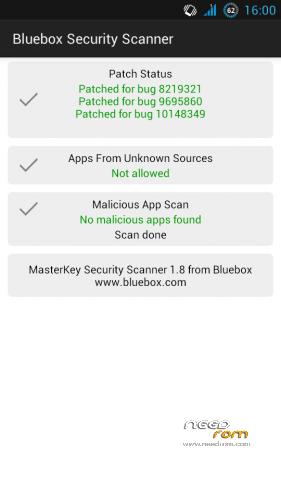
Patched MasterKey 9695860 (< 4.3) and 10148349 (< 4.4) bugs
|
|
Fixed
|
Patched MasterKey 9950697 (< 4.4) bug
|
|
Fixed
|
callerID mismatch
|
|
Deleted
|
old ideaFriend, old File browser
|
|
Deleted
|
LenovoSmart (collecting usage data)
|
|
Lambda v2.3.5/2.3.5a (CWM/TWRP)
| Hidden-text |
SelectShow |
v2.3.5a
- Some of the Google apps/framework files seem to be broken somehow. Replaced them with older version that seem to work. Update from GooglePlay if you need. Will try to update them in the rom, but for now this should be fine.
————————————-
- Updated Russian, Polish and Hungarian (approx 95%) – new version of IdeaFriend is not translated
- Updated Italian, Spanish, German and Portuguese here and there
- Updated GoogleApps and GravityBox
- Update kernel to S150
- Optimized png files in almost all apps
- Revised scripts and replaced sqlite3 binary with faster one
- Scrolling in lists and animations should be smoother
- Deleted line in build.prop that disables JIT compiler. If anyone need it can always add it again.
|
Update Lambda v2.3.3 to v2.3.4 (CWM/TWRP/OTA)
| Hidden-text |
SelectShow |
- Fix quick boot nad charging when phone is off
- Removed 'Unknown city' text from ideaFriend call log
|
Update Lambda v2.3.2 to v2.3.3 (CWM/TWRP/OTA)
| Hidden-text |
SelectShow |
- Modify autobrightness
- Add MTK Engineering menu and extended developer options (thanks lenovo-forums.ru)
- Fix problem with some GPS tracking apps
- Added GravityBox and Exposed Framework
- Updated and modified ideaFriend
- Camera records in MP4 instead of 3GP (thanks lenovo-forums.ru)
As always make a full nandroid backup first!
Update script clears dalvik cache, but does not delete user settings.
|
Update Lambda v2.3.1 to v2.3.2 (CWM/TWRP)
| Hidden-text |
SelectShow |
- Another attempt to improve automatic brightness
- Fixed Network modes
- Added custom OTA updates and removed Lenovo OTA
- Modifications and fixes for incoming calls screen icons and layout
- Modified lock screen clock and some of the status messages
- Modified email client startup/new account screen
- Changed default wallpapers
- Attempt to increase sdcard speed
- Updated adblocking hosts (for those who use custom hosts file – backup it manually, because I forgot to make a backup from the script)
- Fixed ideaFriend messages grouping. In order to activate the fix, you need to remove all current message threads, then go to Settings -> Apps -> ideaFriend -> Delete Cache and restart phone. Then you can try to restore the messages from the backup and see if it will still work (not tested with restore).
As always make a full nandroid backup first!
Update script clears dalvik cache, but does not delete user settings.
|
Update Lambda v2.2.1 to v2.3.1 (CWM/TWRP)
| Hidden-text |
SelectShow |
Due to several request, this flashable CWM zip updates v2.2.1 to v.2.3.1.
User settings and installed aps should stay in tact, but keep in mind there might be some mistakes. I tried to include all changes.
Tested with clean installation 2.2 -> 2.2.1 -> 2.3.1, so there's always possibilty it doesn't work for you with all installed apps.
As always make a full nandroid backup first!
|
Update Lambda v2.3 to v2.3.1 (CWM/TWRP)
| Hidden-text |
SelectShow |
- Further tweaks for automatic brightness levels. Reaction time reduced significantly.
- Removed misplaced switches in SIM management
- Deactivated Lenovo hotline contact which was always added to contacs upon first start
- build.prop and init.d tweaks
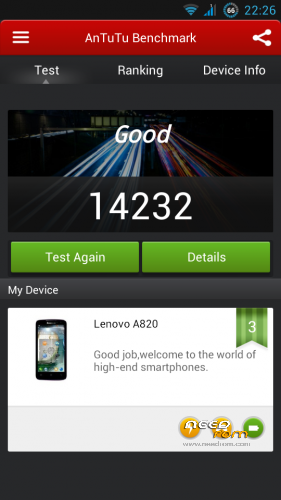
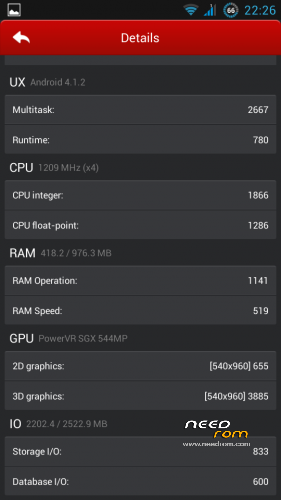
- OpenGL optimization, my phone antutu scores are higher (around 13600)
|
Lambda v2.3 (CWM/TWRP)
| Hidden-text |
SelectShow |
- Added Aroma installer
- SuperSu updated to v1.41
- Added shell
- Removed smsSelfReg leftover xml file
- Kernel updated to S139
- Updated operators lists
- APN profiles for many operators, please turn data connection off right after you see the welcome screen if you don't want mobile data enabled.
- Fonts cleaned
- Fixed network location
- Added screen rotation to sms
- Full screen contact picture
- GPS customization
- Changed adbd
- Changed autobrightness levels – needs testing and further tweaking
- Baterry warning levels reduced
- Button backlight tweaks
- Lenovo custom-changed browser replaced with standard Android browser
- UTF8 SMS
- Added battery item in settings
- Default store links in Lenovo Launcher changed to Google Play
- Changed some icons and defaul background
- Removed mobile type network indicator (G, 3G, 4G)
- Further init.d and build.prop tweaks, enabled deep sleep
- Changed sqlite3 binary, sqlite db optimization should work now
- Added openVPN support, vpn connectivity needs testing
- Root Explorer replaced with ES File Manager (free)
- Call profiles tweaked, but couldn't solve the annoying haptic feedback thing completely
- Full screen caller picture support, however cropping in gallery for contact picture still doesn't support random dimensions.
- Sony Bravia 2, xLoud & ClearAudio support is now optional, but it should work now – was broken in previous release
- Fixed swipe jestures on Android keyboard, works perfect now – tested in English and Bulgarian
- Fixed network positioning when gps disabled – tested with AccuWeather, AndroidWeather, News & Weather.
- All apps updated, except Google Maps. New version removes navigation and Google Latitude and Google will completely shutdown Latitude next month. For now, I recommend to disable automatic updates from google Play and use the old Maps for full features.
- Many other fixes and changes that I can't remember right now
- I will release a patch/update with eventual fixes of known and new discovered problems, so please report them.
|
V1 – removed from download section, not needed anymore
All changes in this version are included in newer ones.
| Hidden-text |
SelectShow |
- Removed Chinese apps and services
- Removed many Lenovo and Unicom apps, including stock browser – you will need to install another one from the market
- Removed Baidu, AOSP Latin keyboard only
- Boot and shutdown animations changed from Wo3G to stock Android, logo changed to Lenovo
- root applied, RootExplorer installed as system app; latest SuperSU, binary and busybox versions
- init.d support, build.prop, kernel, wifi, gps, sdcard i/o, zipalign, ext4 filesystem, sqlite3 databases, battery tweaks
- increased jpeg quality to 100%, camera quality tweaks
- adblock hosts for blocking advertising
- Sony Bravia Engine 2
- Sony xLoud & ClearAudio+
- openVPN support
- Advanced CWM Recovery 5.5.0.4
- Google Apps and Services, Google Play
- locale set to EN – English is selected by default on first start and welcome screen
- Stock Lenovo launcher
- based on the official S138 EN/CN ROM, supports English and Chinese only
|
V2.1 (CWM/TWRP)
| Hidden-text |
SelectShow |
- Cleaned
- Put back Lenovo Power Saver and Stock Browser
- Hopefully fixed issues with calendar. Google Calendar added. Please report back if there's still a problem.
- GoogleMaps, StretView, Youtube
- Updated busybox to latest version
- Additional init.d tweaks
* If you don't want some system app, you can uninstall it with TitaniumBackup.
|
V2.2 (CWM/TWRP)
| Hidden-text |
SelectShow |
- Fixed issue with Lenovo Browser, it's now there
- Added raw multilanguage support, but translations vary from language to language and from app to app. Translated many apps. Supported languages/locales – af am ar bg bn ca cs da de el en_GB es es_US fa fi fr hi hr hu in it iw ja ko lt lv ms nb nl pl pt pt_PT ro ru sk sl sr sv sw th tl tr uk vi zu
- Fixed ID3 tags of ringtones, now displayed in English
- Extended LatinIME, added Bulgarian Phonetic and Bulgarian BDS keyboard layouts.
———————————————————————————————————————–
Update from V2.2 to 2.2.1 (Patch)
- Fixed* callerId matching issues, however it's adjusted for Bulgarian GSM numbers, so it might not work in your country. Credits to C3C076 from xda!
- Chinese city names removed from contacts and call logs – not displayed anymore
- Fixed problem with initialization of Sony Clear Audio in config files
- Standard launcher modified, theme is removed. All needed icons/styles are encapsulated in the launcher.
- Added two additional and helpful options in power menu – Reboot and Recovery
- Boot/shutdown animations changed to Lenovo
* You will need to manually remove all contacts and import them again in order to activate the fix. Also remove all message threads. After that new ones will be grouped correctly
Update script tries to keep all user settings, so your launcher screens and wallpaper should be preserved. However, if you flash the update over a fresh V2.2, you will still need to remove the lotus and missing widgets from launcher screens, then change the background if you want. As always, make a full backup, just in case. Script wipes cache partition and dalvik-cache, so first boot will take time. I will address other issues in future version, but it might take longer time to release it. So far updates were very frequent, but as the ROM gets mature enough, it doesn't require many changes. Please report any problems you encounter, they are taken into account.
———————————————————————————————————————–
LenovoSystemUI-mod-CWM (CWM/TWRP)
- Updates SystemUI with 1% battery mod
- Updates to empty SIM display mechanism. Indicators for unpopulated slots are now hidden. Credits to C3C076 from xda.
———————————————————————————————————————–
|
Install ROM:
V2 and up
Download desired zip and copy on sdcard.
You need a modified recovery to install the firmware and updates. If you have it already, proceed to step 3. If you don't have, follow these steps:
1. Download Lenovo drivers, unzip the archive. Turn off the phone and remove battery. Open device manager and connect the phone to PC. Watch for new devices. It will be displayed as МТ65хх Preloader. You need to be quick, because it will dissapear in some second. Click on it with the right button and select update driver. Point the wizard to the driver folder, it will install the correct driver automatically.
If it doesn't work with removed battery you can try to power on the phone and turn on developer options in settings or enter meta mode – hold Volume Down and Power buttons. Then connect the phone to PC again.
2. Download and extract Recovery zip and Flash tools. Run Flash Tools, click on DL DA All With Check Sum, load the scatter file located in Recovery folder, uncheck Preloader and hit Download (F6). Remove battery from phone and connect it to PC. When done, a green circle will appear.
3. Enter recovery mode – hold Volume Up, Volume Down and Power buttons until you see the logo. Make a backup of your current system first. Install new zip.
※Please make a backup of your device before installing or updating ROM

 Member Info
Thanks Infrared. I will try and KK soon.
3ae6ucb
Hi!
The order of flashing is ? 2.2> 2.2 to 2.2.1>v2.2.1 to v2.3.1>v.2.3.1_to_v2.3.2>v.2.3.2_to_v2.3.3>v.2.3.3_to_v2.3.4 and next?
There isn't link to update from 2.3.4 to 2.3.5.
OTA says that is available upgrade to 2.4.1 directly or install before A820_Lambda_v2.4_full_rom_multilang and next 2.4.1?
Regards!
Thanks in advance.
Thanks ! You save my life
Hi
I don't have a clue what happen but i was trying to disable the internal storage and it reboot and now i don't have sim working. I have tried everything what appears on the net and nothing…need help please.
I have backups (TWRP) but i think i don't have mad ethe nvram backup. I have the my IMEIs registered.
Thanks in advanced.
Tried this ROM. hopefully working as expected