
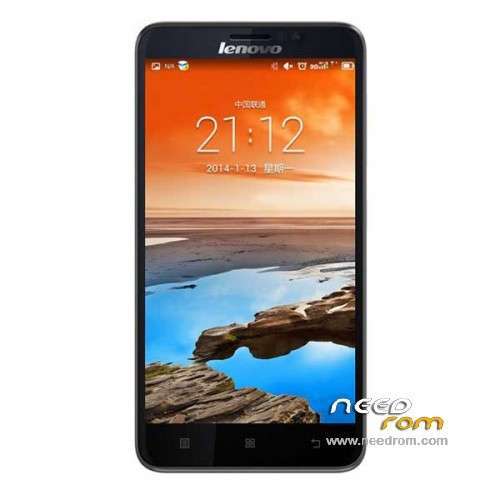
- Title: Lenovo A850+
- Listed: April, 2014
- Last modified: 05/25/2014 3:35 am
- Version: ROM Android 4.2.2
You must be logged for ROM download.
101456 total views, 3 today
27 Total favorites
 Member Info
DESCRIPTION
ROM Phone Lenovo A850+ - ROM Android 4.2.2
ONLY MT6592
Update Official ROM Lenovo A850+ version: A850+_S124_140516
—————————————————————————————————————————————————–
Official ROM Lenovo A850+ version: A850+_S119_140311
Gapps not include – No Rooted
Language support : EN/CN
Install ROM:
- Unpack FlashTools, and Click on Flash_tool.exe
- Select a the MT6592_Android_scatter_emmc.txt in ROM
- Wait file to be added into Flash Tool
- choose Option->USB Model,click USB Model
–> Choose Option->DA DownLoad All->Speed->High Speed, click High Speed
- Turn off your phone, remove the battery.
- "Press F9 (hit Download button)" OR " if upgrade ROM Firmware->Upgrade "
- and connect your phone into the computer via USB data cable.
- The process will start and a red progress bar will appear after color purple, yellow.
- And green circles display
- Finish !
- You can now safely disconnect your phone and turn it on.
※Please make a backup of your device before installing or updating ROM
hi all,
do this room still have the incoming call contact can't show problem?
planning to flash with this rom, just worry on if the same problem occur.
regards,
Tommy
anyone can tell me, tis rom can be apply on a850 MT6582M
no only A850+!
No playstore. most app in chinesee
Hi all,
I read some confusing replies regarding this new ROM for the 850+
I have S_118 on my genuine 850+, but would like playstore.
Should i flash, or just use 1Mobile, and forget Playstore?
vette
why startup by china.. where is lenovo standard startup
thanks
IT cannot be flash…i try with other tool and try to flash…the result after flashing in stuck on boot image
Fiz a instalação desta Rom, no entanto, o IMEI está dando como inválido. O que fazer para corrigir este problema?
Can we use cwm??
sp flash can't detect BIN file