
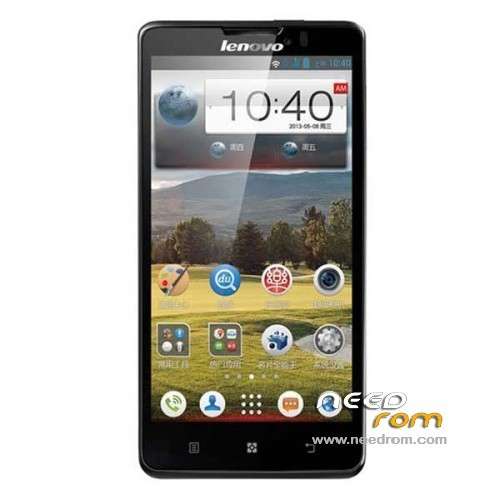
- Title: Lenovo P780
- Listed: July, 2013
- Last modified: 03/06/2014 8:34 pm
- Version: ROM Android 4.2.1
You must be logged for ROM download.
137304 total views, 3 today
149 Total favorites
 Member Info
DESCRIPTION
ROM Mobile Lenovo P780 – ROM Android 4.2.1
Update Lenovo P780 : P780_ROW_S116_130828
Gapps include – No Rooted
Language support: Multilang
————————————————————————————————————————————————–
Lenovo P780 : P780_ROW_S110_130814
————————————————————————————————————————————————–
Gapps no include
Language support: EN/CN
Install ROM :

- Unpack FlashTools, and Click on Flash_tool.exe
- Select a the MT6589_Android_scatter_emmc.txt in ROM
- Wait file to be added into Flash Tool
- choose Option->USB Model,click USB Model
–> Choose Option->DA DownLoad All->Speed->High Speed, click High Speed
- Turn off your phone, remove the battery.
- "Press F9 (hit Download button)" OR " if upgrade ROM Firmware->Upgrade "
- and connect your phone into the computer via USB data cable.
- The process will start and a red progress bar will appear after color purple, yellow.
- And green circles display
- Finish !
- You can now safely disconnect your phone and turn it on.
※Please make a backup of your device before installing or updating ROM
hello CHIRAG1413
I already tried the ROM and it was successful maybe there`s wrong with your procedure.
hi,
the procedure is fine. For me (finally) work selecting firmware –> upgrade.
my question is: it starts in chinese language :-) .. where is language selection?
please help (with a snapshot)
thx
Lenovo p780 supports 3G on 900 MHz?
I recently purchased a P 780….Yesterday have no clue wat went wrong unable to find the keyboard in messaging nor uable to key in anydetails. To be precise keyboard setting is missing. Also when i went to about phone it says setting closed and unable to see any ifo. Is the OS needs to be reloaded, please advise how to find a solution. Your fast response would be highly useful
Hello everybody . Could someone tell me if this "Update" it has Romanian Language ???
Please forgive my "pour" English , if i write something wrong correct me cose is for my own good !!!
Thank You in advance .
anyone got the usb drivers for this phone as i cant get mine to install on my windows pc
As far as I can see all download links are original roms of Lenovo without modifications.
Linked P780_ROW_S110_130629 seems to be a clean and fine working "overseas"-version = without chinese apps, asian languages and english only. All other download links are the full roms incl. chinese apps, but seem to work fine and are fully OTA updateable.
Nevertheless I have to try latest P780_S135_130917 now, what is available here http://pan.baidu.com/s/1j54VC
Hi, could you assist me how to do it? I don't know what went wrong. I have installed the driver. My computer recognises the mobile but the files on Flash Tool are not downloading into my mobile. Is it because I still have to take out the battery (which I can't)?
Thanks
P780_S135_130917 -password????
Hi!
Can you tell me if the ROW version can be updated OTA ? Or is it the latest ?
Password for unpacking P780_S135_130917.rar is bbs.lenovomobile.com
hello Sir God day. i downloaded the Linked P780_ROW_S110_130629 version but the problem is after extracting the folder, i cant find the MT6589_Android_scatter_emmc.txt. is their any problem with my download, i used idm?
Edit: P780_S308_130814 is a special Unicom Version (provider in China). Without Gapps etc but a lot of Chinese apps (no idea what this is )
)
Hi,
I'm new and need some help. After downloading the Firmware I unzipped it with winRAR, now I cannot see the MT6589_Android_scatter_emmc.txt in ROM.
Please help
Did you fined the file? I am also stuck and cannot see the scatter file
My computer crash while Flash Tool download rom to my LENOVO P780. Now I am unable to switch on my phone. My computer also unable to recognize my phone now (unknown USB device). What should I do now. Please Help!