Recommend
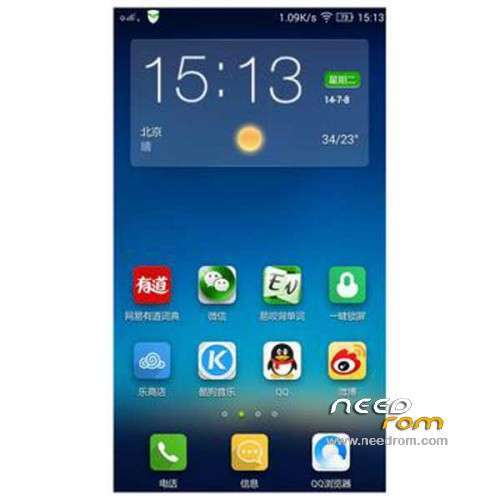
Add VIBEUI2.0 first public beta, a new visual experience
Add 14 performance, silky smooth experience more
Added a new visual style to give you an immersive experience alone show, enjoy the texture perfectly clear without borders
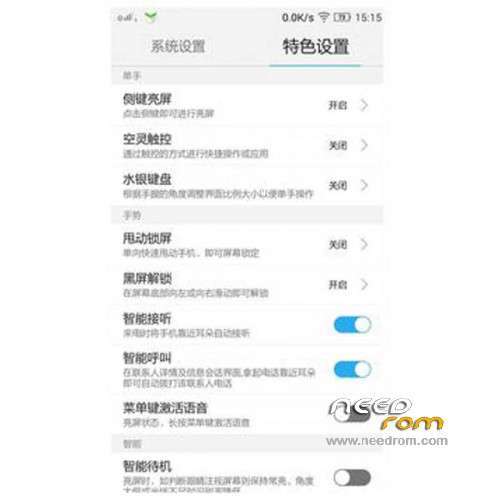
Add a number of innovative features, just to let you have a better experience
Lenovo contacts
New VIP unread messages automatically top, no longer miss important contact information
New intelligent packet attribution: Easy to understand the distribution of friends, where to have friends
New Show attribution Weather: Contact Details dropdown get other location the weather, always pay attention to the most important person in life
New information into the call: call can be edited again, sending information more humane
New secondary positioning tray drawer: Shortcut to find someone to locate, contact, not afraid more
Add eggplant to introduce fast pass a key replacement: import / export contacts get a key
New dial-up interface used to integrate Contact: Phone purest experience, integrated intelligent analysis of the most popular list, so find someone quickly and then quickly dial
Add New group added ungrouped contacts tab: Every time a new group should be checked in all contacts, needle in a haystack, now just relaxed a program, not grouped contacts at a glance
Added support links Contact: Contact Details link contacts to support rapid integration of connections
Lenovo Weather
New weather widget will change with the theme and switch between different styles
Added concise weather APP
New notification bar integration
Added support for the World Cup theme
New main application removal 3X2
Optimize the list of cities, adding urban interface
E-mail
New virtual mailbox name added to the mailing list
Add a new mail interface to read e-mail alerts of location
Music
Add new Lenovo account and open an account with Baidu
Add new features to achieve online songs, song single collection, offline playback
Add new GUI effects, gorgeous smooth sidebar, sliding menus, playback interface, such as moving the Leads efficiency
Video
Added suspended player: Video playback has been suspended, watching films correct operation; window readily scaled freedom
New Smart Sort: Breaking the bottleneck shuffling, sorting and more intelligent, more humane
Calendar
New festival throttle, holiday arrangements
New schedule reminders, birthday wishes
Added Gregorian lunar calendar, daily Taboo
File Butler
Added a new visual style
New Remote Management: Wireless connect computers, files freely management
Search
Added new UI interface
New fast search engine switch
Saving
New applications and optimization of power consumption data expansion
Add consuming application detection, anomaly monitoring processing
New import power saving engine functions (visual / computing / graphics power saving engine)
New UI simplifies the left menu bar, the new GUI style
Emergency power-saving optimization optimization
Topic Center
Added to enhance stability and performance
Add a new lock screen themes on-line
Add more lines on the wonderful theme album
Notification Center
Add new visual design and dynamic efficiency
New enhanced version of the application status bar integration, adaptive colorful black and white background APP
Add a Bluetooth device connection status that is significantly Tips
New view notifications, calendar events notification showing support
Add optimize application notification disabled, preferred operating experience
New UI / GUI performance is more consistent application notification message
Add new multitasking operating experience a new multi-tasking operating experience
Optimizing the layout and operation experience fast switching, independent brightness adjustment easier
Boot Wizard
Add a new page style gui
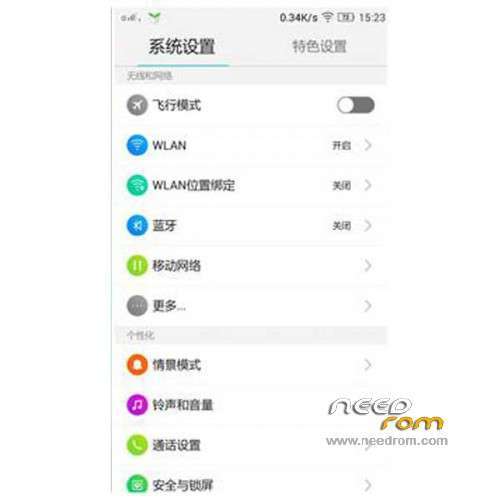
Add wlan set
New Lenovo ID, cloud service reference feature
Add a key replacement of old and new phone

 Member Info
great rom…i cant wait for vibeui 2.0 stable version…
Problem with playstore…
How to root v1431 ?
VRoot not workin.
how to use twrp ?
could someone give a link please. i could before but now i cant get into twrp recovery. :s
"-Power button + volume button up, to enter the recovery mode." not working. getting into factory mode in that case.
i have flashed "TWRP_v2.6.3.0_S650.7z" and "TWRP_v2.7.0.0_S650_CN.zip" but no way
can i use this on a859??
Hold Volume Up + Volume Down button and then press & hold the Power button to turn ON the phone. Once you feel the phone vibration, release the Power button but still hold the Volume Up + Volume Down button until you see the TWRP screen, Now, you can release both volume buttons. Hope this help.
Got into Lenovo recovery
Flash TWRP recovery to overwrite Lenovo recovery first and follow these steps to enter recovery mode.
Could you please give a link for twrp.
The only thing I find disturbing on this ROM is the fact that it doesnt recognize contacts calling without the country code. By default, all my contact have a country code prefix. So I have to add 2 numbers to each contact. One without the country code and one with the country code. F*ing annoying.
Ayone know a way around this?
got similar problems… really annoying and disturbing when the phone didnt recognized the caller
There is an rom with that problem solved?
contacts/more features and settings/more dispay options/matching digit of numbers/7 digits