
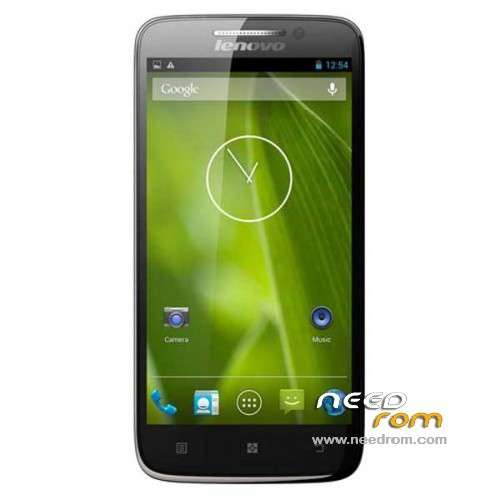
- Title: LENOVO S650
- Listed: December, 2013
- Last modified: 12/02/2013 8:36 pm
- Version: ROM Android 4.2.2
You must be logged for ROM download.
136113 total views, 3 today
28 Total favorites
 Member Info
DESCRIPTION
ROM LENOVO S650 – ROM Android 4.2.2
ROM Lenovo Official version : S650_S119_131014
Gapps include – No Rooted
Language support: Multilang
ROM Install :
- Unpack FlashTools, and Click on Flash_tool.exe
- Select a the MT6582_Android_scatter_emmc.txt in ROM
- Wait file to be added into Flash Tool
- choose Option->USB Model,click USB Model
–> Choose Option->DA DownLoad All->Speed->High Speed, click High Speed
- Turn off your phone, remove the battery.
- "Press F9 (hit Download button)" OR " if upgrade ROM Firmware->Upgrade "
- and connect your phone into the computer via USB data cable.
- The process will start and a red progress bar will appear after color purple, yellow.
- And green circles display
- Finish !
- You can now safely disconnect your phone and turn it on.
※Please make a backup of your device before installing or updating ROM
Di I need internet to do this?
hello, is there polish language?
nice..!! tq very much..help me alot.. here youtube video for those that have problem.. https://www.youtube.com/watch?.....v=QkUQDEYLXFM enjoy….!!!
Hi,
I just bought this phone 2 weeks ago, and currently received update S112, but after download it failed to install update (try several times already), any idea what's wrong?
And also, while playing games the top of the phone (camera area back and front) quiet hot, does this normal?
Please advise, thank you.
My pc gives the usb eject sound when i try to do the process, so si the download bar doesn’t count, it stays at zeri for almost permanently. Pls what do I do?
Hello guys.. I need help. I'm not an advanced user and I face some problems with flashing my lenovo s650. I have downloaded the correct drivers for my Win7 laptop but I cannot update to them manually. Win7 prints me a warning that the folder I have specified does not contain any compatible INF file, although it contains. How can I overcome this??? Please assist me..
Same to me too:
"Hi, it happend to me as well, after flashing (F9), I got "Tool DL image fail" and "Uboot is blocking by DL info".
It is IMPORTANT to check/tick the option "DA DL All With Check Sum" in the Flash Tool (located right next to "Stop" button)
Also had to install USB drivers first, that can be dowloaded here: https://www.needrom.com/wp-con.....t…..ivers1.rar
Thanks alot for the ROM and tools!"
my feLlow friends,if u have install the new version of s650 (please return to this version)
download the link above
LENOVOS60
FLASH TOOL
then,visit youtube video(very good video)
https://www.youtube.com/watch?.....v=QkUQDEYLXFM
after that,
1) download usb driver from the video description.(unzipp)
2) go to control panel and device manager.after device manager popup,remove s650 battery and connect your phone into the computer via USB data cable.u can see your driver in ur device manager pc (right click and update the driver with the usb driver u download from the youtube link)…choose your windows.
3.after that,
- Unpack FlashTools, and Click on Flash_tool.exe(run as administrator)
- Select a the MT6582_Android_scatter_emmc.txt in ROM
- Wait file to be added into Flash Tool
- choose Option->USB Model,click USB Model
–> Choose Option->DA DownLoad All->Speed->High Speed, click High Speed
- "Press F9 (hit Download button)
- and connect your phone into the computer via USB data cable.(remove battery before plug the cable)
- The process will start and a red progress bar will appear after color purple, yellow.
- And green circles display
- Finish !
- You can now safely disconnect your phone and turn it on.
I am still not able to add the download into it, seems that it is still searching.
Nevermind, solved it. Installing the correct driver for my windows 8.1 is the most important thing before we do the flash procedure. Now I am getting back the S119, the updated version from Lenovo screwed everything as I am not a native Chinese to understand Chinese characters.
Ciao power00t, puoi darmi il link per scaricare i driver per w8.1, sono anch'io col tuo problema e non riesco ad andare avanti, grazie