
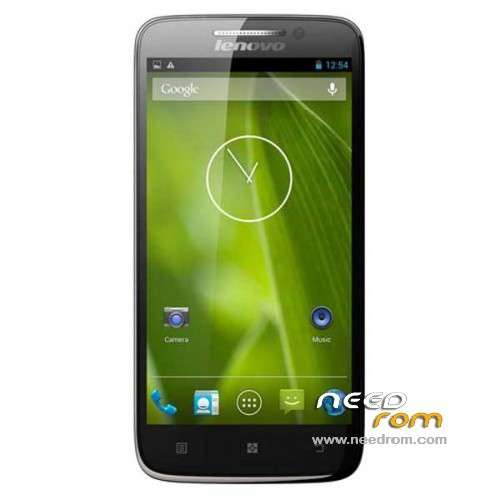
- Title: LENOVO S650
- Listed: December, 2013
- Last modified: 12/02/2013 8:36 pm
- Version: ROM Android 4.2.2
You must be logged for ROM download.
136113 total views, 3 today
28 Total favorites
 Member Info
DESCRIPTION
ROM LENOVO S650 – ROM Android 4.2.2
ROM Lenovo Official version : S650_S119_131014
Gapps include – No Rooted
Language support: Multilang
ROM Install :
- Unpack FlashTools, and Click on Flash_tool.exe
- Select a the MT6582_Android_scatter_emmc.txt in ROM
- Wait file to be added into Flash Tool
- choose Option->USB Model,click USB Model
–> Choose Option->DA DownLoad All->Speed->High Speed, click High Speed
- Turn off your phone, remove the battery.
- "Press F9 (hit Download button)" OR " if upgrade ROM Firmware->Upgrade "
- and connect your phone into the computer via USB data cable.
- The process will start and a red progress bar will appear after color purple, yellow.
- And green circles display
- Finish !
- You can now safely disconnect your phone and turn it on.
※Please make a backup of your device before installing or updating ROM
Hello I need Bulgarian language for my Lenovo s650, how can I install it and where to get it ?
It has български
Hi everyoney, I am new here and I an writing from Albania.
Can i use this rom in my s650 VIBE phone?
In general can s650 roms used in s650 vibe?
For everyone who is still interested on this, i tried and it works smothly. Actually this is the original rom that come s650 vibe when you bye it from pandawill.com.
Very good job! A+++
Hello again, just a small remark about the flashing process after trying it by myself.
Actually I was not supposed to perform any kind of aditional driver installation.My PC has Windows 7×64 installed. While I was following the described steps before using the flashing tool I was not able to find any kind of additional USB drivers in device manager. Meanwhile if I switch the phone while it's off and the battery removed to PC with USB cable than nothig happens.
The only possible way to make it works was to attach the phone WITH the battery in it, through the usb cable to PC and after that to start the flasshing tool. Additionally the file that should be inserted in Flash Tool is MT6582_Android_scatter.txt in ROM. My Lenovo s650 was sussessfully reinstalled without any chinese signs behind the phone numbers. I set it in english but I do prefer my native language bulgarian. Unfortunately the ROM that I used was downloaded from a russion forum http://lenovo-forums.ru/files/.....º/ because I am new in the field and as I do speak and understand russian language I felt more confident in followin instructions in this russion forum. I will try with the ROM from https://www.needrom.com and I'll write again about my progress.
Hello i am new in this forum… I've read all the comments and i have the same problem with some guys. When i connect my phone into the computer via USB data cable, nothing is happening, it's simply searching. I did disable the "windows 8 driver signature" and i did check "DA DL All With Check Sum" but still nothing is happening. Please guys, if someone of you did it correctly, give some help and advices. Thanks a lot
Work for me on win 7. Click "download" button quickly after you connect the usb cable.
Thanks!
eboot.dll missing from your computer? what kiind of problem?
click download nothing happenning
USB searching
why should i do?
hi, i,m use vibe root… and i can`t use other roots as well
hi, can help with USB driver for win7