
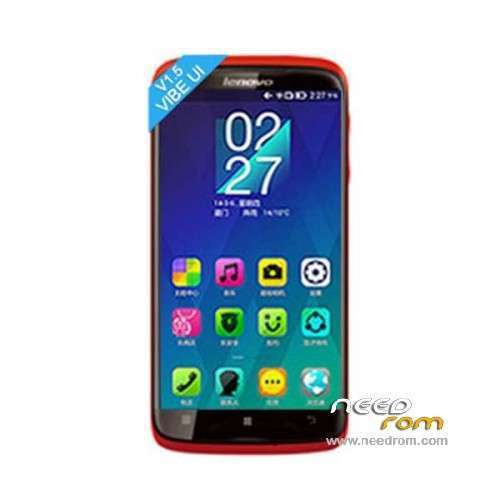
- Title: LENOVO S820 Vibe UI
- Listed: April, 2014
- Last modified: 07/05/2014 6:15 pm
- Version: ROM Android 4.4.2
You must be logged for ROM download.
82845 total views, 3 today
3 Total favorites
 Member Info
DESCRIPTION
ROM Phone LENOVO S820 – ROM Android 4.4.2
ROM features:
Update VibeUI S820 version: VIBEUI_V1.5_1427_ST_S820 ( Stable version )
——————————————————————————————————————————————-
VibeUI S820 version: VIBEUI_V1.5_1423_ST_S820 ( Stable version )
Gapps not include – Not Rooted
Language support: EN/CN
ROM Install :
CWM
Step 1: Download the custom ROM copied to an external SD card root directory
Step 2: the shutdown state. While holding down:
– Power button + volume button up, to enter the recovery mode.
– Wipe Data / Factory Reset -> delete all user data
– Wipe Cache Partition -> Wipe cache
– Advanced -> Wipe Dalvik Cache
Step 3: Return to recovery main interface Install zip from sdcard -> choose zip from sdcard -> Select your ROM
Step 4: Brush complete, restart the phone Patience required – first boot takes a while
※Please make a backup of your device before installing or updating ROM
lag . back too jb
root =? pleas help.
How can I root this room? The framaroot can't do that. Please write the tutorial. (Sorry for my bad english.)
Or how can I install the supersu binaries?
how can i install browser such chrome or other ? it's force close after install and open it.
Root File Lenovo S820 VIBE UI Kitkat : https://www.dropbox.com/s/oyg9.....nhq/4.4Root.zip
How to root:
1.) Download the MTK Droid Tools, the Flashtool, and the CWM.*.7z (here, and google the others)
2.) Plug in the phone with battery, open the MTK Droid Tool > click "Blocks Map" > click "Create Scatter File", and save to the unzipped directory. (rewrite the old) Remove the phone.
3.) Download the preload drivers from the link, and install. Then open the flashtool, and read the scatter file. Tick the "DA DL.." checkbox, and click the download button. Connect the phone without sim and battery. Wait for the complete message.
4.) Download the root files, and copy the zip to the sd card.
5.) Boot the phone, with press the volume buttons and the power button. You will be in the CWM. Chose install from sd card. Search the zip, and install it with press the power button.
Be happy, because your phone rooted. (Sorry for my bad english, but i'm hungarian.)
Be careful with the flashing!
ROM 4.4.2 ??
hello I'am new here, I have lenovo s820 and just upgrade it to kikat..Q: do you flash the CWM or the hole ROM? And what root files? 4.4root.zip or….??? thx, hope ypu can answer ASAP…
my recovery language is chinaian . i dont know chinian . how can i do ?
The second language is english, so you can use it. But you can flash the cwm to your phone, and it's better.
Hi Guys…
I had rooted it & updated gapp but i have a problem… it cant detect sim and only show invalid imei… any solition on this matter?
hey adrianong888, did you fix it?
cuz i have a solution if you are concerned
but it's a temporary solution and you have to repeat the process after every factory reset
Hello. I've installed recovery (CWM) with the help of Flashtool, then rooted with 4.4root.zip (https://www.dropbox.com/s/oyg9.....nhq/4.4Root.zip) as tragcell said (thank you very much, man!), then gapps for 4.4.2 installed from recovery. Everything runs faster than universe! Thank you
hi vagenius .. iam very new in this, could u please teach me how to upgrade my s820 to 4.4.2.
hello I am new here… How did you root with 4.4root.zip