
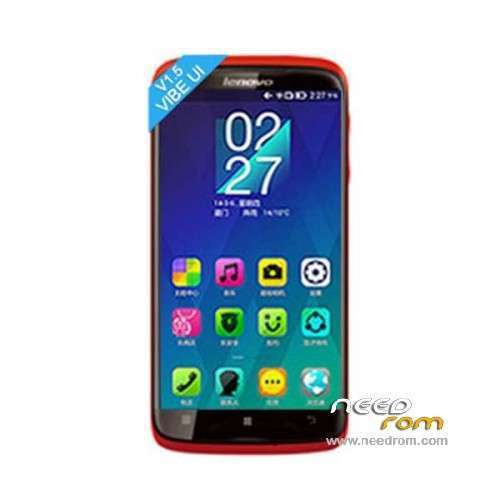
- Title: LENOVO S820 Vibe UI
- Listed: April, 2014
- Last modified: 07/05/2014 6:15 pm
- Version: ROM Android 4.4.2
You must be logged for ROM download.
82845 total views, 3 today
3 Total favorites
 Member Info
DESCRIPTION
ROM Phone LENOVO S820 – ROM Android 4.4.2
ROM features:
Update VibeUI S820 version: VIBEUI_V1.5_1427_ST_S820 ( Stable version )
——————————————————————————————————————————————-
VibeUI S820 version: VIBEUI_V1.5_1423_ST_S820 ( Stable version )
Gapps not include – Not Rooted
Language support: EN/CN
ROM Install :
CWM
Step 1: Download the custom ROM copied to an external SD card root directory
Step 2: the shutdown state. While holding down:
– Power button + volume button up, to enter the recovery mode.
– Wipe Data / Factory Reset -> delete all user data
– Wipe Cache Partition -> Wipe cache
– Advanced -> Wipe Dalvik Cache
Step 3: Return to recovery main interface Install zip from sdcard -> choose zip from sdcard -> Select your ROM
Step 4: Brush complete, restart the phone Patience required – first boot takes a while
※Please make a backup of your device before installing or updating ROM
how to install gapps??
What is diviperent between rom lenovo S820 VibeUI and lenovo S820 – Update V1417 ? What shpuld I download. And Is there anybody have succeded using it?
Thanks
Is this rom compatible with 8gb ROW version??
hello please help me
I want to use rum VIb
There were Turkish ago
I'm the new ROM
I've installed
but now there is only the cn
Please be it Turkish
me
To link
thanks
hi guys , i have lenovo s820 ROW (4GB)
the matter is that i brush (LENOVO S820 VibeUI – Update v1419) directly so my phone bricked !
do i need to install LENOVO S820 VibeUI first then update it to 1419 ?! help me please !
and another thing is how can i add more languages to this rom ?! for example persian language ?
thanks for this ROM….i'm newbie here
i have couple of question.
1. Do i need to flash those 3 or just select 1? i mean there have 3 links for ROM download. So if i want to install the latest update (v1419) do i need to flash the 1st one or just install v1419?
2. What is the function of files from Recovery?
Can't automaticly upgrade from v1417 to v1419 after succesfully downloaded and restart my lenovo. Any suggestion please !
if this rom can be installed in the s820 8gb version ?
sorry for my bad english
Don’t install the new version… There are 2 big bugs…
First : Cannot install PS with anyway.. If you can install it, cannot sync with google..
Second : If you want to root with CWM amd TWRP, you cannot enter recovery mode anymore..
Great work on ROMs.. I have 2 issues that hopefully you can help with:
1. I do not have the Advanced option in recovery mode.
2. when I try to apply updat from sdcard i receive installaition aborted.
Thanks in advance