
- Title: LENOVO Z90-7 ROM update Android 5.1 Multilingual, Google Service, ROOT
- Listed: August, 2015
- Last modified: 08/12/2015 11:46 pm
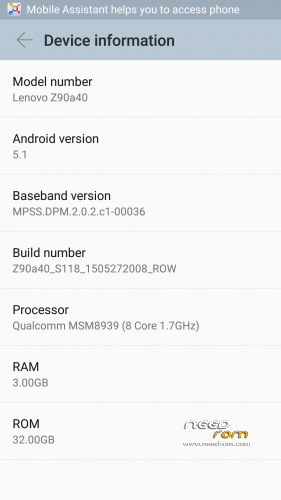
- Version: Z90a40 S118 1505272008 ROW
You must be logged for ROM download.
39421 total views, 3 today
19 Total favorites
 Member Info
DESCRIPTION
UPDATE – S208 ROW rooted here:
After start there is some info about google play movies & tv is not working, so you need to update all google stuff via play store.
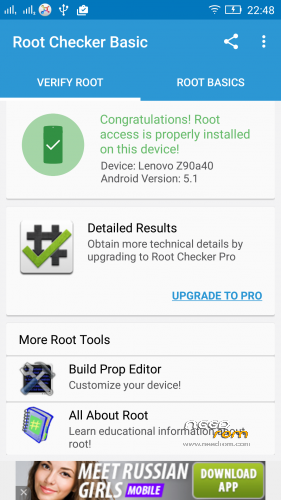
This is original release of Z90a40_S118_1505272008_ROW for z90-7, i've only added root, no other changes.
1. Unzip the ROM to a folder of your choice.
2. Install MiFlash.exe after installation, restart your PC
Warning Windows 32bit preference.
3. Start the MiFash software and select the folder or the ROM has been decompressed (you must see this)
ROM Officiel Android 5.1
4. The phone must be turned off, no SD card in your phone and unplug your PC, once off the phone only supported on the Volume Up button after 3 seconds connect your device to your PC with USB and 2 seconds release the Volume up button.
5. Press the Refresh button MiFlash software, your device will be seen.
6. Press the flash button, wait for the message operation completed successfully.
After start you should run SuperSU application, wich will prompt you that binaries needs to be updated, it works as update in "normal" way (no custom recovery available yet).
Enjoy rooted Vibe Shot with ROW firmware!
※Please make a backup of your device before installing or updating ROM
Hi, It works good.
but when I try to re-install after once this was installed, I can't pass every step4 .
a phone is turn on after I connect an USB cable.
anyone let me know what is the problem?
Hi,
If you have already ROW wersion then you need to enter download mode via adb command "adb reboot edl"
update 215 and root?
I've prepared S218 update with root, currently i'm testing it. It will be uploaded soon.
By when we can expect S218 rom version? Does it include german language as well?
S208 link is added, again i haven't modified anything but root – so there's still no german language.
Für Deutsch, lade dir morelangs aus dem Playstore, dann ist fast alles auf Deutsch.
Thank you, nice job.
Hello. Can I install s208 rooted if I have already s208 without root? I have to do it from recovery mode with update.zip.
Thanks.
You can install this but not from recovery. Enter download mode via adb command and use miflash tool to flash new rom.
hi userers. it is possible to change (by the z90-7) lenovo ui to the stok android ui?
thx
You can do the same with this firmware ??
https://yadi.sk/d/3f5axdO6iZkf.....4
And thank you for your hard work !!
Hi okencjusz (u R the Best!), can I flash directly the S208 ROW rooted with MiFlash on the last 218 no rooted or I need frst to flash the 118 rooted and later the 208 rooted? Thank u so much!
Done any news about the updates?
Hello.
Finally how do you do that. I’ m interested cause I’m in s208 not rooted now.
Thanks.
It doesn't matter which version you have now, it's full ROM to be flashed with MiFlash.
Thank you very muchos.