
- Title: LENOVO Z90-7 ROM update Android 5.1 Multilingual, Google Service, ROOT
- Listed: August, 2015
- Last modified: 08/12/2015 11:46 pm
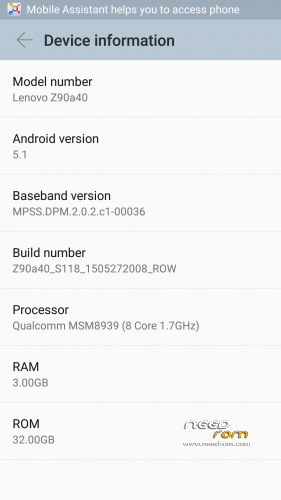
- Version: Z90a40 S118 1505272008 ROW
You must be logged for ROM download.
39421 total views, 3 today
19 Total favorites
 Member Info
DESCRIPTION
UPDATE – S208 ROW rooted here:
After start there is some info about google play movies & tv is not working, so you need to update all google stuff via play store.
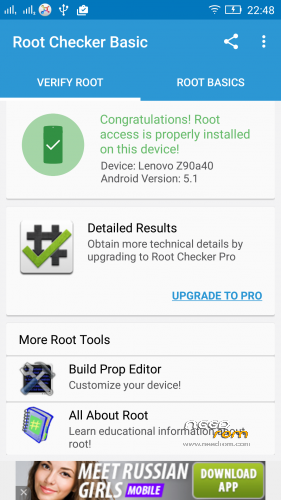
This is original release of Z90a40_S118_1505272008_ROW for z90-7, i've only added root, no other changes.
1. Unzip the ROM to a folder of your choice.
2. Install MiFlash.exe after installation, restart your PC
Warning Windows 32bit preference.
3. Start the MiFash software and select the folder or the ROM has been decompressed (you must see this)
ROM Officiel Android 5.1
4. The phone must be turned off, no SD card in your phone and unplug your PC, once off the phone only supported on the Volume Up button after 3 seconds connect your device to your PC with USB and 2 seconds release the Volume up button.
5. Press the Refresh button MiFlash software, your device will be seen.
6. Press the flash button, wait for the message operation completed successfully.
After start you should run SuperSU application, wich will prompt you that binaries needs to be updated, it works as update in "normal" way (no custom recovery available yet).
Enjoy rooted Vibe Shot with ROW firmware!
※Please make a backup of your device before installing or updating ROM
hello , please help me
First, use a newer MiFlash, like 201510xx version
Hi,
I follow your instructions and used your files, but something went wrong… now is in a constant loop of the lenovo logo, "initializing" for 3 seconds and going back again… Please some help will be really appreciated
Use the Z90a40_S209_150716_ROW.qsb file from an SD card to unbrick it. Google for more info
does it vanish all my data…
No Hebrew language
אין עברית בעדכון של 118
אנסה לעדכן ל 208
Hello could you tell me how can i know i am perfectly compatible with this rom and in the S208 i do the steps and i gotta have 32bit
Thanks in advance
Τι θες να πεις; δε βγαίνει νόημα απ την ερώτησή σου
Why the camera blur and cant focus after flash? All is ok but camera..
that's not a problem of rom, it's hardware fault of your device
guys got a problem.i install the ROM,all good until i did a restart.Then device stucked at optimizing apps.i cleared cache and stuff and when i restarted it again,it stucked at initializing… exactly at the same moment after you flash a ROM.how can i flash a new ROM at this row ROM while my phone is "bricked" ??? Need your help guys.
Problem solved!!!! I finally unbricked my device.This is what i did.Things you will need is just an SDcard and within it you will have to put Z90a40_S209_150716_ROW.qsb file.Create a folder in your SDcard and name it sdfuse and put inside that folder the qsb file.
Then through recovery mode update through SDcard.
I highly recommend that you have over 50% battery.This is how i did with my vibe shot.Don't know if it's different for other devices.
So,since it's bricked it can't be charged with a charger,just connect your phone through a usb cable with ur PC and keep pressing VOL- button.
After lenovo logo it should show you battery level and that it is charging.
You can find the qsb file in a Russian forum.
Feel free to ask me for help.
Gracias por el aporte a los Desarrolladores, espero y me sirva para rescatar mi LENOVO VIBE SHOT lo tengo brickeado
Hi, please anyone help me. My device is already bricked. I somehow managed to install twrp (Chinese). I tried to flash different ROM via twrp. Most of them successful, but after reboot system the device long vibrates.. Someone told me to flash via qfill, I downloaded the rom file from the link. Unzip it. Started qfil (9008 mode) browse to the unzipped location. Then I try to load the XML file (rawprogram0) then this error comes ‘Patch file number is not match with raw pargram file, abort selection’
HELP ME
Why fix camera in this root