
- Title: LineageOS-OREO-8.1 Lenovo P70a
- Listed: November, 2019
- Last modified: 05/11/2020 3:32 pm
- Version: OREO-8.1
You must be logged for ROM download.
17110 total views, 2 today
 Member Info
DESCRIPTION
Notice to all users;
In some countries of the world Google and providers no longer want ROUTed phones, because they cannot place commercial advertisements. They cut your data, or don't allow you access your contacts or other things.
Commercial dictatorship, here we are!!!
In my opinion, this is the best OREO ROM for this phone.
2 Lineage-OREO-8.1-new applis updated
2.1 2020-05-NewOreo-NovaBackup
UnRAR and Copy NewOreo-NovaBackup on internal or SD card and install with Nova Setting.
Keep or delete the apps you like or not. Click on gray Apps not installed and install from Playstore
If you have ROM Marshmallow (6.x) or higher, use TWRP 3.X, if not, use TWRP 2.X to install this ROM and flash after TWRP 3X. Flash TWRP with Sp Flash Tool.
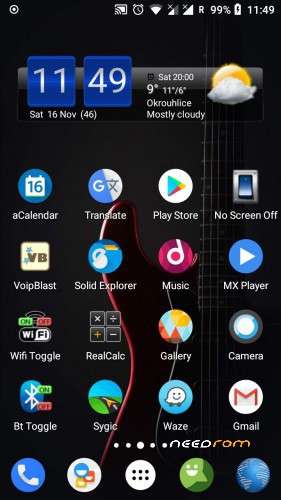
Ready to use as is, no need to add something.
Gapps installed, ROOTed Magisk.
Everything works perfectly. I'm not sure for USSD, you have to test. Some say it works well.
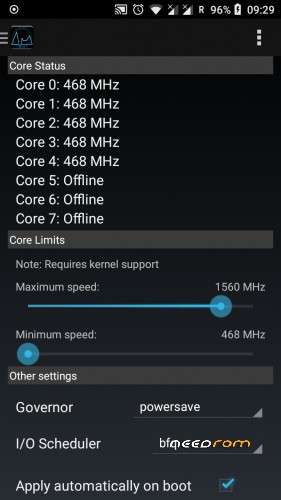
Start application "Performance Control" and set maximum speed 1560 instead 1690 for better stability and lower battery consumption.
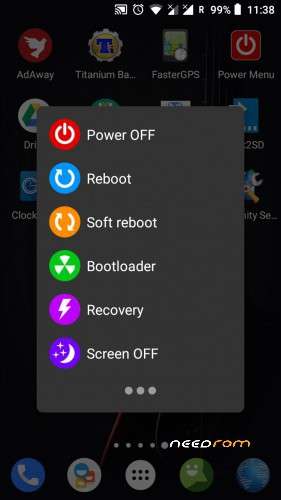
If SIM signal is weak, start "Power Menu" and click Soft reboot.
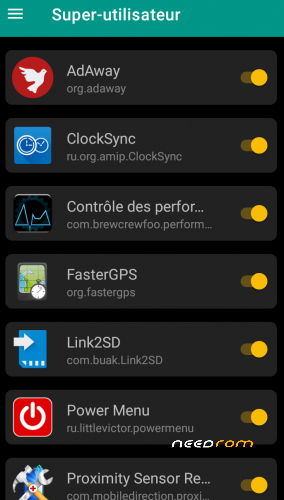
On first start, maybe all apps are not rooted; Start Magisk / superuser and check unchecked apps.
Network setting:
Go to System setting / Network and Internet / Mobile network / Advanced / Preferred network type / 4G auto.
LTE or 4G can run only on SIM 1 (Hardware)
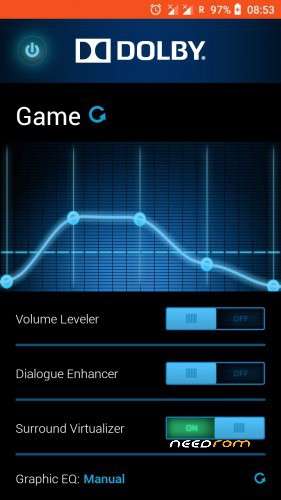
Dolby setting:
First click choose function, second click, adjust volume by frequency.
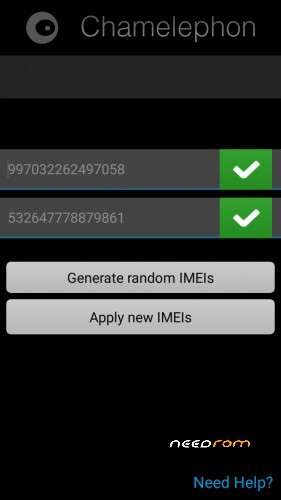
Use Chamelephon to change IMEI if it is different from your usual IMEI, written on the phone's battery.
New ROM does not make a new phone, so do not dream.
IF YOU HAVE A BRICKED PHONE
This process works in all cases if the phone has the correct herdware.
Download Lenovo P70a Stock ROM and TWRP Rcovery:
https://mega.nz/#!E9cTiYrb!62r3RZ0o4NX8-Wq8I1CXH4W3UXOVK2j6pvRsLnCtQ5M
Download SP Flash Tool:
https://techprolonged.com/download-sp-flash-tool-all-versions/
Look here how to use Sp Flash Tool"
https://forum.hovatek.com/thread-159.html
If Stock ROM installed start the phone and wait end of install (long).
Switch off the Phone and install TWRP Recovery 2.8.8.6 .
Boot in TWRP Recovery (Go to Wipe / Advanced Wipe / Cache / Dalvik-ART Cache / System / Data) and install the ROM from here, Needrom.
If ROM installed start the phone and wait end of install (long).
Switch off the Phone and install TWRP Recovery TWRP_3.2-2018.
Reboot the Phone.
When use SP Flash tool, start download, plug in USB after, phone switshed off.
In the extreme case, if you have problem with Sp Flash Tool, with the same scatter file-(Stock ROM), format the phone and repeat all.
In this cas you loos IMEI, but with Chamelephon you write it back.
Before asking questions, follow the instructions above. I tested everything and it works well every time.
※Please make a backup of your device before installing or updating ROM
Прошивку установил, к учётной записи Google подключился, в play market зашёл, а скачивать приложения не могу, ничего не скачивается! Что может быть?
grinev1978
No one asked me for this problem again, I never had this problem either, so I can't help.
If the problem comes from one ROM, you try the other.
it’s really the first time I’ve seen this.
Как видите, существует более 2000 просмотров и более 300 загрузок.
Никто не спросил меня снова об этой проблеме, у меня никогда не было этой проблемы, поэтому я не могу помочь.
Если проблема связана с одним ПЗУ, попробуйте другой.
это действительно первый раз, когда я видел это.
Я думаю, что ошибка исходит от вас. Я все еще тестирую опубликованные ПЗУ
когда я удалил magisk приложения стали скачиваться и устанавливаться.
grinev1978
Хорошо, если это хорошо для тебя. Может быть, вы установите Magisk потом. Тебе решать.
Интересно, я не видел этот случай
Wifi has been fall off every time. How to fix that sir?
I don't have this problem. so I don't know what to fix.
kennynguyen
You have to read the text, format a phone if you have the problem with different ROMs
I already had this problem.
how to format a phone, before installing a new rom, sir?
Could P be. is god.
Indianrapists
Pie is no possible to root, an nobady make Pie for this old Lenovo
провал батареи с 40% до 20%
Grinev,
I no longer use Lenovo, his time is gone. I keep it as a souvenir.
Я больше не пользуюсь Lenovo, его время прошло. Я храню это как сувенир.
Grinev 1978
Download from Google Play an application for battery calibration if you find one that works without root, which is rare.
Скачайте из Google Play приложение для калибровки батареи, если вы найдете такое, которое работает без рута, что встречается редко.
хорошо, попробую
after Reset it goes everytime to TWRP —no reboot to system possible!
Loiper99
Your boot is dead. Must read text and do it how is written in text for bricker phone.
i did so: first flash stockrom with spflashtool…then TWRP 2.8 with SPflashtool…after installed Oreo8 with TWRP…then load TWRP 3x and after trying RESET its going again to TWRP everytime…no boot to OREO8
Have you formated the phone with same scater file before installed the stock rom?