
- Title: LineageOS-OREO-8.1 Lenovo P70a
- Listed: November, 2019
- Last modified: 05/11/2020 3:32 pm
- Version: OREO-8.1
You must be logged for ROM download.
17111 total views, 3 today
 Member Info
DESCRIPTION
Notice to all users;
In some countries of the world Google and providers no longer want ROUTed phones, because they cannot place commercial advertisements. They cut your data, or don't allow you access your contacts or other things.
Commercial dictatorship, here we are!!!
In my opinion, this is the best OREO ROM for this phone.
2 Lineage-OREO-8.1-new applis updated
2.1 2020-05-NewOreo-NovaBackup
UnRAR and Copy NewOreo-NovaBackup on internal or SD card and install with Nova Setting.
Keep or delete the apps you like or not. Click on gray Apps not installed and install from Playstore
If you have ROM Marshmallow (6.x) or higher, use TWRP 3.X, if not, use TWRP 2.X to install this ROM and flash after TWRP 3X. Flash TWRP with Sp Flash Tool.
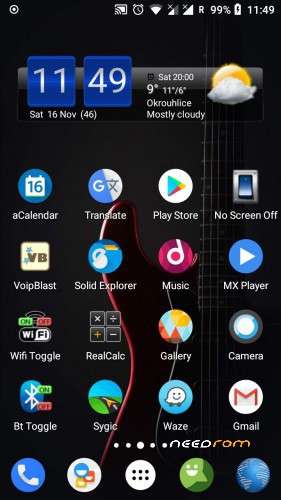
Ready to use as is, no need to add something.
Gapps installed, ROOTed Magisk.
Everything works perfectly. I'm not sure for USSD, you have to test. Some say it works well.
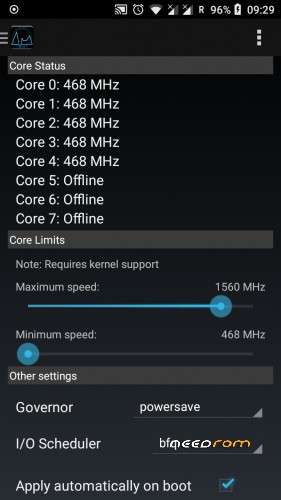
Start application "Performance Control" and set maximum speed 1560 instead 1690 for better stability and lower battery consumption.
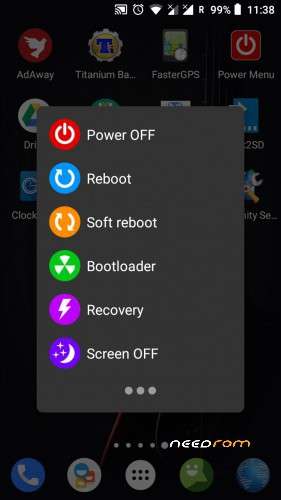
If SIM signal is weak, start "Power Menu" and click Soft reboot.
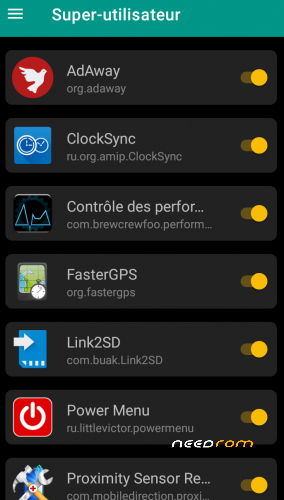
On first start, maybe all apps are not rooted; Start Magisk / superuser and check unchecked apps.
Network setting:
Go to System setting / Network and Internet / Mobile network / Advanced / Preferred network type / 4G auto.
LTE or 4G can run only on SIM 1 (Hardware)
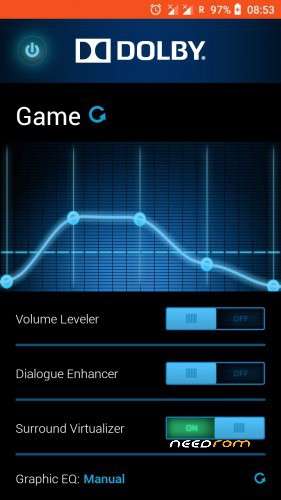
Dolby setting:
First click choose function, second click, adjust volume by frequency.
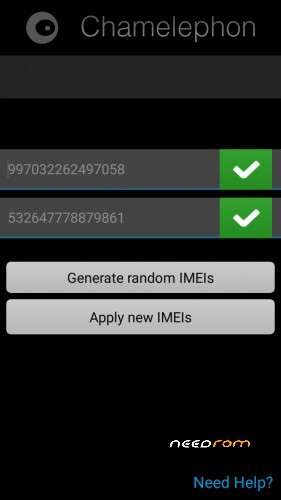
Use Chamelephon to change IMEI if it is different from your usual IMEI, written on the phone's battery.
New ROM does not make a new phone, so do not dream.
IF YOU HAVE A BRICKED PHONE
This process works in all cases if the phone has the correct herdware.
Download Lenovo P70a Stock ROM and TWRP Rcovery:
https://mega.nz/#!E9cTiYrb!62r3RZ0o4NX8-Wq8I1CXH4W3UXOVK2j6pvRsLnCtQ5M
Download SP Flash Tool:
https://techprolonged.com/download-sp-flash-tool-all-versions/
Look here how to use Sp Flash Tool"
https://forum.hovatek.com/thread-159.html
If Stock ROM installed start the phone and wait end of install (long).
Switch off the Phone and install TWRP Recovery 2.8.8.6 .
Boot in TWRP Recovery (Go to Wipe / Advanced Wipe / Cache / Dalvik-ART Cache / System / Data) and install the ROM from here, Needrom.
If ROM installed start the phone and wait end of install (long).
Switch off the Phone and install TWRP Recovery TWRP_3.2-2018.
Reboot the Phone.
When use SP Flash tool, start download, plug in USB after, phone switshed off.
In the extreme case, if you have problem with Sp Flash Tool, with the same scatter file-(Stock ROM), format the phone and repeat all.
In this cas you loos IMEI, but with Chamelephon you write it back.
Before asking questions, follow the instructions above. I tested everything and it works well every time.
※Please make a backup of your device before installing or updating ROM
Apps from playstore download infinitely,and there is too much bloatware . I mean, you could at least make them optional.
Phenom23
I downloaded the applications without problem. Check the availability of memory on your phone. Bloatware is not the phone's fault. Choose the apps that work well.
Google Play works only if you choose something to download, that means, it is optional.
Phenom23
Start Link2SD and uninstall any system applications that bother you. With a little insight you can change your bootanimation and choose another. How do I know what someone likes and dislikes? Be well and stop cracking balls with trivial things.
if you flashed from stock ROM with TWRP 2 it will have this problem with read only storage and you cannot install anything from playstore or even apk's, flash again with TWRP 3 and will be fixed
Nice work! Thank you!!
I have 2 problems:
1. I not find MTK Engineering mode (not link). In EngneerMod (link) say: Cannot find EngineerMod App – Mediatek chipset is mandatory….
2. In Firefox have blank page in all webpages.
Thank you for help!
'MTK Engineering mode don't run on Oreo. I don't use Firefox, cant help.
any Patches for USSD codes yet ?
USSD patch is integrated in the ROM. Some people say it works. I don't have this phone and I can't change anything
This ROM after flashing keeps the OREO animation rotating until reboot and again and again and again…. USELESS.
A small correction: You have to install it on a COMPLETELY ERASED phone (all except external storage (SD card) and USB-OTG). So you have 2 options to install it via TWRP: put the ROM on SD card (if you have one inserted) or via ADB SIDELOAD (my case).
But the usefullness assessment is still valid: Google Play is crashing whenever I click on its menu or search bar. So I tried to download latest OpenGApps and install them just to find that they say this ROM version is incompatible. The reason is that the moron who build it forgot to replace CRLF endings in build.prop file causing the GApps install script to see condition like "27" == "27^M" (if seen via mcedit).
I gave up after finding this quality.