
- Title: Martabak OS v4.0
- Listed: April, 2016
- Last modified: 04/18/2016 6:17 pm
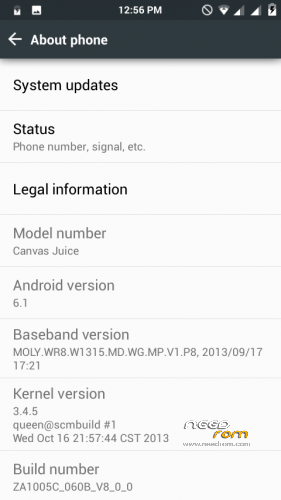
- Version: Android 6.1
You must be logged for ROM download.
17962 total views, 2 today
16 Total favorites




 Member Info
DESCRIPTION
Hey Guys,
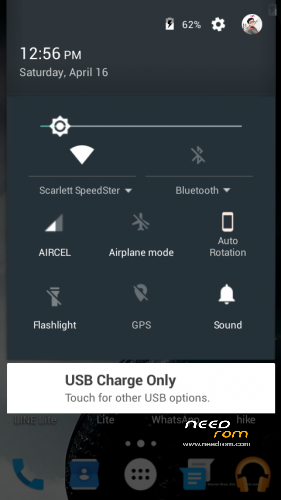
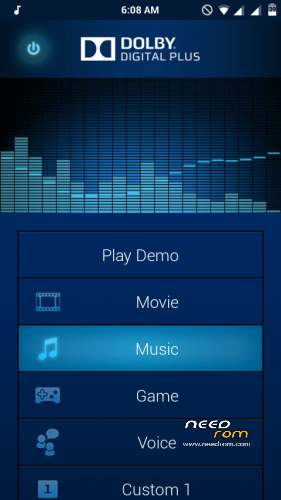
Today i'm presenting the best ever CUSTOM ROM for Micromax Canvas Juice A177, Martabak OS v4.0. This is the CyanogenMod for MediaTek 6572 based A177. Fully customizable. Dynamic Status Bar, Center clock. Custom battery style, Dolby Digital Plus, and Many more. You have to try it to know it's full feature.
Please try it. You will like the pure Marshmallow UI and The Notification Panel. I'm damn sure.
ADVICE : I strongly recommend to flash the GApps also along with the ROM
It's Totally Bugless
If you have any problem. Comment below.
CREDITS : Allah SWT, Nabi muhammad SAW, Maaad Reborn and Closed, Adi Aisheteru Reborn @xda, Potato inc, Sullivan, Muhammad Nur Fu'ad {Alliv}, Christian Huangal, Alice Margatroid, Alliv rom, LollyFox rom, Amber L rom, Dll, FMD Devs, Jeff Rivera, Aljhun Mejorada Bumaya, Iann's, Klark Luis Peralta, Van Freniere, Alice Margatroid, Wani X Arif, Saddam Sam, Thakur Sahil Dadwal.
FLASHING PROCEDURE :
1) Go to CWM (or any custom recovery) and Wipe Data, Cache, Dalvik Cache & System.
2) Next Select Install zip from sdcard, Select Choose Zip from sdcard and Select "Martabak OS V4.0 for MMX A177.zip" and Select yes.
3) Then again select Install zip from sdcard, Select Choose Zip from sdcard and Select "Gapps-Martabak-OS-v4.0.zip" and select yes.
4) After both of the installation completes, Select Reboot System Now. It will take some time for the first boot. Stay Calm.
EXTRA : If the Google Boot Logo doesn't appear it self, then simply download and flash the "Google Boot LOGO.zip" and reboot!
Enjoy Guyz!
※Please make a backup of your device before installing or updating ROM
hey man i am unable to download martabak os v4.0 from your site
problem to download
After installing it when I restart my phone only shows logo of Google about 1 hours than I restore my previous from
same problem is also with me but how you restore please tell me bro
Some problem with me also
Download error.. Link not working. Pls fix this
Just use a vpn
All links are updated! Enjoy!
this is not a real marshallow Rom. only this shows marshallow.but does not work like marshallow. no better gaming. but notification panel much more impressive and
init.d app doesn’t work .no smooth gaming. Over all it is good.but not that much impressive.
After flashing ROM it doesn’t go ahead stucks on Google I waiting till 30 mins still it sticks on Google logo
Its asking for description code
Hi developer.. I just love thi rom. But now when I pull down notification pannel it gets slow.. Overall mobile works properly