
- Title: MediaMod Rom 2.0 for juice
- Listed: September, 2015
- Last modified: 09/23/2015 2:00 am
- Version: Android M 6.0
You must be logged for ROM download.
21485 total views, 4 today
7 Total favorites
OFFICIAL












 Member Info
DESCRIPTION
MediaMod Rom 2.0 for juice a77 and a177
New Features -
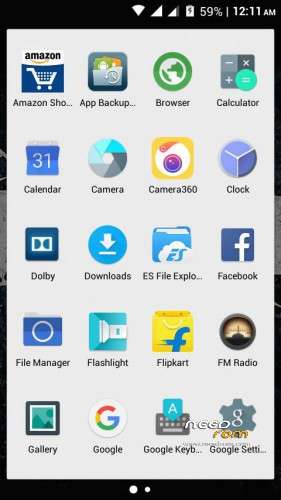
- Android M UI
- Everything Orange
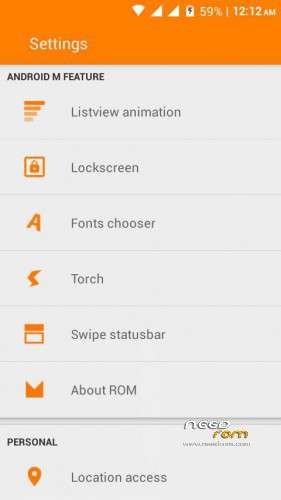
- List view animations
- Awesome audio quality
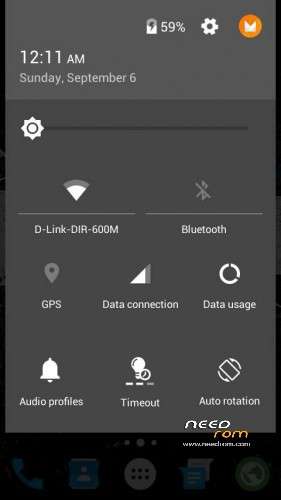
- Android M Notification Panell
- Drag to show tiles in Notification grin emoticon
- Good RAM management
- Gaming ROM
- Font Changer
- Status Bar Gestures
- Better RAM Management
- Fixed color bugs from previous version
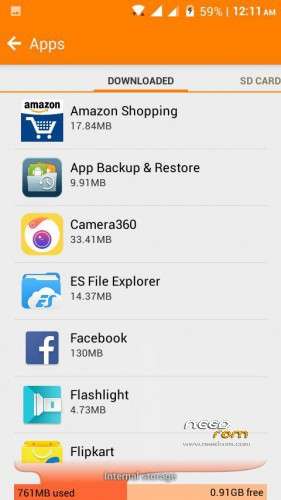
- Partition Info In Settings
- Lag fix
https://www.facebook.com/groups/mmxjuicedevs/permalink/731967820281973
※Please make a backup of your device before installing or updating ROM
how to do with sp flash tool
It only shows Google logo. I wait for it about 1 hour
This rom based on Android M 6.0? or just Android M UI added over stock?
This is not a real marshallow ROM. these are only reengineerd Roms .looks like marshallow ui . some newly added good features. I tried to install Jio cinema app,Jio music app but it shows parsing error. but other Jio apps installed successfully. but when I shared the Jio cinema and Jio music to another lollipop version phone it got installed .
Ihave already used dark lollipop, android l alpha, color is v3, yun os, mediamod 2.0,Samsung galaxy s5 v2 . The ROM which impressed the best is mediamod 2.0 and color os v3 .
notification panel is neither like lollipop nor like marshallow. recent should be more accurate.overall good.
now I’m using mediamod v2.0 . it is just awesome . I like the ROM very much .flash the ROM correctly . u will never get bootloop. if after flashing u got some problem then re flash the ROM. if any have lost imei and signal then contact me at sn707700@gmail.com .
notification panel scrolling is not like lollipop .recent panel should be accurate like lollipop.
just extract the mediamod ROM which have downloaded . see there is folder ,open that folder . there will be files and folders. see there will be boot.img file . search boot.img for MMX canvas juice a177 in XDA website and download it.and delete the boot. IMG file from the folder which u have extracted and paste the boot. IMG (6mb) in that folder and select all the items from that folder and compress these files. use es file explorer . still if u have any problem mail me at sn707700@gmail.com.
how to install this rom full step by step