
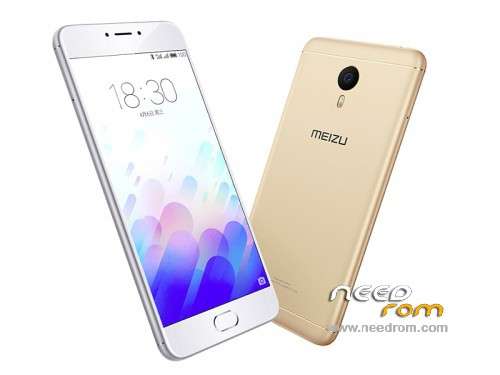
- Title: Meizu M3 Note Global ROM
- Listed: June, 2016
- Last modified: 06/05/2016 3:48 pm
- Version: Flyme OS 5.1.3.4G
You must be logged for ROM download.
48399 total views, 2 today
17 Total favorites
 Member Info
DESCRIPTION
Official International Firmware:
Note: There are two versions of Meizu M3 Note: M-Series and L-Series. Check your Hardware version before flashing otherwise it will brick your device.
Flyme OS 5.1.3.4G for M/L Series (Change the file name to update.zip before flashing)
Flyme OS 5.1.3.3G for M Series (Change the file name to update.zip before flashing)
Flyme OS 5.1.3.2G for M/L Series (Change the file name to update.zip before flashing)
Flyme OS 5.1.3.1G for M Series
1. Enable root or make sure you have root access. You can obtain root using KingRoot app also.
2. Download and copy the attached global.sh script to root directory.
3. Also, download update.zip file and copy to root directory.
4. Search in google and download any Android Shell Terminal Emulator and install. Launch Android Shell Terminal Emulator and input following commands:
su
(wait till $ sign changes to #. If it doesn't change, then you don't have root access)
sh /sdcard/global.sh
5. The script will backup old phone id and will replace by new id and then it will reboot automatically.
6. Upon reboot it will go to Recovery mode. In the recovery mode, you MUST select both System Update and Clear Data, and proceed.
7. Wait until the update completes and you will have international firmware installed.
Note: You can use ADB to execute above commands but you will need to enable USB debugging mode (Settings>>Accessibility>>Developer Option) and required drivers installed for access via ADB
CREDITS TO 4PDA.RU
※Please make a backup of your device before installing or updating ROM
Hello,
when i do this process, it takes a password when i choose system update and clear data.
Can you help me with this ?
I would prefer to wait for the official update on http://www.flymeos.com, if you flash to the wrong version, your mobile will be bricked.
link is so bad
hhhhhhhhhhhhhh
I have trouble with the mic, when I am in call using GSM network, people can't hear me or it is very low.
If I use Facebook or Viber, it is ok.
I used Engeneer Mode to modify it but there is alot of back noise.
Any update from the new ROM Flyme OS 5.1.3.3 ?
Thanks
how can i install this international version after i installed the new Chinese version?
it says that this version it too old.
What to do?
you need to run the script global.sh and update with international rom..
just follow the process given…
i did it with the global sh script but the chinese version that was pre installed is newer than the global version 5.1.3.3A and the global version is 5.1.3.1G this why i get the too old version error – what to do?
same problem has HHolender ¿solution ?
downgrade the chinese version to lower and then flash global rom.
Looks like i cannot downgrade A too so, I´ll have to wait to a new version of G… The frustating is that the Phone came with this versión…
I want to get global version 5.1.3.0G.please!!!!
If you want to downgrade put the update.zip in the root of sdcard (internal) go with meizu explorer on it and click on the file. (select update)
It works for me. i was on chineese version 5.1.3.3A
Make sure to have run the internationalisation script some time before that.
like
Funcionou perfeitamente… Obrigado!