
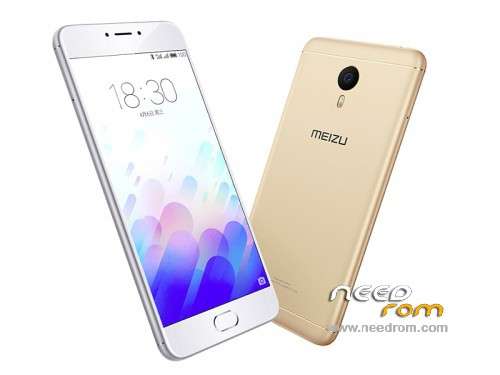
- Title: Meizu M3 Note Global ROM
- Listed: June, 2016
- Last modified: 06/05/2016 3:48 pm
- Version: Flyme OS 5.1.3.4G
You must be logged for ROM download.
49364 total views, 4 today
17 Total favorites
 Member Info
DESCRIPTION
Official International Firmware:
Note: There are two versions of Meizu M3 Note: M-Series and L-Series. Check your Hardware version before flashing otherwise it will brick your device.
Flyme OS 5.1.3.4G for M/L Series (Change the file name to update.zip before flashing)
Flyme OS 5.1.3.3G for M Series (Change the file name to update.zip before flashing)
Flyme OS 5.1.3.2G for M/L Series (Change the file name to update.zip before flashing)
Flyme OS 5.1.3.1G for M Series
1. Enable root or make sure you have root access. You can obtain root using KingRoot app also.
2. Download and copy the attached global.sh script to root directory.
3. Also, download update.zip file and copy to root directory.
4. Search in google and download any Android Shell Terminal Emulator and install. Launch Android Shell Terminal Emulator and input following commands:
su
(wait till $ sign changes to #. If it doesn't change, then you don't have root access)
sh /sdcard/global.sh
5. The script will backup old phone id and will replace by new id and then it will reboot automatically.
6. Upon reboot it will go to Recovery mode. In the recovery mode, you MUST select both System Update and Clear Data, and proceed.
7. Wait until the update completes and you will have international firmware installed.
Note: You can use ADB to execute above commands but you will need to enable USB debugging mode (Settings>>Accessibility>>Developer Option) and required drivers installed for access via ADB
CREDITS TO 4PDA.RU
※Please make a backup of your device before installing or updating ROM
Firmware not found, but its on the directory but not in a folder, what can I do…?
Thanks
All you have to do is call the file update not update.Zip
All you have to do is call the file update not update.zip
Thanks, that was the problem!
thank
Backup is noz possible because give not twrp or CWM recovery for thise device, i would ask for another question : i received the phone with flyme 5.1.5.0G system , the phone go very warm and verxy sloow , ithink the seller has installed the wrong system what you think , i think thei haven t chance the ID what you think over that ? thank you very much for a sincerely answer!
Still the same issue with the front-facing camera
is there something in the build.prop we can change to fix the selfie camera?
because I fixed the upside-down screen issue by changing a value in build.prop ro.sf.hwrotation from 0 to 180
Please only write ENGLISH in commentary
Mi Meizu suddenly disconects all, gps, network… and doesnt let me switch them on…
My version is 5.1.3.0…
Does anyone of 5.1.3.1-5.1.3.3 versions correct this?
I want to get global version 5.1.3.0G.please!!!!
Hey guys..my miezu m3 note stuck on Flyme os..today i have rotted my mobile from Kingo root..and I did some changes in iemi number..but I changed it on originally my iemi number..after restarting it’s shows that Flyme os and it’s not starting now…plz help me guys…And which ROM is better and tell me how to flash it..Thanks alot