
- Title: MIUI 9 S7- 3g & 4g
- Listed: October, 2017
- Last modified: 02/12/2018 5:30 pm
- Version: Android 6
You must be logged for ROM download.
21917 total views, 3 today
6 Total favorites

 Member Info
DESCRIPTION
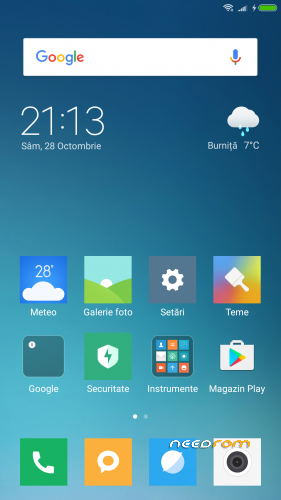
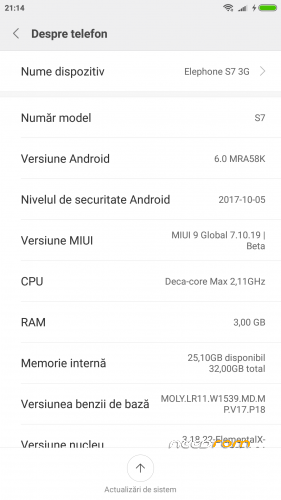
Update MIUI 9 Global 8.2.8 v.2
• Fix GPS
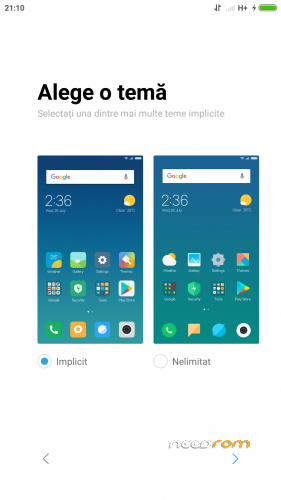
• Removed RO as default region but still not working to choose another lang.
Update MIUI 9 Global 8.2.8
• Increase speed
• Fix NVRAM _warning_0x10 message
• Update Magisk Manager v15.3
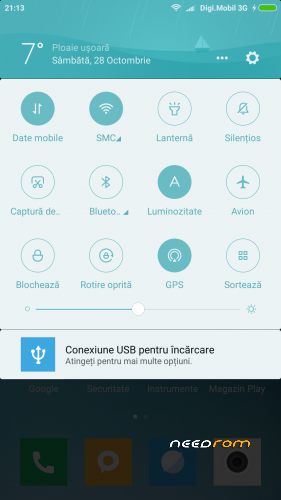
MIUI 9 Global 7.11.6
• Rooted with latest Magisk Manager
• Busybox runtime
• Init.d support
• build.prop tweaks
• Smoother device with less battery drain
• Bloatware Removed
New script for mount point – it can be installed with TWRP 3.0.3 or TWRP 3.1.1
Thanks to flar2 for ElementalX-ES7-1.04 KERNEL
INSTALLATION:
• Download the ROM from the link above
• Put the zip file on your SDCard
• Reboot in Recovery
• Perform an advanced Wipe
Dalvik / art
Cache
Data
System
• Select "Install zip from SDCard"
• Choose ROM zip file
• Flash
• Wipe Cache & Dalvik Cache
• Reboot system
※Please make a backup of your device before installing or updating ROM
when i flash this rom (4g version) my phone keep rebooting over and over. how to solve it?
I'm in the same situation
I had same problem when i flashed twrp phone was still rebooting
Solution for me
1- Flash stock rom
2-Flash twrp
3-Enter in recovery and in twrp swipe to allow modification
4-Install SuperSU(If you dont root device your phone will get in bootloop and it will rebooting)
5-Install MIUI
6-Reboot
Just a question guys. can i flash a stock rom with twrp or with sp flash tools only ?
only with sp flash tools.
but if you have twrp installed you can make a full backup of your stock rom and flash another rom, if you don't like you can restore the original rom.
everything working on this rom? sim cards for 4g and 4gb version?
mıuı 9 rom 7.11.16 çıktı ubdate çıktı port nerde…???
Works very well, but is there anyway for making the recent tasks appear?
For now the only way is to activate Quick Ball from settings -> additional settings
For recent tasks go to:
Settings -> More settings (system and device) -> Quick access and gestures -> recents(press the navigation buttons) -> select "Show menu" -> Tap on "run recents" -> Select "press and hold back button". NOW WHEN YOU HOLD THE FINGER ON THE FINGERPRINT SENSOR, THE RECENT TASKS WILL APPEAR.I have another question about the update, my phone says that an update is aviable, y downloaded it and when i tap on "install now" my phone reboots into TWRP recovery, and from here i can install the update from the SDcard in the folder "downloaded_roms" but i0m not sure if this will crash my device, anyone who has tried it?
i think if you update it will change the modification of the ported rom and maybe brick your phone.
good hint @comandantexd
do not install any updates because it is for Xiaomi devices
Region is in “Rumanía” and can’t be changed.
Olso the GPS is not working; in the configuration of YGPS appears:
STATUS: UNAVIABLE
TTF: Counting
Chip version: UNKNOWN
MNL Version: UNKNOWN
Clock type: UNKNOWN
Clock buffer: UNKNOWN
Anyway to solve this?
Thx, for the rest is an espectacular ROM
which your elephone? (4g/3g – helio x20 or 25, 4 or 3gb ram?) and the sim card is working?
sim card is working on 4g helio x20 + 4gb ?
3g – x20, yes all is working except those 2 issues