
- Title: MIUI 9 S7- 3g & 4g
- Listed: October, 2017
- Last modified: 02/12/2018 5:30 pm
- Version: Android 6
You must be logged for ROM download.
21401 total views, 1 today
6 Total favorites

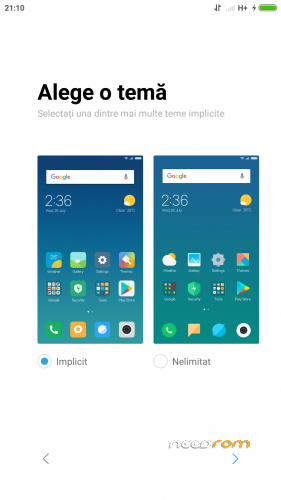
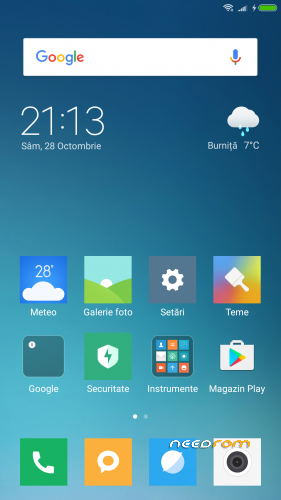
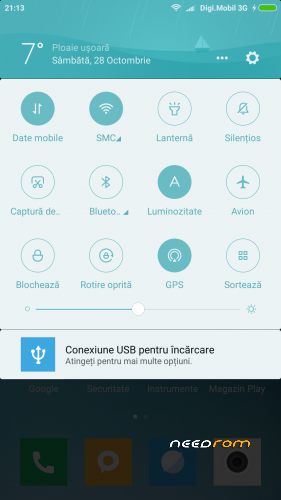
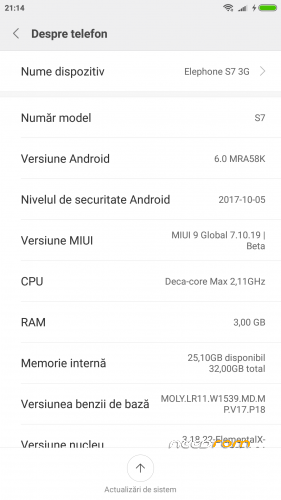
 Member Info
DESCRIPTION
Update MIUI 9 Global 8.2.8 v.2
• Fix GPS
• Removed RO as default region but still not working to choose another lang.
Update MIUI 9 Global 8.2.8
• Increase speed
• Fix NVRAM _warning_0x10 message
• Update Magisk Manager v15.3
MIUI 9 Global 7.11.6
• Rooted with latest Magisk Manager
• Busybox runtime
• Init.d support
• build.prop tweaks
• Smoother device with less battery drain
• Bloatware Removed
New script for mount point – it can be installed with TWRP 3.0.3 or TWRP 3.1.1
Thanks to flar2 for ElementalX-ES7-1.04 KERNEL
INSTALLATION:
• Download the ROM from the link above
• Put the zip file on your SDCard
• Reboot in Recovery
• Perform an advanced Wipe
Dalvik / art
Cache
Data
System
• Select "Install zip from SDCard"
• Choose ROM zip file
• Flash
• Wipe Cache & Dalvik Cache
• Reboot system
※Please make a backup of your device before installing or updating ROM
@comandantexd
try this – install file explorer from market, grant SU permissions, navigate to system, open build.prop and search for:
ro.miui.region=PL
ro.miui.region2=IN
ro.miui.cust_variant=eu
ro.product.locale.language=en
ro.product.locale.region=US
change to to this values or put your country code
Ses Seviyesi çok düşük problem…????
but why gps is not working?
ubdate 7.11.16
MIUI 9 Ubdate 7.11.23 Port…????
Hello Kel hadi ama port
mıuı rom ses problemi…????? Çözüm…Ses seviyesi çok düşük….MadSkill
ubdate
looooooooooooo
ubdate….?????????????
pdr555 stop trolling and relax….
If MadSkill has the time and wants to make an update, he will….otherwise he will not.
I have issues loading the rom to my 4G/64GB S7.
The steps i have followed are the below:
1. Went to developer settings and enabled Allow OEM Unlock
2. Under fastboot i unlocked bootloader: fastboot OEM unlock
3. I installed TWRP 3.0.3 as recovery
4. Formatted Cache, Dalvik, Data, System
5. Flashed MIUI Rom
6. Wiped Cache/Dalvik
When i boot the phone, a message saying "Orange Stated….Your phone can not be trusted….will boot in 5 seconds"
The phone boots but it seems to be going to a loop.
Any suggestions will be appreciated!!!!
i flashed twrp without unlock bootloader.
I have locked the bootloader again, but still bootloop
Restored my S7 to factory defaults and tried again.
I keep getting a bootloop.
I can see the MI logo but no moving dots at the bottom. After that, i see a white screen and phone reboots again.
The process i follow is:
- I flashed stock 7.1 Android
- Went to Developer Settings and checked "OEM Unlock"
- Flashed TWRP.
- Wiped Cache, Dalvik, System, Data
- Flashed ROM
- Wiped Cache, Dalvik.
Start Phone again….
I have also tried flashing SuperSU after flashing ROM.
I still get boot loop
how you flash twrp?
Found out the problem.
I had to downgrade to Stock Android 6. After that i installed the ROM.
Now i have lost IMEI and MAC. I have tried sn-weiter but no luck
If you have the original IMEI,just download on playstore: "chamelephon" and write IMEI 1 and 2. Good Lucky!
If chamelephon not works, try to use Maui Meta,something like this.