
- Title: Miui v5 Rom Revolution
- Listed: December, 2013
- Last modified: 04/29/2014 5:36 pm
- Version: 4.4.18
You must be logged for ROM download.
53748 total views, 3 today
126 Total favorites



 Member Info
DESCRIPTION

Miui Rom Revolution

This is the version to install from CWM recovery
valid for all models of Star N9500 MTK6589
The problem with Lcd and Camera drivers will never be a problem.
First in the world I solved the problem.
You only need to know before installing what is the combination of Lcd driver – Camera of your mobile phone. Know that during the setup wizard, the installer will ask you what is your driver combination.
Links to everything that is required for proper installation can be found in the following paragraphs.

Features of the Miui Rom Revolution
The beauty of Miui with the power of my work
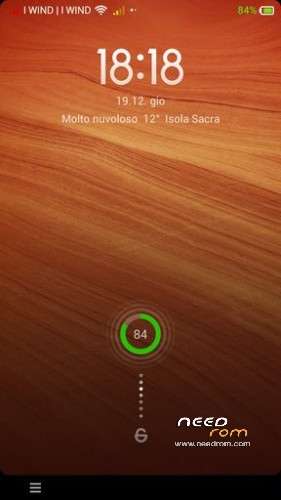
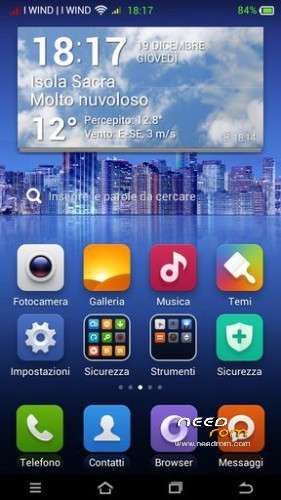
The ROM is the most beautiful in the world, ported from an official Miui Rom
I adopted a new kernel, modified to make the ROM even more powerful.
The ROM is multilingual

Follows a list of the main features of the Miui Rom:
* Root
* Deodex
* Kernel (boot.img) modified with real support init.d
* Zipalign at every boot
* Sqlite optimization at every boot
* Very smooth, with no lag
* Absolutely full app in the system, it was not removed anything from the original version
* Extremely stable
* Gapps already installed
* Optimized to the maximum
* Original Boot Animation
* Original Logo initial
* Build.prop optimized
* Gps.conf optimized
* Scripts and Tweaks listed in the following section
Scripts & Tweaks
After careful selection and long and patient work, in order to adapt to this device and delete all the conflicts I could insert different and will list only the main ones:
* Adrenaline Engine
* Loopy Smothness
* Geeky Engine
* Net-Fork
* Supremacy
* VelocityTweaks
* SlaidyBoost
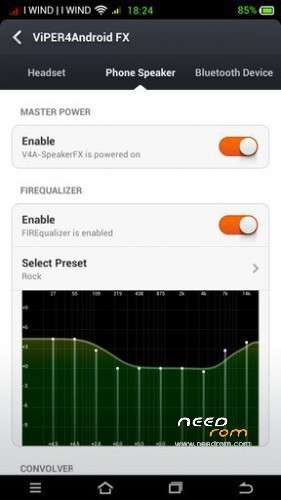
* BeatsAudio
* CosmisTweak LightSpeed
WSM Tools: Xposed for Miui
I have inserted in my Miui Rom Revolution a novelty for be able to make many changes to the ROM out on your own in the best way and adapt it to your tastes and needs.
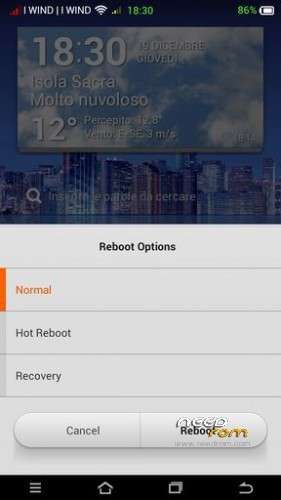
WSM Tools – What surprised MITU is an application that allows you to install modules Xposed on MIUI rom. Without this application (created by Burgerz, a member of XDA) it was not possible to use Xposed Framework (created Rovo89, XDA) on all Miui. For the uninitiated, these modules enable you to make important changes to the firmware ROM, with additional options such as reboot, change audio tracks from the rocker and much more that you will discover by installing this app.
Launch the application, and from the window that opens click Install and then finally reboot. On reboot the application, we immediately see a module already installed, the I-Tools, which is the most important and comprehensive form for this application and only replaces virtually all the others. With a swipe from right to left instead see those available for download.
The installation of these is very simple. Just select what you are interested in and press Download, after installing it as a normal application. Will appear on the main screen, turned off by default. Active it and a pop-up will warn us that will come into operation only after the next reboot. Reboot directly from the application and begin to test it.
The application has been tested only on MIUI V5 and is not on the Play Store.
Introduction to the installation of the Miui Rom Revolution
Before installing the Rom you need to make a backup of your device in case something goes wrong. Do it with MTKDroidTools flashabile with FlashTool.
Those who have already installed the recovery Cwm they can make a second directly from recovery.
For the first, here is a guide to the procedure of backup, for the latest version of MTKDroidTools and drivers necessary for the proper use of the application Backup with MtkDroidTool
Just this already, but if you want here is the guide for the second procedure to install the modified recovery Cwm How to install Cwm recovery
Installing the Miui Rom Revolution
Before installing the Rom is necessary that you know what version of drivers Lcd and Camera is on your device, because the installation with incompatible drivers would inevitably lead the phone to the brick. During the installation process, my Touch Installer you will propose different combinations of drivers Lcd and Camera. Simply indicate which is the your, and the installer will continue its task.
If you do not know what is the drivers combination of your device, you can check it through this easy steps:
* Open the numeric keypad of the phone (as if you have to dial a phone number)
* Enter the combination * # * # 116 # * # *
* A window will open which among the many things listed, will also present the version of your Camera and Lcd drivers.
If this procedure does not work (does not work on all versions of this device) then you just enter in "Factory Mode":
* Turn off your phone
* Holding down the volume down button (be careful! Volume -), press the power
* As soon as the phone is starting, you can leave the power button whilst continuing to hold down the volume button -
* It will open a window with the words "factory mode" followed by one with various items
* You can leave the volume button
* Now the volume button will need for scroll through the menu items
* Go to "version" and enter by pressing the home button (middle bottom)
* Now between the various items that appear on the screen there will also be those of your Camera and LCD drivers (if you do not see scroll with the volume key that are below)
* Note the type of Lcd drivers and the type of Camera Subsense driver
Now we are ready to install the Miui Rom Revolution
You may have already downloaded the zip file from the link above and copied the zip file in SD card.
Restart your device in Cwm recovery and make a backup of your device.
Then always from Cwm perform a full wipe:
-> Wipe data / factory reset
-> Wipe cache partition
-> Advanced -> Wipe Dalvik Cache
-> Advanced -> Wipe Battery Stats
-> Mounts and storage -> format system
-> Mounts and storage -> format EMMC
to make sure you have no problems!
You are ready to install the Miui Rom Revolution from Cwm with the usual:
-> Install zip from sdcard.
Will start the installation process with the touch controls. Be guided by the Touch Installer and when will be asked what is yours drivers combination, simply indicate which is the your from those listed, and the installer will complete the installation.
At the end of this at the request of the installer confirm that you want to reboot into CWM recovery and from here again:
-> Wipe cache partition
-> Advanced -> Wipe Dalvik Cache
Reboot. Upon reboot follow the wizard to set up the language and the basic settings of the phone and then run a new reboot (there are some services that to start, needs a second reboot). And now enjoy!!
N.B. If after installation you notice that the signal of the sim is poor or absent it means that you have to put a different baseband. Simply install one of these patches, prepared by the user freedgt. They are. Zip file to install via cwm recovery. It is a procedure for a few seconds. It is not possible to know first what is the best for vs device, in the worst case you'll have to try them all, and take what will seem to respond better to the radio signal in your area, and your operator.
Here are the links:
- baseband del 19 aprile
- baseband del 14 maggio
- baseband del 17 maggio
- baseband del 21 giugno
- baseband di luglio usually for 8 gb device
Which author of this Rom decline any liability for whatever may happen to Vs device as a result of the flash itself.
If you are afraid, then don't install anything and you will sleep peacefully the night, otherwise you do it at your own risk!
In any case, just do a Nandroid backup before installing anything and every problem should be averted.
Resolution of any problems after the installation of the Rom
I invite everyone to make a backup.
Only if you have done the backup and you are able to restore the device then you can write me relatively few bugs in the rom or any other problem.
So ATTENTION! … You did not do a Nandroid backup? … You are not able to restore the device? … Well, do not write to me, because I will not answer to you!!
Conclusions
Enjoy my work. It's really the most beautiful. Enjoy!!
I have put, too, the link to the CRT recovery version 2.2, which I made for this device. It 's a good recovery full touch. The features in this link https://www.needrom.com/mobile/carliv-recovery-touch-2-2/
P.S. I'm Italian and sorry if I have not written in good English

※Please make a backup of your device before installing or updating ROM
Ciao petronius,
oggi ho postato una nuova versione di questa 4.1.4 in cui ho fatto delle modifiche. Adesso potrebbe funzionare ma devi verificarmelo, per cortesia riscaricala e prova a reinstallarla e fammi sapere.
Grazie
Thanks in advance the problem is that I am not able to enter in recovery mode so I can not istall your new version
ok fammi capire il problema.
Hai installato la nuova versione, tolto il problema recovery, la Rom va bene o no?
In pratica devo solo trovare una soluzione al tuo problema recovery o anche la Rom non funziona?
Ciao Daniela, sono quello che aveva il problema del WiFi che si disattivava e rimaneva bloccato, ora lo rimando indietro e non so se me lo rimandano nuovo o me lo riparano e rispediscono, comunque quando ritornerá ci metterò sicuro la tua miui: il problema è: visto che su androidiani hanno chiuso il thread dove vi trovo per qualsiasi problema? (Vi intendo te e freedgt). Grazie
freedgt sempre li… a me http://www.androidworld.it/for...../olidan-118595/
Grazie Daniela per quello che hai fatto e per quello che continui a fare anche io ieri avevo problemi con la versione 4.1.4, stesso problema di altri al primo riavvio esce il logo e poi display fisso retroiluminato, scarico subito la tua nuova versione e spero di risolvere anche perche con la 3.12.18 i driver che seleziono sono gli stessi rx-499nt_598a cam:gc2235_raw.
corro subito su androidword.it per seguire i tuoi aggiornamenti ciao.
ok akira grazie a te
provami questa nuova versione di 4.1.4 e vediamo se ho risolto
e su androidworld ho appena cominciato ma in una settimana dovrei ripubblicare tutte le rom e ricominciare daccapo
Dany
Hi Daniela,
I've tried your new 4.14 rom but I get stuck in a black screen just after showing the startup logo one time.
I've tried to flash two times already, always doing the wipes.
My phone/lcd/camera setup is:
N9500 4GB
LCD: LT050ANKP019A
Main: ov8825_mipi_raw
Sub: hi253_yuv
Hope you can see if there is something wrong with those drivers.
Regards,
Lampiao
Hi Lampiao,
when you have downloaded the rom?
I knew that there was this problem and yesterday I worked on this.
Today at 11 I have changed the rom.
You have downloaded this or that before?
Daniela forse non sono riuscito a spiegarmi:
la nuova versione sono solo riuscito a metterla sulla scheda sd ma poi proprio non riesco a far partire il cell in recovery:
per meglio spiegare usando le tue istruzioni:
1) You may have already downloaded the zip file from the link above and copied the zip file in SD card. FATTO
2) Restart your device in Cwm recovery and make a backup of your device.
NON RIESCO A FARLO PARTIRE IN CWM RECOVERY
pigio volume + e power ma mi compare il simbolo xiaomi e si blocca
Questo è strano perchè sul cell gira perfetamente la tua precedente versione di dicembre che ho istallato senza problemi.
stacca batteria e poi metti per provare ancora recovery
last rom MIUI Olidan next update
https://mega.co.nz/#!tEl00SzB!.....5ZaNfV2ogr9DKuU
grazie spemm
Daniela,
I've dowloaded around 11:30 GMT, but problablly I got the wrong version from the server.
I will try to download again and leave feedback.
Thanks.