
- Title: Miui V5_4.3.21 No.1 N3 , CWM version By Mouse1969
- Listed: March, 2014
- Last modified: 03/26/2014 3:06 pm
- Version: Android 4.2.2 MIUI V5 rel 4.3.21
You must be logged for ROM download.
20712 total views, 6 today
 Member Info
DESCRIPTION
Description
ROM port MIUI ZTE 987 – ROM Android 4.2.2
Features ROM:
AROMA INSTALLER FOR DIFFERENT BOOT ( No.1 N3 v1 series & V2 series )
MIUI V5 _ rel 4.3.21
Gapps include - Rooted
Language support: Multi Lang
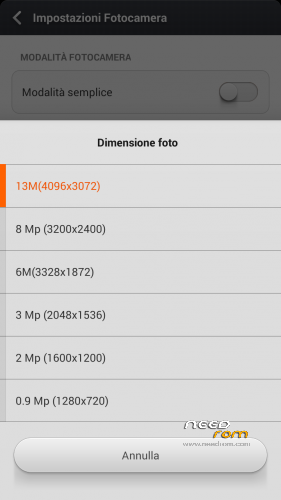
Camera 13 Mpx
Proximity sensor calibration include
* Root
* Extremely stable
* Gapps already installed
* Boot Animation & splash screen Original Sam***g
Install ROM: ( CWM Version )
There are two different series of No.1 N3: Boot version A and B
If you can not load the boot with version A, or if your light and proximity sensors have problems, try the other version with Boot B
thanks
the official page here : http://www.androidiani.com/forum/modding-altri-terminali-mtk/379758-rom-miui-no-1-n3-ita-multilang.html#post5194802
Step 1: Install CWM recovery , download the custom ROM copied to an external SD card root directory
Step 2: the shutdown state. While holding down:
– Power button + volume button up, to enter the recovery mode.
– Wipe Data / Factory Reset -> delete all user data
– Wipe Cache Partition -> Wipe cache
Step 3: Return to recovery main interface Install zip from sdcard -> choose zip from sdcard -> Select your ROM
Step 4: Brush complete, restart the phone Patience required – first boot takes a while
※Please make a backup of your device before installing or updating ROM
entrambe le versioni si bloccano all'avvio sulla schermata samsung-miui. Dopo circa un minuto, il sistema si riavvia
Amazing one, good work my friend. I've also ported Carliv Touch Recovery 6.0.4.4 for my device the HDC Galaxy Note 3 N9006, my device is same of No.1 N3, only with different manufactures names. Mine is a clone, I can use your ROM, just replacing the kernel (zlimage) so i'll will try it out. But one question, you have included the IR Remote on this rom? Thanks, continue with great work.
Alfo: hai fatto fatto i vari wipe? Hai provato sia boot a che boot b da aroma installer?
Grazie
Fix for force close app PHONE :
https://mega.co.nz/#!aQp1TBzK!.....n5GIE7l7EclhAw8
Copy file zip on sd card
Flash it with CWM recovery
Install zip from sdcard -> choose zip from sdcard
TNX
No funciona el enlace
ciao mouse,
grazie per il riscontro.
ho provato varie combinazioni su aroma installer (a, b, con e senza wipe, con e senza opzione 1gb)
tutte le installazioni terminano correttamente, ma all'avvio, il sistema va in loop
resta fermo sulla schermata di boot e dopo 1-2 minuti si riavvia
ho provato entrambi i boot
Purtroppo credo tu abbia un Boot ancora differente da quelli da me previsti , non ne ero a conoscenza.
Se mi uppi il tuo Boot.IMG te lo modifico ( la modifica serve ad attivare l'init.d)
Diversamente prova ad inserire il TUO Boot.img nello zip , cancellandone uno dei tre.( neturalmente rinominandolo esattamente come quello che cancelli in modo da poterlo richiamare da aroma )
I had the same problem. Install this boot (I found it on www.androidiani.com/)
Download file
Hello mouse1969.
I have tested this rom on my s4 Hdc Leyend by changing the boot.img from my terminal and starts perfectly.
I've tried some other miui rom and I think that has always been based on my port.
I wonder if you have experienced a problem that I've seen this version of your rom.
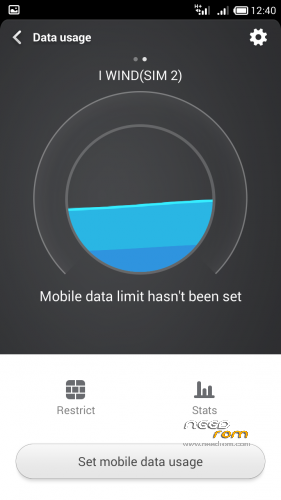
The option of "Data" link on the tabs when you give the finger from the top of the screen does not work. Not only illuminates and makes ocpiones skip down a few seconds if the finger moves.
In previous versions this option works perfectly and this version does not.
Let me know if you have solution (some library to change) or if it is a general error because this rom is not exactly designed for my hdc or no1.
Thanks for sharing your rom's.
Ho testato questa rom sul mio s4 Hdc Leyend cambiando il boot.img dal mio terminale e si avvia perfettamente.
Ho provato qualche altro MIUI rom e penso che si è sempre basato sulla mia porta.
Mi chiedo se ha avuto un problema che ho visto questa versione del rom.
L'opzione di collegamento "dati" sulle schede quando si dà il dito dalla parte superiore dello schermo non funziona. Non solo illumina e rende ocpiones saltare giù un paio di secondi se il dito si sposta.
Nelle versioni precedenti questa opzione funziona perfettamente e questa versione non lo fa.
Fatemi sapere se avete una soluzione (una libreria per cambiare) o se si tratta di un errore generale, perché questa rom non è esattamente progettato per la mia hdc o no1.
Grazie per aver condiviso la tua rom di.
i have installed all these firmwares on my no.1 n3 and all are successful but when i reboot it just goes to boot sccreen and re boots again and again can anyone help please really wanted custom rom…..installing using cwn v 5.5.0.4 and i wipe data , cache and dalvik
Where in this rom is option to calibrate proximity sensor? I cannot find it.
Theres normal in this ROM have a pinkish tint on Camera Lens?
Change the BOOT.img type.
Tnx