
- Title: MIUI V9 7.10.20 shared SD
- Listed: October, 2017
- Last modified: 10/27/2017 2:50 pm
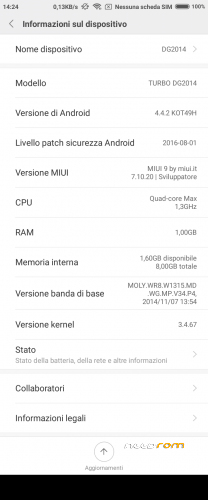
- Version: Android 4.4.2
You must be logged for ROM download.
23019 total views, 3 today
9 Total favorites
 Member Info

DESCRIPTION
This custom ROM is made following the perfect guide written by saginesh here: external link.
You need TWRP custom recovery to install this ROM. Use my TWRP present into dowload links.
Kernel is from Doogee stock rom KitKat version R13 with patched LK.BIN, if your display show only random lines after flash this rom, use SPFlashTool to download to phone only the original LK.BIN from Doogee stock rom R13.
WARNING 1: if you flash this rom over on another rom type (not MIUI) do a clean install, that mean you manually must wipe /data and /cache before install this rom.
WARNING 2: select English language for first time initialization, when initailization finish, change to your local language. This is because MiCloud initialization crash with other language see here for more info.
WARNING 3: never execute proposed OTA update, they arent' for DG2014 but for Xiaomi Redmi Note 3G.
MIUI V8 6.11.03 with shared SD
MIUI V8 6.12.01 with shared SD
This update (and all the nexts, i think) must be loaded with TWRP recovery only on previous version 6.11.03 with Shared SD.
Before update is mandatory you change recovery module with my proposed TWRP 2.8.7.0. Recovery present inside 6.11.03 is not able to run SuperSU installation.
If you have already loaded on phone :
1- my rom 6.11.03 with Shared SD (flashed via SPFlashTool),
2- my TWRP 2.7.8.0
You can run upgrade for this and newer version from recovery as normally.
From now on, the base of this my miui rom will be Xiaomi Redmi Note 3G rom from MIUI.IT, because xiaomi.eu has stopped to release weekly update for Redmi Note W. This mean this rom is no more multilanguage, but it is only English, Chinese and Italian
MIUI V8 6.12.22 with shared SD
Same as above, this update can be installed only if you came from my 6.11.03 with shared SD (or from 6.12.01)
MIUI V8 7.01.05 with shared SD
MIUI V8 7.02.09 with shared SD
Same as above, this update can be installed only if you came from my previous versions, from 6.11.03 and following
MIUI V8 7.03.23 with shared SD
Same as above, this update can be installed only if you came from my previous versions, from 6.11.03 and following
MIUI V8 7.05.04 with shared SD
Same as above, this update can be installed only if you came from my previous versions, from 6.11.03 and following
MIUI V8 7.05.25 with shared SD
Same as above, this update can be installed only if you came from my previous versions, from 6.11.03 and following
MIUI V9 7.09.14 with shared SD
New MIUI V9.
Same as above, this update can be installed only if you came from my previous versions, from 6.11.03 and following
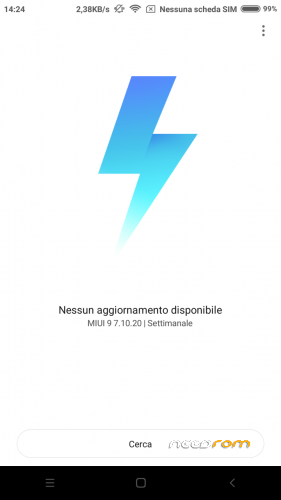
MIUI V9 7.10.20 with shared SD
Same as above, this update can be installed only if you came from my previous versions, from 6.11.03 and following


※Please make a backup of your device before installing or updating ROM
can u please port it for dg550?
i can't.
try by yourself following one of the various guide present on the web: http://en.miui.com/thread-1373.....7-1-1.html
добрый день ни в какую не могу поставить данную прошивку до этого стояла миуи 6 при установки пишет не удалось извлечь реж от "системы" "система"
E:error in /sdcard/dg2014-miui-v7-6.05.12.zip(status 7)
My display show only random lines after flash. What does it mean? It's not compatible with my kernel or what? Thx
any miui rom for doogee x5 max
I Caber; can I format rom with SP FLASH TOOL before install MIUI?
Reply
Why do that ?
to start from a clean condition use the wipe function in recovery. Wipe DATA and CACHE nothing else is required, upgrade script inside the ROM zip just clean everything in SYSTEM.
to upgrade from previous MIUI versions, just install the rom in recovery and reboot, no wipes are needed neither cache nor dalvik.
Hello all.
I'm starting to test this rom and i see an issue, so i ask if anyone else has it:
- Sd card (16 gb), only shows 2.76 gb on this rom. Anyone had or have that issue or a solution for it ?
The sd card its the same i have been using for years, coming from several roms and i never had this issue before.
Already tryed several ways for formating the sd card thru the phone and thru pc too.
Seems to be a nice rom. Congrats and ty Caber. hi5
you are right
i published now a fix for this my mistake
Working great with the fix.
Thank you caber
MIUI V8 6.12.01 – working great.
I flashed with Philz Touch Recovery V 6.57.9 (i use it for some years now).
Thank you caber
check if Philz Touch Recovery (i remember it doesn't) can manage correctly the shared SD. Now your internal SD is a folder under /data (it is /data/media/0), recovery must execute wipe of user data (factory reset) without touch /data/media, otherwise you will lose your documents stored in internal SD. Also Backup and restore of /data must be without /data/media.
hello all.
just come to say that i have been using MIUI-V8-7.01.05-SSD version, for more than a month now,
and i'm very satisfied with it.
thx caber… keep up the good work
After update to DG2014-MIUI-V8-6.11.03-SPFT-SharedSD miui can't detect my imei.
tryed some things to write the imei back but nothing seens to work.
anyone have how to fix it?