
- Title: MIUI V9 7.10.20 shared SD
- Listed: October, 2017
- Last modified: 10/27/2017 2:50 pm
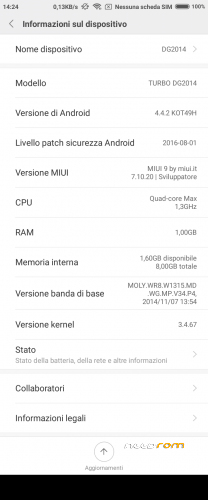
- Version: Android 4.4.2
You must be logged for ROM download.
23020 total views, 4 today
9 Total favorites
 Member Info

DESCRIPTION
This custom ROM is made following the perfect guide written by saginesh here: external link.
You need TWRP custom recovery to install this ROM. Use my TWRP present into dowload links.
Kernel is from Doogee stock rom KitKat version R13 with patched LK.BIN, if your display show only random lines after flash this rom, use SPFlashTool to download to phone only the original LK.BIN from Doogee stock rom R13.
WARNING 1: if you flash this rom over on another rom type (not MIUI) do a clean install, that mean you manually must wipe /data and /cache before install this rom.
WARNING 2: select English language for first time initialization, when initailization finish, change to your local language. This is because MiCloud initialization crash with other language see here for more info.
WARNING 3: never execute proposed OTA update, they arent' for DG2014 but for Xiaomi Redmi Note 3G.
MIUI V8 6.11.03 with shared SD
MIUI V8 6.12.01 with shared SD
This update (and all the nexts, i think) must be loaded with TWRP recovery only on previous version 6.11.03 with Shared SD.
Before update is mandatory you change recovery module with my proposed TWRP 2.8.7.0. Recovery present inside 6.11.03 is not able to run SuperSU installation.
If you have already loaded on phone :
1- my rom 6.11.03 with Shared SD (flashed via SPFlashTool),
2- my TWRP 2.7.8.0
You can run upgrade for this and newer version from recovery as normally.
From now on, the base of this my miui rom will be Xiaomi Redmi Note 3G rom from MIUI.IT, because xiaomi.eu has stopped to release weekly update for Redmi Note W. This mean this rom is no more multilanguage, but it is only English, Chinese and Italian
MIUI V8 6.12.22 with shared SD
Same as above, this update can be installed only if you came from my 6.11.03 with shared SD (or from 6.12.01)
MIUI V8 7.01.05 with shared SD
MIUI V8 7.02.09 with shared SD
Same as above, this update can be installed only if you came from my previous versions, from 6.11.03 and following
MIUI V8 7.03.23 with shared SD
Same as above, this update can be installed only if you came from my previous versions, from 6.11.03 and following
MIUI V8 7.05.04 with shared SD
Same as above, this update can be installed only if you came from my previous versions, from 6.11.03 and following
MIUI V8 7.05.25 with shared SD
Same as above, this update can be installed only if you came from my previous versions, from 6.11.03 and following
MIUI V9 7.09.14 with shared SD
New MIUI V9.
Same as above, this update can be installed only if you came from my previous versions, from 6.11.03 and following
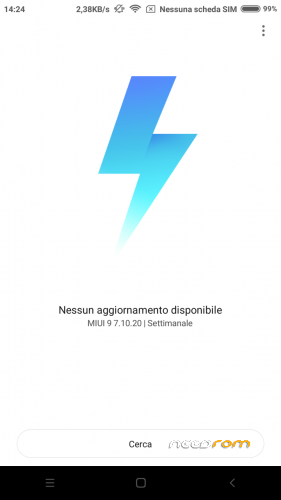
MIUI V9 7.10.20 with shared SD
Same as above, this update can be installed only if you came from my previous versions, from 6.11.03 and following


※Please make a backup of your device before installing or updating ROM
if you have a CWM or TWRP full backup, just restore only NVRAM.
also try to use program MAUI META like in this instructions
just some other help to fix imei problems here.
thank you for you help.
i previously used MAUI META but after flashing miui MAUI wont detect the phone. MTK Droid tools is the same.
i will try to reflash original rom to make backup then reflash miui and restore NVRAM.
ok. thank to your help i solved it.
Reflash old nvram lead me to the same problem.
i took another look into maui meta and notice i might be missing a driver and the driver was windows xp only. i used this steps to make it work on windows 10 http://www.ngbrain.com/install.....et-cdc-drivers/
after that i reflash stock rom to obtain this file BPLGUInfoCustomAppSrcP_MT6589_*** (should be a link for it somewhere on this site would be good).
Them i reflash miui and follow the rest of the tutorial and i got it to work.
thank you
MT6589 ????
DG2014 use MT6582, there is something wrong!
هل يعمل جيدا
This ROM has a bug,
one service consumes a lot of CPU and I have to kill to not drain the battery ..
Use 3C app, in tasks select CPU% select kernel that will show ..
Service name is bmx056d
thanks for your suggestion. file bmx056d is from original Doogee rom R13. it is the daemon for magnetometer sensor, but maybe not the one mounted in all DG2014. remove the file bmx056d from folder /system/bin and let me know if all still working good.
@Caber , Would this rom work in a doogee Valencia dg800? (MT6582), I have been looking for some rom of MIUI for this phone and I do not find anything at all.
Direct use of this ROM is sure not working. You must port MIUI rom to DG800 using files from DG800 stock rom. Try to follow this guide: http://en.miui.com/thread-1564.....45-1-1.html. It was my starting point.
first:
god job for ROM port, thanks
second:
"MIUI V9 7.10.20 with shared SD"
not instal on TWRP 2.8.7.0 by cloud or SP_Flash_Tool_v5.1648, say: scatter file invalid
I have 4.2.9 which recovery should i flash?
Ok for the recovery it's ok but when i flash via PhilzTouch and sd card it gives me failed to extract dir from system to /system.
Ti chiedo di aiutarmi, grazie!!!