
- Title: Miui8 stable G4S port
- Listed: July, 2016
- Last modified: 03/07/2017 2:20 pm
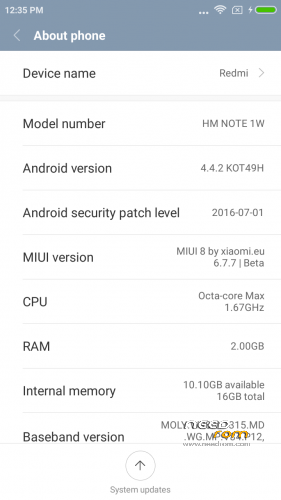
- Version: 4.4.2 Miui V8.2.1.0.KHDCNDL
You must be logged for ROM download.
39776 total views, 4 today
18 Total favorites
 Member Info
DESCRIPTION
Updated to stable V8.2.1.0.KHDCNDL
———————————————————————————————————
UPDATE – FIX For storage (sry for wrong file before – fixed now)
————————————————————————-
I repartioned internal sdcard to follow new style storage of emulated data/media/0.
Now data and internal SD share the same space and sdcard is emulated.
How to fix.
A) If you don't mind loosing everything from the phone (nvram , data , internal storage data.
Backup Nvram. Download G4S.zip , unpack. Open flash tools , select scatter.txt from unpacked files.
Choose format all and download. When done , reboot in recovery (ignore no system warning) and format one by on in this order.
First system , then cache , then Data , reboot in recovery(ignore no system warning). Format internal storage. reboot in recovery.
Install normal rom file then before rebooting flash from recovery JiayuG4S_data_fix.zip. Restore nvram backup.
Boot system normal. Now you have unified storare , with limits only the size of the left over space of phone , just like xiaomi. File transfers only via MTP. (ext4 partition).
B) If you want to keep your files apks setup etc.
First backup nvram , system , data to an external sd, and keep all contents of internal sdcard to your PC in a folder.
Download G4S.zip , unpack. Open flash tools , select scatter.txt from unpacked files.
Choose format all and download. When done , reboot in recovery (ignore no system warning) and format one by on in this order.
First system , then cache , then Data , reboot in recovery(ignore no system warning). Format internal storage. reboot in recovery.
Restore backup files from external sd , copy back saved internal storage files to new storage (data/media/0/) then before rebooting flash from recovery JiayuG4S_data_fix.zip. Restore Nvram.
Boot system normal. Now you have unified storare + all your data back, with limits only the size of the left over space of phone , just like xiaomi. File transfers only via MTP. (ext4 partition).
——————————————————————————————————————————————
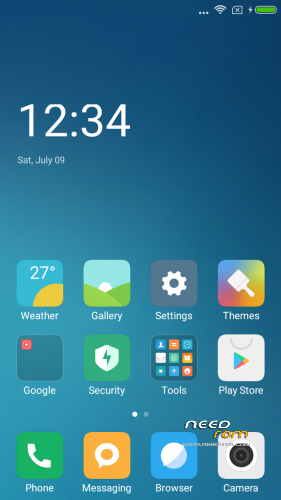
Here I present you my MIUI V8 ota ROM for Jiayu G4S. Ported from Xiaomi Note 3G
Miui V8.1 6.10.27 dev (Developer edition) – Beta Miui 8
DO NOT UPDATE from phone downloaded OTA ….. Only use mine from here plz.
PLEASE DONATE SOMETHING TO HELP WITH MY BILLS and invoke me to continue my work. PAYPAL link is below.
————————————————————-
Installation
—————
You must first install official KK 1.14 if you come from Jellybean (to make the partitions correct). Ignore this step if you are doing the unified storage fix.
(You MUST install my base after this (to make the partitions bigger – original system is too small now). it must be done once for all my roms. If you already have done this , jump to Transfer my rom to your SD….
Get it from here. https://www.needrom.com/download/base-for-flash-tool-jiayu-g4s/ Follow instruction from the post.)
Backup your NVRAM and Sec.ro partitions. (better be safe than sorry!) It can be fixed anyway so don't worry.
Transfer my zip rom to your SD. Insert SD in phone.
Reboot phone , enter recovery.
If you come from another rom or something is not working after install press Wipe (Default one wipe data , davlik , cache) .
Return to main menu after finished.
Go to install. Choose storage microSD at the middle-bottom
Select correct zip file ( Jiayug4s_6.10.27_v8-4.4.zip ) from microSD
When finished , return to main menu and POWER off phone
Remove microSD and Start phone.
Wait a little bit longer than normal , Rom rebuilding data. Done!
Rom is Deodexed , Superuser and Busybox support , zipaligned!
MULTILANGUAGE
English (miui.com, xiaomi.eu)
Chinese (Xiaomi, miui.com)
Polish (Acid, miuipolska.pl) – Report Bugs – CHANGELOG
Slovak (ingbrzy, miuios.cz) - Report Bugs – CHANGELOG
Czech (kynio, miuios.cz) – Report Bugs – CHANGELOG
Bulgarian (MIUI.BG) – Report Bugs – CHANGELOG
Hungarian (vagyula, miui.hu) – Report Bugs – CHANGELOG
French (cpasmoi, guiluge, burnarz) – Report Bugs – CHANGELOG
Russian (miui.su)
Croatian (Masva) – Report Bugs – CHANGELOG
Vietnamese (Belmont-Gabriel) – Report Bugs – CHANGELOG
Italian (miui.it) – Report Bugs – CHANGELOG
Greek (Xiaomi-Miui Hellas TEAM) - Report Bugs – CHANGELOG
Norwegian (datagutt, miuios.no) – Report Bugs – CHANGELOG
Dutch (jacketti, cueie, redmaner) – Report Bugs – CHANGELOG
Spanish (rpperezr and spanish users) – Report Bugs – CHANGELOG
Turkish (Celaleddin, ekilciler) – Report Bugs - CHANGELOG
Brazilian-Portuguese (MIUIBrasil, miuirom.com.br) – Report Bugs - CHANGELOG
Portuguese (Efex) – Report Bugs - CHANGELOG
FYROM (thenewmaker) – Report Bugs – CHANGELOG
Serbian (BalcanGSM, dudjaa, petar, perga, Daconi, MASVA) – Report Bugs – CHANGELOG
Hebrew (Kkffiirr, eliran0216)
Romanian (ygorigor) – Report Bugs – CHANGELOG
German (muhamed89, cp82, dahool2016, and more) – Report Bugs – CHANGELOG
Catalan (deivids84) – Report Bugs – CHANGELOG
Korean (cjhyuky) – Report Bugs – CHANGELOG
http://xiaomi.eu/community/forums/miui-weekly-rom-releases.103/
Remember the rom is BETA! All applications are Xiaomi + added original Jiayu Camera.
If you are having imei problems , restore your bin backup with mtkdroid tools.
———————————————————————————————————————
※Please make a backup of your device before installing or updating ROM
I can't flash with flashtool cause my charger port is broken
.Flashing only Jiayu G4S data fix in recovery is a solution?( for me it isn't worked)
No twrp can resize partitions but not create new ones or merge old ones…. and for adb commands you need usb in twrp so…….
Hi Guys,
 Thanks in advance.
I "was" on the Miui V8.1 6.10.27 with staorage fix by batsilos and it goes everything ok, smooth and stable MIUI, so i didn't do any updates. One day I was trying to upload some pic to Google Photos and phone just simply turn off. From this time I can only enter to Recovery (TWRP 2.8.6.0 Jiayu G4S/L by batsilos) but after reboot phone stuck on bootlogo. I've notest that there is no memory size on Internal, External SD and also I can't mount any OTG device.
Please give me some tips if there's a chance to save data from this phone and if not, how I can flash a new system.
(I'm not a heavy user
good day
For jiayu J5S rebuilt the kernel writes about the error Themes in what can be the problem?
8.2.1.0 I put with the rebuilt kernel everything is fine only free memory remains 3 GB
Your data.fix will solve this problem?
As soon as i install this G4S.zip i can not enter recovery with power on + vol+
I only see Jiayu on screen and not entering recovery
Would be nice if it could be installed by flashtools
finally got it solved, followed your tutorial and after that only message Theme has stopped, i will try another rom, unfortunately, thanks anyway
Hey,beautiful ROM, useful but I have damage on my SD "internal" card, I go back to my stock ROM and recovery but I can repair it just sometimes,the data fix can help ?(I can install apps but i can't take pics or DL some documents).
How can i add languages? Where could i get languages? Or at least translate them from english by myself?
Tried this rom without success. It is stuck in an endless loop in the first boot configuration. "Themes" keeps crashing so the configuration is never applied and returns to previous configuration page.
Hi batsilos, installation of "Titanum backup" result in system lock up. Only remove of battery and boot into TWRP exit this state. Investigation of partitions show that SYSTEM size decreased from 1476 MB to 39 MB. Other partitions are ok. For more information please write PM. Thank you