
- Title: Miui8 stable G4S port
- Listed: July, 2016
- Last modified: 03/07/2017 2:20 pm
- Version: 4.4.2 Miui V8.2.1.0.KHDCNDL
You must be logged for ROM download.
39774 total views, 2 today
18 Total favorites
 Member Info
DESCRIPTION
Updated to stable V8.2.1.0.KHDCNDL
———————————————————————————————————
UPDATE – FIX For storage (sry for wrong file before – fixed now)
————————————————————————-
I repartioned internal sdcard to follow new style storage of emulated data/media/0.
Now data and internal SD share the same space and sdcard is emulated.
How to fix.
A) If you don't mind loosing everything from the phone (nvram , data , internal storage data.
Backup Nvram. Download G4S.zip , unpack. Open flash tools , select scatter.txt from unpacked files.
Choose format all and download. When done , reboot in recovery (ignore no system warning) and format one by on in this order.
First system , then cache , then Data , reboot in recovery(ignore no system warning). Format internal storage. reboot in recovery.
Install normal rom file then before rebooting flash from recovery JiayuG4S_data_fix.zip. Restore nvram backup.
Boot system normal. Now you have unified storare , with limits only the size of the left over space of phone , just like xiaomi. File transfers only via MTP. (ext4 partition).
B) If you want to keep your files apks setup etc.
First backup nvram , system , data to an external sd, and keep all contents of internal sdcard to your PC in a folder.
Download G4S.zip , unpack. Open flash tools , select scatter.txt from unpacked files.
Choose format all and download. When done , reboot in recovery (ignore no system warning) and format one by on in this order.
First system , then cache , then Data , reboot in recovery(ignore no system warning). Format internal storage. reboot in recovery.
Restore backup files from external sd , copy back saved internal storage files to new storage (data/media/0/) then before rebooting flash from recovery JiayuG4S_data_fix.zip. Restore Nvram.
Boot system normal. Now you have unified storare + all your data back, with limits only the size of the left over space of phone , just like xiaomi. File transfers only via MTP. (ext4 partition).
——————————————————————————————————————————————
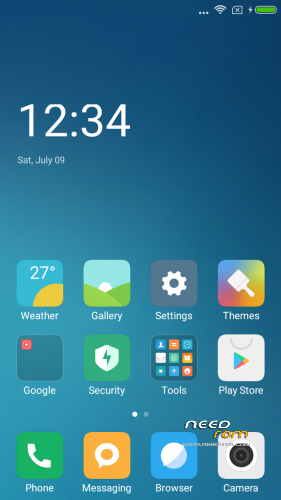
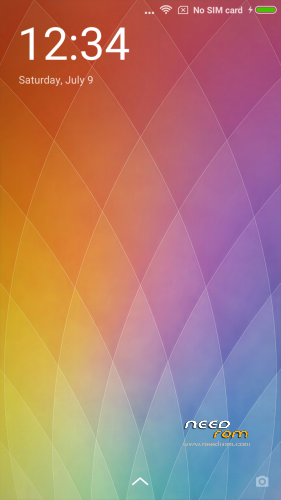
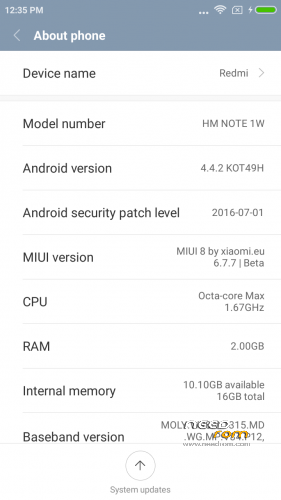
Here I present you my MIUI V8 ota ROM for Jiayu G4S. Ported from Xiaomi Note 3G
Miui V8.1 6.10.27 dev (Developer edition) – Beta Miui 8
DO NOT UPDATE from phone downloaded OTA ….. Only use mine from here plz.
PLEASE DONATE SOMETHING TO HELP WITH MY BILLS and invoke me to continue my work. PAYPAL link is below.
————————————————————-
Installation
—————
You must first install official KK 1.14 if you come from Jellybean (to make the partitions correct). Ignore this step if you are doing the unified storage fix.
(You MUST install my base after this (to make the partitions bigger – original system is too small now). it must be done once for all my roms. If you already have done this , jump to Transfer my rom to your SD….
Get it from here. https://www.needrom.com/download/base-for-flash-tool-jiayu-g4s/ Follow instruction from the post.)
Backup your NVRAM and Sec.ro partitions. (better be safe than sorry!) It can be fixed anyway so don't worry.
Transfer my zip rom to your SD. Insert SD in phone.
Reboot phone , enter recovery.
If you come from another rom or something is not working after install press Wipe (Default one wipe data , davlik , cache) .
Return to main menu after finished.
Go to install. Choose storage microSD at the middle-bottom
Select correct zip file ( Jiayug4s_6.10.27_v8-4.4.zip ) from microSD
When finished , return to main menu and POWER off phone
Remove microSD and Start phone.
Wait a little bit longer than normal , Rom rebuilding data. Done!
Rom is Deodexed , Superuser and Busybox support , zipaligned!
MULTILANGUAGE
English (miui.com, xiaomi.eu)
Chinese (Xiaomi, miui.com)
Polish (Acid, miuipolska.pl) – Report Bugs – CHANGELOG
Slovak (ingbrzy, miuios.cz) - Report Bugs – CHANGELOG
Czech (kynio, miuios.cz) – Report Bugs – CHANGELOG
Bulgarian (MIUI.BG) – Report Bugs – CHANGELOG
Hungarian (vagyula, miui.hu) – Report Bugs – CHANGELOG
French (cpasmoi, guiluge, burnarz) – Report Bugs – CHANGELOG
Russian (miui.su)
Croatian (Masva) – Report Bugs – CHANGELOG
Vietnamese (Belmont-Gabriel) – Report Bugs – CHANGELOG
Italian (miui.it) – Report Bugs – CHANGELOG
Greek (Xiaomi-Miui Hellas TEAM) - Report Bugs – CHANGELOG
Norwegian (datagutt, miuios.no) – Report Bugs – CHANGELOG
Dutch (jacketti, cueie, redmaner) – Report Bugs – CHANGELOG
Spanish (rpperezr and spanish users) – Report Bugs – CHANGELOG
Turkish (Celaleddin, ekilciler) – Report Bugs - CHANGELOG
Brazilian-Portuguese (MIUIBrasil, miuirom.com.br) – Report Bugs - CHANGELOG
Portuguese (Efex) – Report Bugs - CHANGELOG
FYROM (thenewmaker) – Report Bugs – CHANGELOG
Serbian (BalcanGSM, dudjaa, petar, perga, Daconi, MASVA) – Report Bugs – CHANGELOG
Hebrew (Kkffiirr, eliran0216)
Romanian (ygorigor) – Report Bugs – CHANGELOG
German (muhamed89, cp82, dahool2016, and more) – Report Bugs – CHANGELOG
Catalan (deivids84) – Report Bugs – CHANGELOG
Korean (cjhyuky) – Report Bugs – CHANGELOG
http://xiaomi.eu/community/forums/miui-weekly-rom-releases.103/
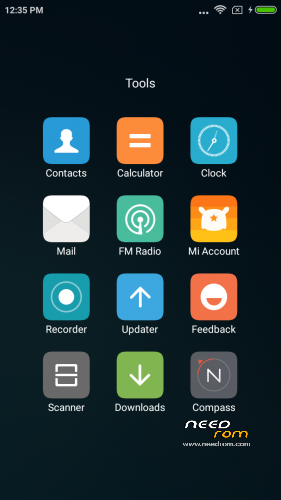
Remember the rom is BETA! All applications are Xiaomi + added original Jiayu Camera.
If you are having imei problems , restore your bin backup with mtkdroid tools.
———————————————————————————————————————
※Please make a backup of your device before installing or updating ROM
Yo pude poner el imei que está escrito tras la batería tanto para la sim1 como la sim2 usando la aplicación chamelephon. Después todo funciona bien.
I read imei behind the battery and set it for both sim1 and sim2 using chamelephon. Afterwards everything works.
Is the GPS working? Any othe bug?
i want to know too!
EVERYTHING works! Gps as good as possible on G4s….. It's antenna is very bad.
No signal en ninguna sim que hago?
Hi,
I've https://www.needrom.com/downlo.....ui-v6-g4s-port/ and i want install this. It's possible re-install all apps with data on change rom?
Tx.
just install full rom without wipes and keep data , especially if you have used my base for bigger system already , else , backup data in sd , install base , rom , and restore data
after flash i don't have modem and no IMEI, i do backup nvram but i only have one file nvram.bin, i need .tar file
guys please help, this is my wife phone
everything work fine
great work batsilos
Hi!
I have the same problem. How did you solve it?
Thanks!
Hola Batsilos,
Se ha ido a la mierda el IMEI.
Cuando terminé de hacer todos los pasos e inició en miui8 apareció el error de los imei. Me dije: "menos mal que he hecho una copia de seguridad"…pues no.
He tratado de poner el IMEI de todas las formas que conozco, chamelephon, modo ingeniero, mediante terminal, escribiendo con MTK droid tool, poniendo el backup, generando el archivo MP0B_001 y colocándolo…etc
Total, que no lo he logrado. ¿Hay alguna otra forma o sabes dónde puede estar el error?
Gracias
Hello Batsilos,
I lost IMEI.
When I finished all the steps and began miui8 appeared IMEI error. I said, "thank goodness I made a backup" … nope.
I have tried to put the IMEI of all the ways I know, chamelephon, engineer mode, through terminal, writing with MTK droid tool, putting the backup, generating MP0B_001… etc
I have not succeeded. Is there any other way or know where it might be wrong?
Thank you
Are you sure you only lost the IMEI? When I had problems, I thought it was just that, but it turns out that what I'd actually lost was the NVRAM. I had to reflash the official Jiayu rom and then get back to Batsilo's MIUI 7.
to get it working once and for all you must use Maui meta tools , look it up on google
Thank you for answering Batsilos.
With the "Maui meta" extracted correctly IMEI flash, but it gave error when I try writing them.
At the end I deleted the "nvram" folder, rebooted and I could write the IMEI from the engineer menu. (I thought I had already tried before).
Great rom Batsilos, It's great having MIUI in Jiayu G4S.
Thank you.
———————————————————————————————————————————————-
Gracias por contestar Batsilos.
Con el "Maui meta" extraía correctamente los IMEI de la flash, pero daba error al escribirlos.
Al final borré la carpeta "nvram", reinicié y pude escribir los IMEI desde el menú ingeniero. (Pensaba que ya lo había probado antes).
Genial la rom Batsilos, es una gozada tener MIUI en el Jiayu G4S.
Gracias.