
- Title: Miui8 stable G4S port
- Listed: July, 2016
- Last modified: 03/07/2017 2:20 pm
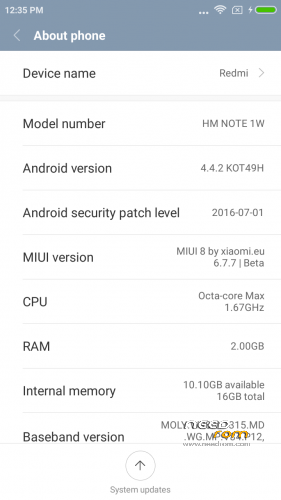
- Version: 4.4.2 Miui V8.2.1.0.KHDCNDL
You must be logged for ROM download.
39774 total views, 2 today
18 Total favorites
 Member Info
DESCRIPTION
Updated to stable V8.2.1.0.KHDCNDL
———————————————————————————————————
UPDATE – FIX For storage (sry for wrong file before – fixed now)
————————————————————————-
I repartioned internal sdcard to follow new style storage of emulated data/media/0.
Now data and internal SD share the same space and sdcard is emulated.
How to fix.
A) If you don't mind loosing everything from the phone (nvram , data , internal storage data.
Backup Nvram. Download G4S.zip , unpack. Open flash tools , select scatter.txt from unpacked files.
Choose format all and download. When done , reboot in recovery (ignore no system warning) and format one by on in this order.
First system , then cache , then Data , reboot in recovery(ignore no system warning). Format internal storage. reboot in recovery.
Install normal rom file then before rebooting flash from recovery JiayuG4S_data_fix.zip. Restore nvram backup.
Boot system normal. Now you have unified storare , with limits only the size of the left over space of phone , just like xiaomi. File transfers only via MTP. (ext4 partition).
B) If you want to keep your files apks setup etc.
First backup nvram , system , data to an external sd, and keep all contents of internal sdcard to your PC in a folder.
Download G4S.zip , unpack. Open flash tools , select scatter.txt from unpacked files.
Choose format all and download. When done , reboot in recovery (ignore no system warning) and format one by on in this order.
First system , then cache , then Data , reboot in recovery(ignore no system warning). Format internal storage. reboot in recovery.
Restore backup files from external sd , copy back saved internal storage files to new storage (data/media/0/) then before rebooting flash from recovery JiayuG4S_data_fix.zip. Restore Nvram.
Boot system normal. Now you have unified storare + all your data back, with limits only the size of the left over space of phone , just like xiaomi. File transfers only via MTP. (ext4 partition).
——————————————————————————————————————————————
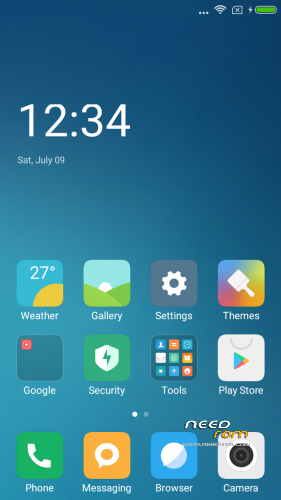
Here I present you my MIUI V8 ota ROM for Jiayu G4S. Ported from Xiaomi Note 3G
Miui V8.1 6.10.27 dev (Developer edition) – Beta Miui 8
DO NOT UPDATE from phone downloaded OTA ….. Only use mine from here plz.
PLEASE DONATE SOMETHING TO HELP WITH MY BILLS and invoke me to continue my work. PAYPAL link is below.
————————————————————-
Installation
—————
You must first install official KK 1.14 if you come from Jellybean (to make the partitions correct). Ignore this step if you are doing the unified storage fix.
(You MUST install my base after this (to make the partitions bigger – original system is too small now). it must be done once for all my roms. If you already have done this , jump to Transfer my rom to your SD….
Get it from here. https://www.needrom.com/download/base-for-flash-tool-jiayu-g4s/ Follow instruction from the post.)
Backup your NVRAM and Sec.ro partitions. (better be safe than sorry!) It can be fixed anyway so don't worry.
Transfer my zip rom to your SD. Insert SD in phone.
Reboot phone , enter recovery.
If you come from another rom or something is not working after install press Wipe (Default one wipe data , davlik , cache) .
Return to main menu after finished.
Go to install. Choose storage microSD at the middle-bottom
Select correct zip file ( Jiayug4s_6.10.27_v8-4.4.zip ) from microSD
When finished , return to main menu and POWER off phone
Remove microSD and Start phone.
Wait a little bit longer than normal , Rom rebuilding data. Done!
Rom is Deodexed , Superuser and Busybox support , zipaligned!
MULTILANGUAGE
English (miui.com, xiaomi.eu)
Chinese (Xiaomi, miui.com)
Polish (Acid, miuipolska.pl) – Report Bugs – CHANGELOG
Slovak (ingbrzy, miuios.cz) - Report Bugs – CHANGELOG
Czech (kynio, miuios.cz) – Report Bugs – CHANGELOG
Bulgarian (MIUI.BG) – Report Bugs – CHANGELOG
Hungarian (vagyula, miui.hu) – Report Bugs – CHANGELOG
French (cpasmoi, guiluge, burnarz) – Report Bugs – CHANGELOG
Russian (miui.su)
Croatian (Masva) – Report Bugs – CHANGELOG
Vietnamese (Belmont-Gabriel) – Report Bugs – CHANGELOG
Italian (miui.it) – Report Bugs – CHANGELOG
Greek (Xiaomi-Miui Hellas TEAM) - Report Bugs – CHANGELOG
Norwegian (datagutt, miuios.no) – Report Bugs – CHANGELOG
Dutch (jacketti, cueie, redmaner) – Report Bugs – CHANGELOG
Spanish (rpperezr and spanish users) – Report Bugs – CHANGELOG
Turkish (Celaleddin, ekilciler) – Report Bugs - CHANGELOG
Brazilian-Portuguese (MIUIBrasil, miuirom.com.br) – Report Bugs - CHANGELOG
Portuguese (Efex) – Report Bugs - CHANGELOG
FYROM (thenewmaker) – Report Bugs – CHANGELOG
Serbian (BalcanGSM, dudjaa, petar, perga, Daconi, MASVA) – Report Bugs – CHANGELOG
Hebrew (Kkffiirr, eliran0216)
Romanian (ygorigor) – Report Bugs – CHANGELOG
German (muhamed89, cp82, dahool2016, and more) – Report Bugs – CHANGELOG
Catalan (deivids84) – Report Bugs – CHANGELOG
Korean (cjhyuky) – Report Bugs – CHANGELOG
http://xiaomi.eu/community/forums/miui-weekly-rom-releases.103/
Remember the rom is BETA! All applications are Xiaomi + added original Jiayu Camera.
If you are having imei problems , restore your bin backup with mtkdroid tools.
———————————————————————————————————————
※Please make a backup of your device before installing or updating ROM
"You must first install official KK 1.14 if you come from Jellybean (to make the partitions correct)"
…..tnx , some people just don't bother reading important stuff!
dominiss1990
can u give me link for official KK 1.14 plz
http://www.jiayu.es/desarrollo.....1113-154404.zip
after installing official kk, always same problem, tks for ur help
Yep, I'm coming from your Miui 7 rom, and I got the same errors as everyone: failed to install, with no special reason.
https://www.needrom.com/downlo.....tool-jiayu-g4s/
Try installing this first , maybe system is too small for rom now!
Thanks! I didn't know you had this tool. It comes very handy, as I'm tired of deleting apps due to lack of space.
I have the same error. Tried also with CWM and TWRP 2.8.6.0. Always the same error. Will try later making system partition bigger.
Here's recovery.log: http://pastebin.com/d2rCkWB4 .
No space left on device …..
partition is only 908mb , 888 usable ,system image don't fit …. so bigger partition system is the only way!
Same error…7
And the fone do not work.
Must instal last version of miui 7 again