
- Title: Miui stable Inew V3 port
- Listed: June, 2016
- Last modified: 03/05/2017 2:22 pm
- Version: 4.4.2 Miui V8.2.1.0.KHDCNDL
You must be logged for ROM download.
29328 total views, 3 today
19 Total favorites
 Member Info
DESCRIPTION
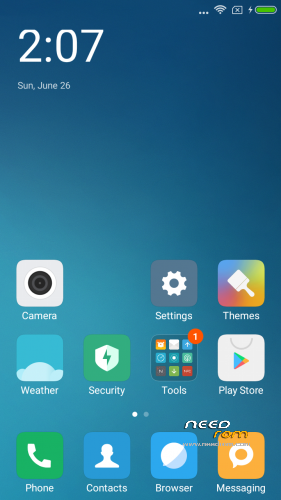
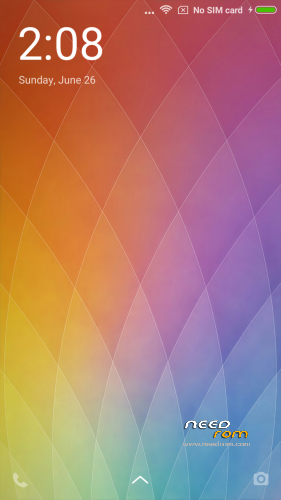
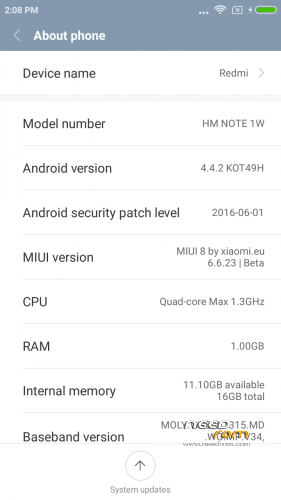
Here I present you my MIUI V8 ota ROM for Inew V3. Ported from Xiaomi Note 3G
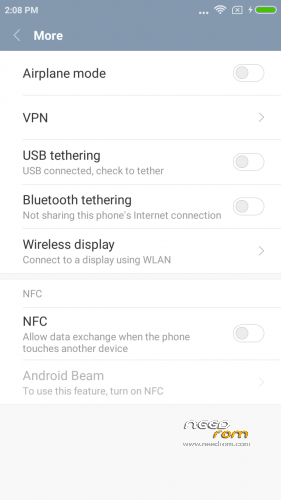
Miui V8.2.1.0.KHDCNDL NFC fix – Stable Version (final?)
DO NOT UPDATE from phone downloaded OTA ….. Only use mine from here plz.
PLEASE DONATE SOMETHING TO HELP WITH MY BILLS and invoke me to continue my work. PAYPAL link is below.
It is for the internal /data/media type phones. (with only MBR and EBR1). System is part5 data is part7.
————————————————————-
Installation
—————
You must first install official KK 1.14 if you come from Jellybean (to make the partitions correct)
Backup your NVRAM and Sec.ro partitions. (better be safe than sorry!) It can be fixed anyway so don't worry.
Transfer my zip rom to your SD. Insert SD in phone.
Reboot phone , enter recovery. (Use this https://www.needrom.com/download/twrp-2-8-4-0-inew-v3/)
If you come from another rom or something is not working after install press Wipe (Default one wipe data , davlik , cache) .
Return to main menu after finished.
Go to install. Choose storage microSD at the middle-bottom
Select correct zip file ( InewV3_V8.2.1.0.KHDCNDL_v8.zip) from microSD
When finished , return to main menu and POWER off phone
Remove microSD and Start phone.
Wait a little bit longer than normal , Rom rebuilding data. Done!
Rom is Deodexed , Superuser and Busybox support , zipaligned!
MULTILANGUAGE
English (miui.com, xiaomi.eu)
Chinese (Xiaomi, miui.com)
Polish (Acid, miuipolska.pl) – Report Bugs – CHANGELOG
Slovak (ingbrzy, miuios.cz) - Report Bugs – CHANGELOG
Czech (kynio, miuios.cz) – Report Bugs – CHANGELOG
Bulgarian (MIUI.BG) – Report Bugs – CHANGELOG
Hungarian (vagyula, miui.hu) – Report Bugs – CHANGELOG
French (cpasmoi, guiluge, burnarz) – Report Bugs – CHANGELOG
Russian (miui.su)
Croatian (Masva) – Report Bugs – CHANGELOG
Vietnamese (Belmont-Gabriel) – Report Bugs – CHANGELOG
Italian (miui.it) – Report Bugs – CHANGELOG
Greek (Xiaomi-Miui Hellas TEAM) - Report Bugs – CHANGELOG
Norwegian (datagutt, miuios.no) – Report Bugs – CHANGELOG
Dutch (jacketti, cueie, redmaner) – Report Bugs – CHANGELOG
Spanish (rpperezr and spanish users) – Report Bugs – CHANGELOG
Turkish (Celaleddin, ekilciler) – Report Bugs - CHANGELOG
Brazilian-Portuguese (MIUIBrasil, miuirom.com.br) – Report Bugs - CHANGELOG
Portuguese (Efex) – Report Bugs - CHANGELOG
FYROM (thenewmaker) – Report Bugs – CHANGELOG
Serbian (BalcanGSM, dudjaa, petar, perga, Daconi, MASVA) – Report Bugs – CHANGELOG
Hebrew (Kkffiirr, eliran0216)
Romanian (ygorigor) – Report Bugs – CHANGELOG
German (muhamed89, cp82, dahool2016, and more) – Report Bugs – CHANGELOG
Catalan (deivids84) – Report Bugs – CHANGELOG
Korean (cjhyuky) – Report Bugs – CHANGELOG
Slovenian (bostjan2016) – Report Bugs – CHANGELOG
Thai (sazuke0703) – Report Bugs – CHANGELOG
Finnish (dogiex) – Report Bugs – CHANGELOG
All applications are Xiaomi + added original Inew Camera and torch. + root.
———————————————————————————————————————————–
Upgrade with ota file , enter recovery and flash without wipes.
Those with problems installing miui8 , you must make your system partition bigger , so flash my base first. Current system size is too big for standard V3 config,
https://www.needrom.com/wp-content/uploads/2014/11/Flash-base-for-format-nand.zip
Flash it using flash tools. for instructions check here —-> https://www.needrom.com/download/inew-v3-zopo-1000s-port/
—————————————————————————————————————————–
Added compass fix , in Miui compass didn't work right , now it should be ok.
※Please make a backup of your device before installing or updating ROM
Application documents default disabled. What?????
hi Batsilos, there is a fix by recovery for GPS? mine not work…. THX
Hello, batsilos.
Any updates for the ROM? Or development is stopped?
My phone is working fine more or less. Some bugs are:
1. Loosing signal on SIM-2 from time to time, in different places. After 4 lines of signal could go even to "x" (no signal). Known problem?
2. Some SPAM from Browser (i do not use it at all!) – saying about Yandex apps, advising some non-needed things to me etc.
3. From time to time MIUI asks for account (told you about that – I can't register & even do not want to do it), for syncronization, for phone tracking (for safety purpose).
Any chance to disable all that in #2 & #3?
Or it's time to throw out this phone and buy a new one?
As long as my phone works i will be updating but not that often no-more. This weekend I will do todays rom.
For 2 and 3 check original phone's (xiaomi note 3g) thread in miui forum.
I am thinking of fixing the stable version as final release , but its nice to have the updates every week or so.
Hi batsilos, there's an other way to install rom? I don't know why my micro SD slot won't working
It only works when i detached microsd but when I insert it in, not work.
I'm on KK 4.4.2 stock, kernel 3.4.67, build v1.0.14.
Thanks a lot !!!
the otg works in recovery ..but i can't install it. it makes error.
It will not fit in kk stock system size , use repart system inew zip first , look a few threads back for instructions
Hi, batsilos.
There is an CM13 update with fixed GPS for 6582!!! Could you may be port it to iNew v3?! Pleeeeeeease!
http://www.mtkroms.com/2016/10.....for-mt6582.html
Speaking of gps…it seems not to be working/locking at all, for this rom (in my case). Any suggestions?
Foramt ALL (data/system/cache)
Extend system partion as per link at the end of the initial post.
Install ROM
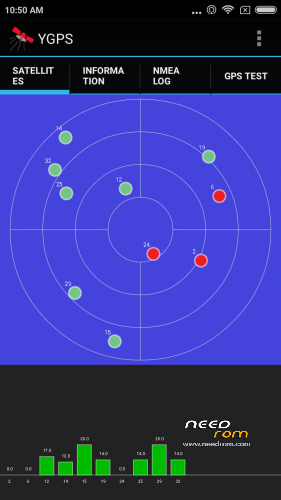
Try YGPS (use Engineering mode aplication from Market) – COLD, HOT, FULL fixes. Reboot.
If that will not help, try those progs (I used all of them on different ROMs):
GPS Fix
MT GPS
FasterGPS
MTK EPO GPS
If all of that will not work – I have no solution, use other (may be even stock!) ROM.
Thank you for your input, my friend. None of these work. I used to be able to follow batsilos' instructions with :
*#*#3646633#*#* —> Engineering mode!
Location based service.
AGPS —-> A_GPS On/Off
GPS —–> Ref Position
etc….
But with this rom, Location Based Service crashes! Also, /data/data/com.mediatek.lbs.em/ <—–shared_prefs file is missing. As a result, perhaps agps_profile.xml file is located somewhere else???
Could batsilos comment on that?
Thanks in advance
Before using location based services , use YGPS and let it lock for a few minutes. That stops the crushing.
Batsilos, thank you for your input! It, finally, worked. The first time I had to leave it for 20 mins on, trying to lock..but nothin happened. After a few tries, on/off, and waiting..and waiting..it did! Location based services still crashes, though. Anyhow, the lock is good, quick and even the signal during driving seems to be more stable and better, for now. And all these, without any modifications (as in the past with .conf files, etc). Thanks again, dude.
Sorry for the question, will be some updates for the ROM?