
- Title: MIUIv5 4.8.27 MultiLanguage
- Listed: March, 2014
- Last modified: 08/29/2014 2:34 pm
- Version: [4.2.1] 4.8.27
You must be logged for ROM download.
111290 total views, 5 today
39 Total favorites
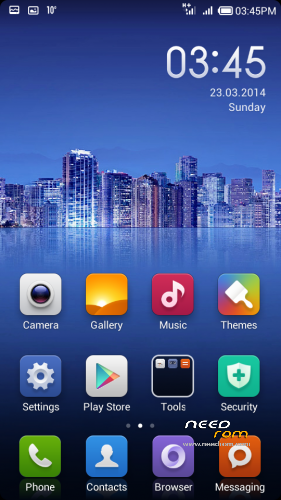
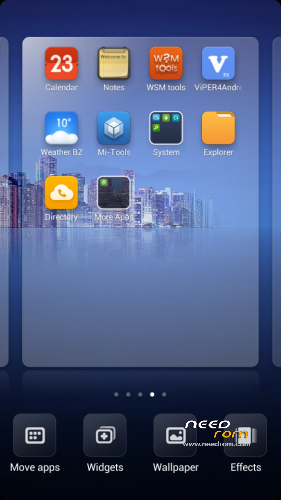
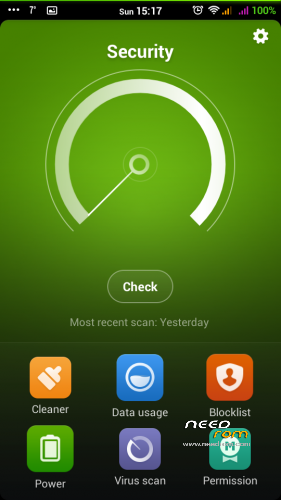
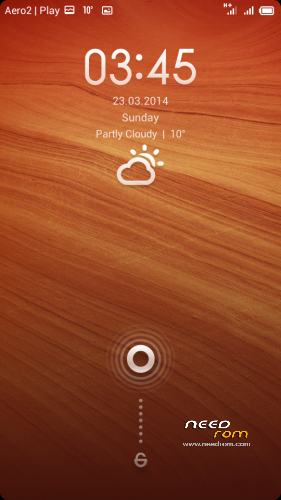
 Member Info

DESCRIPTION

Phone: Lenovo A820
Android: 4.2.1
MIUIv5 MultiLanguage by dadi11
Variants: Full / Lite
Hello everyone.
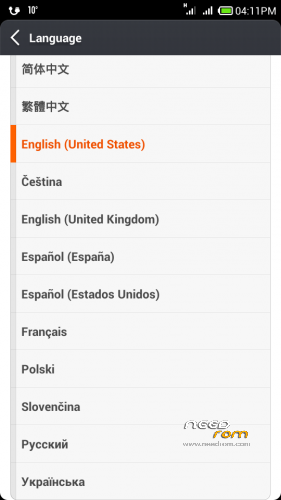
This ROM at first was ported for Polish communityonly, and contains PL, EN & CN lang.
Today I'm releasing a MultiLanguage version for you, too. I hope you'll like it.
Supported languages: Multilanguage
Version 4.5.9 & 4.8.21+ are based on MIUIv5 4.4.19 Ultimate for Fly IQ446 Magic by stas2z, ported and modded by me.
Actual changes:
- Port based on stas2z MIUIv5 Ultimate for Fly IQ446
- Updated apps
- Fixed stability issues
- Fixed auto brightness
- Lenovo RadioFM (works without phones)
- Updated extras from miuipolska.pl
- init.d support & scripts
- Better battery life, performance, ram usage, internet speed & other improvements
- Languages from xiaomi.eu
- Deleted Chineese apps
- Google Apps
- Xperia & Google Keyboard
In Lite version I've deleted some more useless apps, sounds and TTS.
If you'll like my ROM/MOD, there will be updates 
Important:
In versions 4.8.21+ SD Card is set as default storage.
If you want to change it, use Settings>Storage.
Please watch for international text messages that the system sends to activate the sim card, they can cost a lot
Modded Theme App is now available as a separate download, because of problems with theme resets.
If you want full MIUI rom, download and install Lite version and then install Full Upgrade, without doing any wipes.
If you stuck at bootlogo – try Lite version instead of full or use THIS app first. It's probably because of too small system partition, so increase it.
Don't try to flash any custom kernel with this rom it WON'T work.
Lite version is rom that i’m using, so it’s without (unnecessary) apps that i’m not using  So one may like it, others do not
My other roms: ColorOS | ProjectDoge | Sony Xperia C Port | PureXperia Z2 | Myriad ROM | LeWa OS
Files were tested, and they all works.
You should do before installing this ROM:
in CWM
- wipe data/factory reset
- wipe cache partition
- mounts and storage>format /system
- advanced>wipe dalvik cache
in TWRP (2.6.3.0 recommended)
- wipe> wipe data/factory reset
- wipe> advanced wipe> check all except sdcard
If you are updating from previous version, wipe dalvik-cache & /cache should be enough.
※Please make a backup of your device before installing or updating ROM
dadi11 big great thanks for help, rom is amazing!!!!! Best of Best, true!!!
thanks for the positive feedback, testing and share on 4pda.ru
I hope the translations are all good (e.g. Russian)
GPS test failed. Phone is "seeing" 5-6 sattelites, but any of them is active. No fix at all. Will investivate this tomorrow.
You can move applications to sdcard by Titanium Backup.Miui has not function like this and after moving your desktop would be in a mess after rebooting in some miui roms.
Maybe you can be Infred of miui.Update version by version according to your own development but official miui(that’s not stable and miui like this seldom makes big progress).
Remove useless buttons,weaken the annoying vibration,add useful parts ,solve the weakness of button control of earphone,speeding up step by step,design many things such as systemUI.So it’s called LambdaMod but S150.
I do hope anyone makes his own rom like this.Not doing port and port again but cannot fit this phone really well.I don’t know if you mind it but this is what I am
thinking about miui developers .
Gps is not working in ml lite, please fix it, it’s realy importatnt think.
please tell me, if you can test, if gps working on any PL version in your country?
GPS works (in Poland) but it is very slow.
Mui PL Litle: I found bug:
1. When i try to open video file from gallery I recive error: Cannot open the movie. I can't even choose default Movie player like MX Player to open this file (*.mp4). Opening video from file explorer shell also do not work. To open video file i have to run MX Player and from that point choose video to open…
As so far, issues found:
critical : GPS not work.
minor : One cannot disable system locker. Maybe it is general MIUI issue, but what if You want to use third party locker, like GO Locker for example?
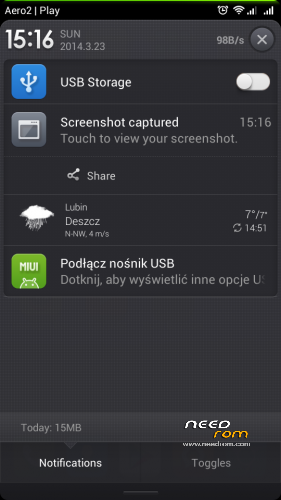
light : internal sdcard is seen as "usb connect" and system displays usb icon on the status bar. What for and why?
unrecognized : although ROM is pretty fast, confirmed by synthetic test, and launcher works fluid, very often, when You begin some task, it has "thinking slowdown". Probably security/antivir scan, but again, One cannot disable security scan at all.
Maybe, locker and security are not issue, but "MIUI feature". it's all right then, but if I wanted "have to", I would choose probably IOS or Win mobile
minor : One cannot disable system locker. Maybe it is general MIUI issue, but what if You want to use third party locker, like GO Locker for example?
there is an option in development options to disable it (idk if avaiable in this rom but it’s been like that in every MIUI i tried, didnt try yet)
What about make it free to use any miui theme?
Many people love that!
it is possible in this rom
Good job. GPS works fine. Thank you for Ukrainian localization, it is almost flawless. How to expand memory for applications?