
- Title: Mokee 7.1.2 MDSdev
- Listed: June, 2017
- Last modified: 02/28/2018 3:30 pm
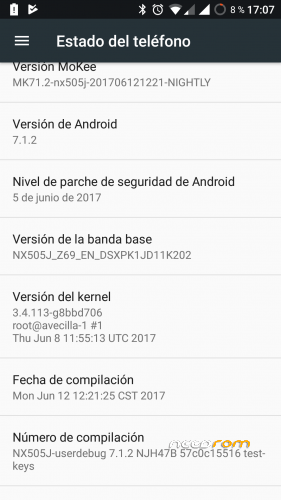
- Version: Z7 Max Rom Mokee 7.1.2 By MDSdev (NiGHTLY)
You must be logged for ROM download.
45557 total views, 4 today
78 Total favorites
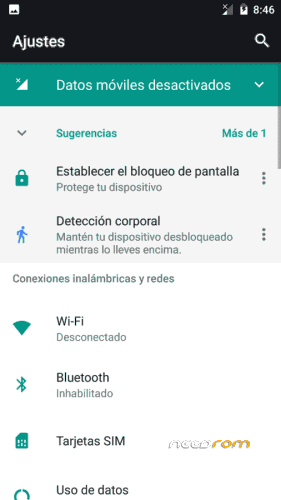
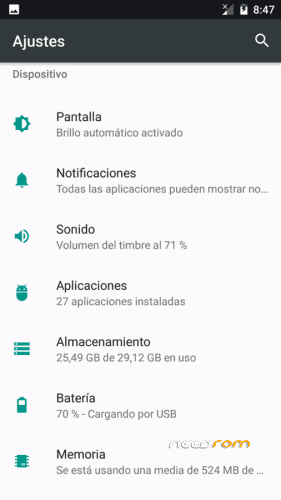

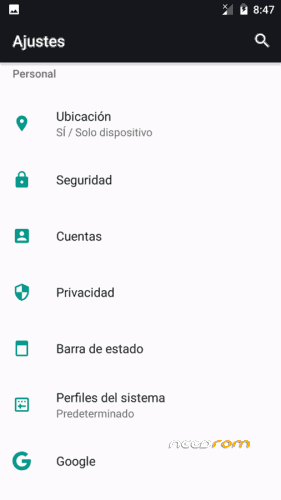
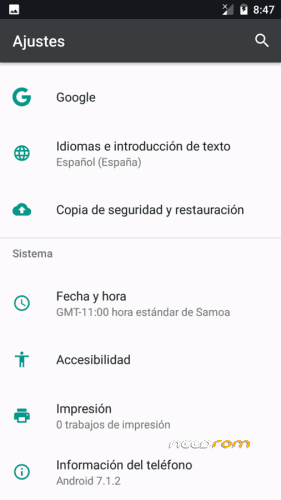
 Member Info
DESCRIPTION
Important
The rom is a port of the Rom Mokee of the Z7 mini. The Mokee center can not be eliminated because many things would stop working.
They will skip updates, but they do not work for this rom.
To avoid updates, disable it in the Mokee center.
NEW ROM: 27/02/2018, Rom complete without gapps.
Some time ago came using a Rom Mokee for our Z7 Max, which worked quite well.
The Rom unloaded it from Needrom and published it "zolDM". It was an official Mokee port of the Z7 mini, but it suddenly disappeared from Needrom and the author stopped supporting and publishing it.
As I think Rom works quite well, I have managed to take it, taking advantage of the work already started, I updated it to the latest "NiGHTLY" and updated the kernel, which is compiled by me, thanks to the sources of "PaoloW8".
I think everything works, if you see something that does not work, you just have to tell me.
Important: Before doing anything I advise you to make backup, so that in case of problems you can restore the rom you had.
Multilanguage, Gapps not included, must be installed separately by recovery
Rom Updated. Last security patch. (05/08/2017)
Upload update every 4-5 days.
Installation:
* Installed by means of TWRP recovery.
* Download the rom file and the gaps, save them in SD or internal memory.
* You start in recovery mode.
* Make wipe of everything, less of the internal and external memory. If you make the internal wipe, then you will have to save the rom in the SD.
* Once made the wipes, you install the Rom.
* When installation is complete
* Install the Gapps
* Once finished installing, reboot
To improve the Wi-Fi and network signal, install the Baseband 389. It is installed by recovery, without wipes.
The two sim have LTE. In order to operate the Sim 2 LTE, you must set the Sim 1 as "GSM only", put in airplane mode and then re-enable.
Gapps
If you want the most updated gapps, just go to this page: The Open GApps Project
You always choose: ARM / 7.1 / the module you want, I usually choose the smaller one that is the peak.
Updates (always have a backup handy)
Important: Updates need to be installed in order. After installing an update, you have to restart to install the next one.
The updates that appear to the terminal can not be installed, they will give you error, they are also for the Z7 mini. I do not delete it because if you click on them you comment the changes introduced, which in most cases do not matter.
Those of this terminal, I will put them here to install by recovery.
Here I will post the changes introduced by the dev of mokee, or that I can contribute myself. They are installed by recovery and do not affect anything you have, they are like a kind of ota.
The Mokee changes can be seen here: ChangeLog For MoKee Open Source, many are only subject to translations and some improvements, although sometimes they may not improve on the above. It is not a stable version and there are variations daily, although I will hang the updates once a week, so that it is not too heavy.
Remember to make a copy, in case you do not like it you could return to the previous thing, although from one to another update they are solving the subjects.
Thanks: Paolow8, zolDM, team Mokee open source
Support: https://www.movilesdualsim.com/tema/z7-max-rom-mokee-7-1-2-by-mdsdev-nightly.174552/
If you want you can help me with a little help on Paypal
※Please make a backup of your device before installing or updating ROM
New update.
is ir blaster working?
many thanks for this rom
it works
i have tried last 2 months several 7.* from many authors here in needrom. some were good, some really good, some bad,but all of them have one major problem, at least for me, many hangups while in a call… so as much as good a rom will be, i cannot use it if the main usage of a mobile, the calling, doesn't work well.
so about this rom, do we experience any hangups from anyone? now i am back in 5.1.1 cause at least i can speak normally again… but i know the 7.* are also good enough, so i am trying to fing a good normal daily rom
nice to know you compiled the kernel too. before i was using rom by zoIDM it was good but problem was heating .. online games and video streaming of 1-2 hrs put mobile under too much heat. i checked clocking spead and cpu governers but no improvement ..
with this rom is the heating issue still there or its with my handset only!
Everything works perfect… I have been using this ROM since it posted and till now I didnt face any problem. I am missing stock ROM's features like Edge Gestures, Split Screen and specially Nubia Music player with dolby and lyrics. Is it possible that you can add these features with this ROM?
***** (FIVE STARS) for MD Sdev
New update
Thankyou ( ^_^)/
Proximity sensor does not work correctly
It works for me. I do not know what his problem is.
Display screen off while caliing and doesnt turn on to end call or activate loud speaker
It is what it is. When I pass I press the power button and ready. If you see a big inconvenience you can choose another Rom.
I'm sorry I can not give you another solution.
8º Update, Ready to download
If i installed magisk v12 and systemless root, can i pass safety net CTS?
I do not know, I do not use that function.
The rom takes root of series, only has to activate it in development options.
Try and tell us.