
- Title: Mokee 7.1.2 MDSdev
- Listed: June, 2017
- Last modified: 02/28/2018 3:30 pm
- Version: Z7 Max Rom Mokee 7.1.2 By MDSdev (NiGHTLY)
You must be logged for ROM download.
45557 total views, 4 today
78 Total favorites

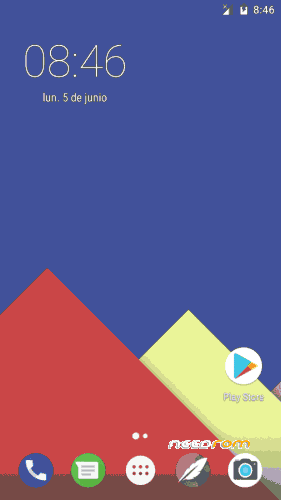
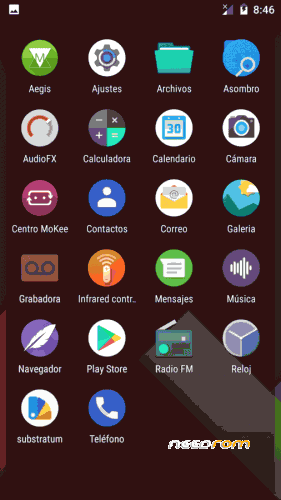
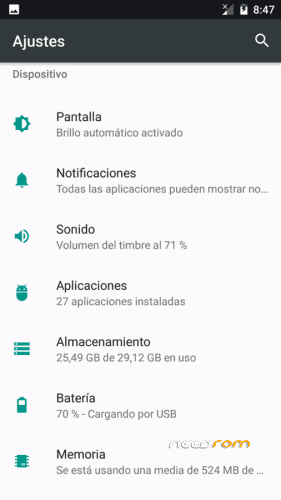

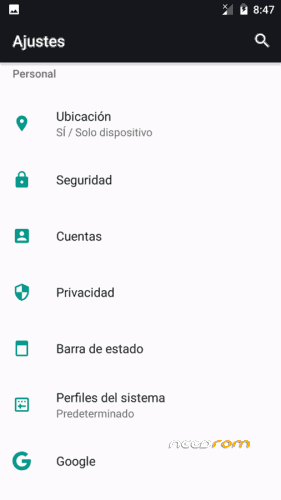
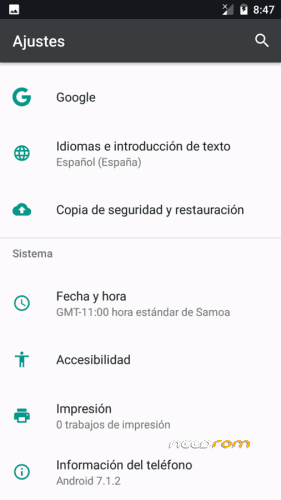
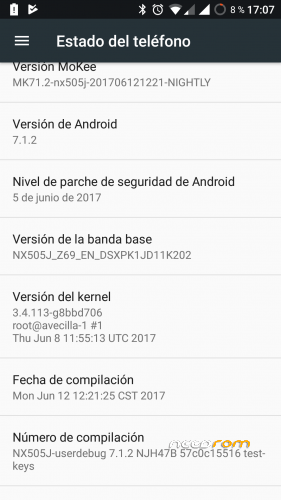
 Member Info
DESCRIPTION
Important
The rom is a port of the Rom Mokee of the Z7 mini. The Mokee center can not be eliminated because many things would stop working.
They will skip updates, but they do not work for this rom.
To avoid updates, disable it in the Mokee center.
NEW ROM: 27/02/2018, Rom complete without gapps.
Some time ago came using a Rom Mokee for our Z7 Max, which worked quite well.
The Rom unloaded it from Needrom and published it "zolDM". It was an official Mokee port of the Z7 mini, but it suddenly disappeared from Needrom and the author stopped supporting and publishing it.
As I think Rom works quite well, I have managed to take it, taking advantage of the work already started, I updated it to the latest "NiGHTLY" and updated the kernel, which is compiled by me, thanks to the sources of "PaoloW8".
I think everything works, if you see something that does not work, you just have to tell me.
Important: Before doing anything I advise you to make backup, so that in case of problems you can restore the rom you had.
Multilanguage, Gapps not included, must be installed separately by recovery
Rom Updated. Last security patch. (05/08/2017)
Upload update every 4-5 days.
Installation:
* Installed by means of TWRP recovery.
* Download the rom file and the gaps, save them in SD or internal memory.
* You start in recovery mode.
* Make wipe of everything, less of the internal and external memory. If you make the internal wipe, then you will have to save the rom in the SD.
* Once made the wipes, you install the Rom.
* When installation is complete
* Install the Gapps
* Once finished installing, reboot
To improve the Wi-Fi and network signal, install the Baseband 389. It is installed by recovery, without wipes.
The two sim have LTE. In order to operate the Sim 2 LTE, you must set the Sim 1 as "GSM only", put in airplane mode and then re-enable.
Gapps
If you want the most updated gapps, just go to this page: The Open GApps Project
You always choose: ARM / 7.1 / the module you want, I usually choose the smaller one that is the peak.
Updates (always have a backup handy)
Important: Updates need to be installed in order. After installing an update, you have to restart to install the next one.
The updates that appear to the terminal can not be installed, they will give you error, they are also for the Z7 mini. I do not delete it because if you click on them you comment the changes introduced, which in most cases do not matter.
Those of this terminal, I will put them here to install by recovery.
Here I will post the changes introduced by the dev of mokee, or that I can contribute myself. They are installed by recovery and do not affect anything you have, they are like a kind of ota.
The Mokee changes can be seen here: ChangeLog For MoKee Open Source, many are only subject to translations and some improvements, although sometimes they may not improve on the above. It is not a stable version and there are variations daily, although I will hang the updates once a week, so that it is not too heavy.
Remember to make a copy, in case you do not like it you could return to the previous thing, although from one to another update they are solving the subjects.
Thanks: Paolow8, zolDM, team Mokee open source
Support: https://www.movilesdualsim.com/tema/z7-max-rom-mokee-7-1-2-by-mdsdev-nightly.174552/
If you want you can help me with a little help on Paypal
※Please make a backup of your device before installing or updating ROM
New update ready, 10
Hello, first of all, I have to say thank you very much for the work you did. I have a problem installing the Google app you recommended … After installing the rom I tried to install the Google apps with TWRP and received error number 70 and I tried to install your updates with TWRP and got an error message Number 7, please your help … thanks
I was able … Thanks, for Google apps I solved by re-downloading Pico package and for updates I downloaded again and numbered them
ok
otg is not working
I just tried and it works correctly. Check your cable
There is still a problem with GAPS. It installs but does not download from the play store or downloads very slowly. Transfer rate for Wi-Fi and LTE up to 3 Mbps. The RR reaches – up to 40Mb / s. There is a bug in navigation – black screens. Generally, you are doing a good job. Thanks. / Sorry translator /
I do not know what problem you have To me the gapps google work me well.
You have to install the Rom and reboot. Then restart in recovery and install the gapps. You can download them updated in opengapps page.
On the navigation in LTE, yesterday the connection probe and reach speeds of up to 40Gb in LTE and with the wifi of a hotel of 10 Mb.
On the black screen with the navigator, just go with the TomTom go, as I said. With Google Maps and Here works perfectly.
If you are not satisfied with the rom you can use another one, but please do not generalize the faults.
Thank you.
You can install the baseband 389 and improve the wifi and network signal. It is added in the downloads.
1. Download updates through the Google Store, showing that it downloads but is stuck on the download.
2. When I use your update program "mokee center" the updates go down and when I confirm it to restarts and comes to
Updates on the phone can not be installed, they will give you an error. They are for the Z7 mini.
Updates I put here.
There are currently 10.
By the way there is another problem, when I plug headphones there is no icon that shows connection
There is no problem. You have to activate it in Settings / status bar / icons.
To improve the Wi-Fi and network signal, install the Baseband 389. It is installed by recovery, without wipes.
It is added in the downloads
New update 11
Hello, thank you very much. Second, you fixed the download and install problem from the Google Store with the new update … you created a great rom, thanks again
I have never had download problems with google play.
In Settings / Applications, delete the updates and the cache of "Play store". If it does not work, you can download the gapps in The Opengapps.
Remember: ARM / 7.1 / Peak
And as a last option reinstall everything again, following the steps
It is not good to install several things at once. One at a time and restarting.