
- Title: MPAI 809T
- Listed: January, 2015
- Last modified: 01/07/2015 1:33 pm
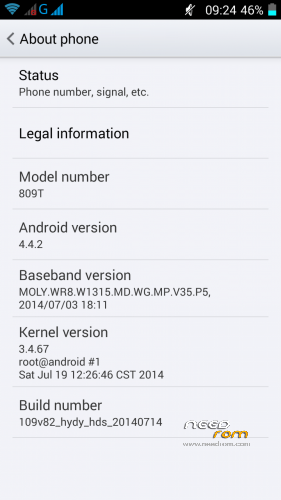
- Version: Android 4.4.2
You must be logged for ROM download.
24180 total views, N/A today
 Member Info
DESCRIPTION
For MTK6582 1/4GB version only!
LCD driver 0-TDO_HD0499K70137
KitKat stock ROM 20140719_e2109v82_hydy_hds with slight modifications:
- root access
- data partition resized to 2.0GB
- fixed external SD card limitations
- fake hardware specs removed
- chinese crap removed
- TWRP 2.7.1.0 included
Instructions:
- Backup your NVRAM first! You possibly will lose your IMEI!
Run MTKDroidTools.exe.
Click button "IMEI/NVRAM".
Click button "Backup".
- Make sure you have ADB drivers installed and working.
- Run SP Flash Tool.
Open Scatter-loading File "MT6582_Android_scatter.txt".
Click "Firmware->Upgrade".
Connect phone without battery to USB port.
Wait for green circle.
Disconnect phone, insert battery and power on. Have fun!
If your IMEI is gone, restore NVRAM using MTK Droid Tools.
※Please make a backup of your device before installing or updating ROM
Thanks, will save this for future needs
please make sure all necessary images are checked to be downloaded for "Firmware Upgrade"
Try ti install this firmware w/o success. After 6 seconds SP tool says BROM ERROR 5007, and after this attempt, phone not switching on. What i'm doing wrong? May be there are some little tricks to flash this version properly?
You'll have to use a different version of SP Flash Tool. I recommend SP_Flash_Tool_v3.1328.0.183.
MT6582_Android_scatter it is necessary to leave the original
I used scatter from unpacked folder 809t_KitKat_data2.0GB.7z. Exactly this one you mean?
Bom dia!
Friend .. Can you help me with the error below ..
When I try to do the IMEI BKP the following error appears!
— ERROR :dev/radio/pttycmd1 inaccessible , should be Root Shell
— ERROR :pttycmd1 device NOT found!
You have to click the ROOT button first, before you click IMEI/NVRAM.
Amigo o Erro persiste.
ATTENTION! Requests for confirmation on the device screen are possible!
— ERROR : file adbd not install !
Run MTKDroidTools as administrator.
Hello, I have poor battery performance. Any experience others?
Just recalibrate battery with app “Battery Calibration” from Play Store.
I tried already, but has no result. I mean does it caused too high power comsumption?
The phone's battery is quite small, so battery life isn't very impressive. My phone runs about 2 days on normal use (dual sim, wifi disabled, no messenger in use).
My other phone Amoi N850 runs about 5 days.
when click firmwere upgread it ask me te to check all files – when i do it it gives me the other message
Open MT6582_Android_scatter.txt.
Find "partition_name: CACHE file_name: cache.img is_download: true".
Change to "is_download: false".
Find "partition_name: USRDATA file_name: data.img is_download: true".
Change to "is_download: false".
Save MT6582_Android_scatter.txt.
Try again.
ok i have try it – i had problem to give it in but after that i was happy it was working OK but only 1 hour after that telephon rebot and cant start it again just welcom screen and again aagain i cound go to make reset nothink :/
i have tryed yours :
i hope it will be good
but i wanted 4.4
the ROM on top of this page is 4.4