
- Title: MutROM: KitKat Jiayu ROM for Europe
- Listed: July, 2014
- Last modified: 07/08/2014 3:21 pm
- Version: G4S-2014-07-08
You must be logged for ROM download.
26953 total views, 5 today


 Member Info
DESCRIPTION
BEFORE Install ROM :
Save the IMEI and the NVRAM with MTK Droid Tools!!!
Flash the official ROM Jiayu KitKat V1 (20140704-161636)
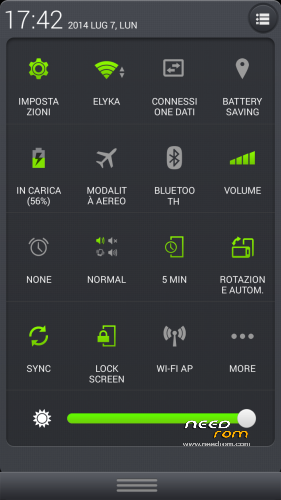
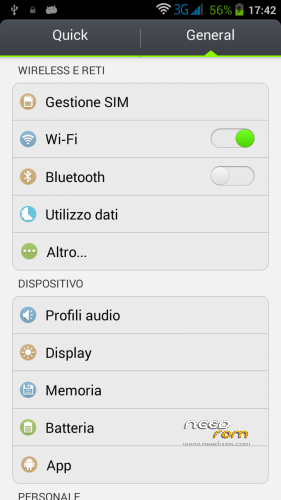
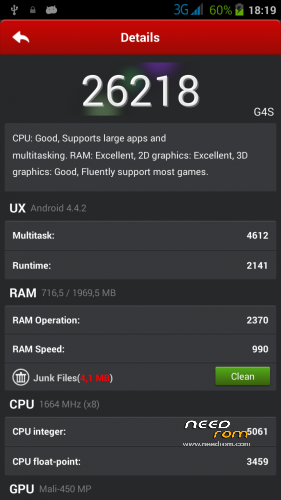
Custom ROM Mobile JIAYU G4S – ROM Android 4.4.2 KITKAT
MADE FROM Official JIAYU ROM for G4S WCDMA : G4S 20140704-161636
Changes from Official ROM:
- Carliv Touch Recovery included
- Uninstalled all Chinese apks and input mode
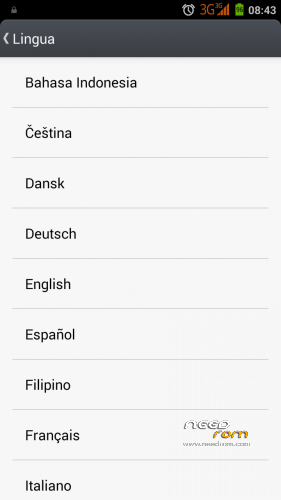
- Installed European Google Keyboard
- MobileUncle Tools, GPS Status, SuperSu, Xposed framework
- Updated all apks
- hosts file changed in order to dispose advertising
- no preloader to prevent wrong phone brick
Install ROM :
- SAVE NVRAM (MTK Droid tools)
- Go into Recovery and Wipe All Data / Factory reset
- Run FlashTools
- Select the contained MT6592_Android_scatter_emmc.txt inside ROM compressed file
- Wait file to be added into Flash Tool
- Choose Option->Connection->USB->USB Speed->High Speed
- Turn off your phone, remove the battery
- Select "Download only"
- Connect your phone into the computer via USB data cable
- The process will start and various progress bar will be displayed
- At the end, a green circles will appear
- You can now safely disconnect your phone and turn it on.
- If you lose the NVRAM or IMEI, restore it and reboot
- Finish!
I hope you enjoy this ROM!
※Please make a backup of your device before installing or updating ROM
Flashing this rom is very complicated! After flashing this rom, my mobile losses imei. Luckily, i backup imei before flashing this rom.
I’m sorry for that, but, as I written, it's very important to save the IMEI and NVRAM because if your previous Android was 4.2, is changed the partitioning and you lose this data after formatting!
For G4S/L would oneself at random did not find?
Thx.
why not made for install by recovery ?
Because it take more time: sadly I'm getting some bugs trying the CWM installation
Dear Mut,
Could you please cook this rom to install via recovery please ?
Thank you in advance.
Sadly I'm getting some bugs trying the CWM installation, maybe on the future
Thankx mut, for this Rom .we are all waiting for the CWM ver.
I have Jiayu model G4T compilation G4H 20130809-145043 with Android 4.2.1. Can I use your ROM for updating this phone?
You have a different CPU, then I think that it don't works.. sorry
The CPU is ARMv7 Processor rev 2 (v71). Does your comment hold?
thank you mut! It is possible for you to explain how to save the nvram and where to get the preloader for 4.4?
One or two explanation after the red warnings would be nice!
thank you Mut, it's a great rom. I installed your rom on two g4s. Previously, I had your rom 4.2, I installed the first official 4.4 version flashtools then your release. I have not had any problems with loss of imei.
If I loose IMEI do I have to possess a physical IMEI backup in a file to recover it, or it is enought if I write it down? What is a tool for IMEI recovery?
Thx.
The best IMEI backup is on phone under your battery
If you have a previous backup with CWM, you have also a software backup
I am using official 4.4 already, does that mean I can use spflash without the extra steps?
You can ignore the extra steps only if you installed 4.4 with flash tool with a farmat: sadly some CWM ROMs don't format in the right way the memory, then it's possible that you need in any case the extra steps
make the 2 wipe and you can use spflash.for security, backup imei before.