
- Title: MutROM: KitKat Jiayu ROM for Europe
- Listed: July, 2014
- Last modified: 07/08/2014 3:21 pm
- Version: G4S-2014-07-08
You must be logged for ROM download.
26954 total views, 6 today


 Member Info
DESCRIPTION
BEFORE Install ROM :
Save the IMEI and the NVRAM with MTK Droid Tools!!!
Flash the official ROM Jiayu KitKat V1 (20140704-161636)
Custom ROM Mobile JIAYU G4S – ROM Android 4.4.2 KITKAT
MADE FROM Official JIAYU ROM for G4S WCDMA : G4S 20140704-161636
Changes from Official ROM:
- Carliv Touch Recovery included
- Uninstalled all Chinese apks and input mode
- Installed European Google Keyboard
- MobileUncle Tools, GPS Status, SuperSu, Xposed framework
- Updated all apks
- hosts file changed in order to dispose advertising
- no preloader to prevent wrong phone brick
Install ROM :
- SAVE NVRAM (MTK Droid tools)
- Go into Recovery and Wipe All Data / Factory reset
- Run FlashTools
- Select the contained MT6592_Android_scatter_emmc.txt inside ROM compressed file
- Wait file to be added into Flash Tool
- Choose Option->Connection->USB->USB Speed->High Speed
- Turn off your phone, remove the battery
- Select "Download only"
- Connect your phone into the computer via USB data cable
- The process will start and various progress bar will be displayed
- At the end, a green circles will appear
- You can now safely disconnect your phone and turn it on.
- If you lose the NVRAM or IMEI, restore it and reboot
- Finish!
I hope you enjoy this ROM!
※Please make a backup of your device before installing or updating ROM
Hello mut,
Thanks for the ROM!
Could you please tell me about the language pack of this ROM? I have already installed the 4.4 but the original one and i'm very angry all those chinese apllications already installed on it.
Could you please tell me if the GAPPS are already installed or i should try to install them later?
It's installed only the PlayStore, in order you can install only the Gapps that you need.
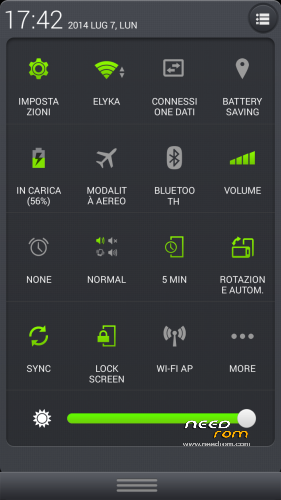
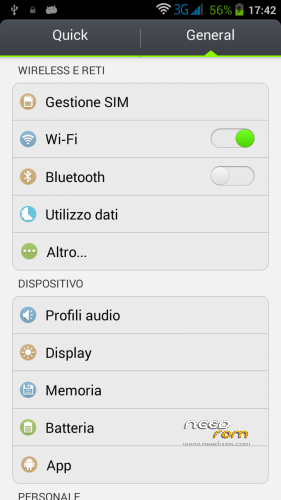
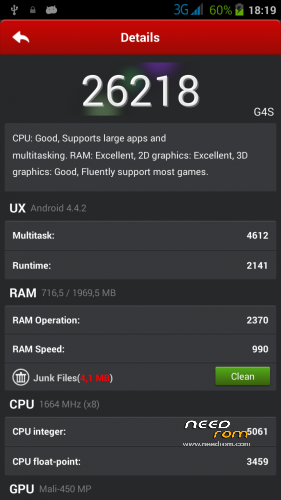
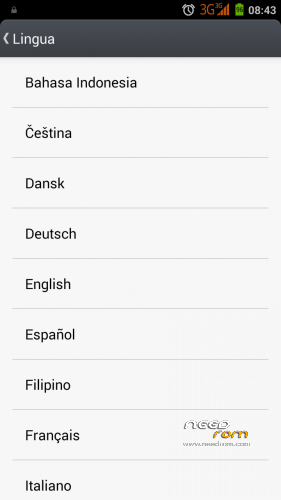
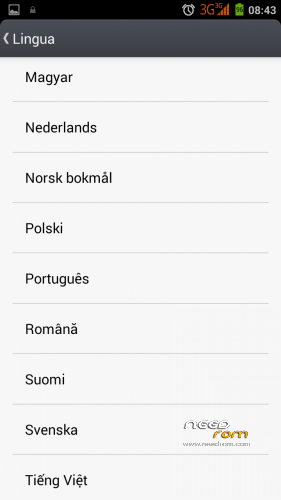
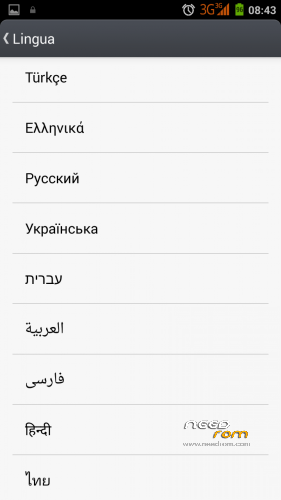
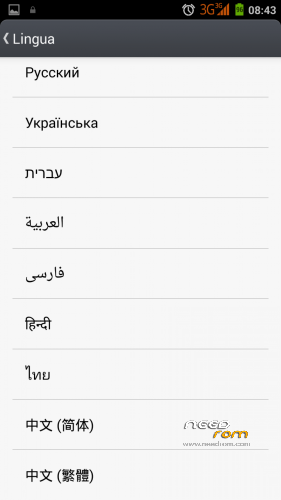
I also added the screenshots of the supported languages!
How do you save NVRAM?
I backed up my IMEI with mobile uncle tools.
Can someone please make a CWM zip?
I CANNOT get the drivers to work for flashing on windows 8…
https://learn.sparkfun.com/tut.....nt-on-windows-8
I already did that but still nothing happens when trying to flash. I installed all drivers though…
I knw this isnt related to this rom but need some help guys.. how to mount sd card on Ext. SD on kitkat bcoz currently /mnt/media_rw/sdcard0 (internet storage) is mounted.
You will lose IMEI if you do Format in SPFlashtool.
When upgrading from 4.2 –> 4.4 use Firmware upgrade instead of Download only.
It wont erase IMEI
Hello
I'm trying this room….. very good in fact..
Is it possible to have 4G LTE on the G4s?
Thks
Salva
Thank you!
Sadly the 4G is a "hardware feature" that G4S don't support
very complicated to take any risk!
Many of these steps should be done “everytime” before you flash a ROM.
Some of these G4S 4.4 ROMs don't re-partition in right way and then are easier to install, other ROMs give you a /data and /cache partition (like official) and then are easier too.
I gived the minimun to make the job in the right way: my opinion is that flashing the ROM should be done only if you really know what you doing, my instructions are a "must" in order to take care that flash is not always easy if you don't know what you doing: if you know, it's very easy and you don't need it
The recovery doesn't work, why?
Can someone make a comment backup for the people who can’t use the flash tool?
Nobody?
IMPORTANT: I exacly followed above mentioned instructions. To be honest, upgrading from 4.2 according to the instructions WILL NOT WORK at ALL!!
The only way to install this rom is to install official 4.4 version and then flash this one! Please correct the instructions.
So flashing guide should have 4 steps:
1. backup NVRAM
2. flash official 4.4.
3. flash MutROM
4. boot into recovery, restore NVRAM
To restore 4.2 version the procedure is:
1. if you don't have the backup…backup NVRAM
2. flash official 4.2 version (select format all + download)
3. flash 4.2 MutROM
4. restore NVRAM with MtkDroidTools
And of course…don't even think of trying without making NVRAM backup first!!
Thank you, I've updated the instructions!